
- Joined
- Sep 5, 2019
- Messages
- 13
- Reaction score
- 1
I have no right-click potion to call with 3cx after installing the plugin. I have restarted outlook and the 3cx windows application multiple times with no success.


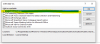
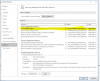

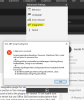
If you don't have the option, then the addin has not been installed in Outlook. What version of Outlook are you using? Are you provisioning the integration to the extension from the console? Or are you installing 3CXPlugins on the client machine?
The plugin for v15 works with v16 as well, so you should be fine installing it from 3CXPlugins.exe...
Said this, please note that you need to launch the 3CX Plugins Manager tool to configure the plugin. When you install it from the 3CXPlugins installer, the configuration is NOT done from 3CXPhone > Settings > Advanced > Integration. In that case you need to open the 3CX Plugins Manager, that should be in your desktop...
If you still can't see the context menus, then please check the logs from folder "%AppData%\3CXPhone for Windows\Logs", maybe you get a hint there.
Finally, please note that we haven't tested this integration with Outlook 365. The officially supported versions are 2010, 2013 and 2016, as explained here.

It won't. O365 has a different integration. Outlook 2013-2016 should work. As for 2019, never tested it.Ok thank you for your information. Do you have a road map on when you will be supporting O365 outlook?
Yes I know that it has not been tested I was asking what the roadmap looks like when can this integration be expected. With my Microsoft 365 business license, I don't have an option to download outlook 2016It won't. O365 has a different integration. Outlook 2013-2016 should work. As for 2019, never tested it.
There's no roadmap. Push this in the Ideas section to get it upvoted.Yes I know that it has not been tested I was asking what the roadmap looks like when can this integration be expected. With my Microsoft 365 business license, I don't have an option to download outlook 2016
Founded in 2005, when VoIP was an emerging technology, 3CX has gone on to establish itself as a global leader in business communications.


