Solved Migrated to google cloud

Status
Not open for further replies.

voice11

Bronze Partner
Basic Certified
Joined
Jul 15, 2016
Messages
78
Reaction score
2
Hello All,
Back again with another question :). I had originally installed 3CX Pro license (V15.5) Debian on VmWare workstation 14 Pro (14.1.0), running on WIN7 pro SP1. Now after using it for couple months & trying my hand on it, I migrated it to google cloud tonight. Looks like everything went well in theory because I see license information, FDQN confirmation etc in final steps. I however can't login to management console, meaning domain "https://company.3cx.com" doesn't open. Does anyone know why that is.
I have turned off my existing computer where old 3CX (same license) was residing & working ok, thinking that it could cause issues with console login (because same address, company.3cx.com) & also possible license usage violation. I am sure if I turn computer back on, PBX & phones will come online again....but I rather want to have cloud PBX working instead. Can anyone suggest what might I have done wrong.
 
I know when I used AWS I had to open ports 5001 in the security group (their equivalent to a simple ACL/Firewall I would expect Google to have the same sort of thing for security reasons.
 
I know when I used AWS I had to open ports 5001 in the security group (their equivalent to a simple ACL/Firewall I would expect Google to have the same sort of thing for security reasons.
Thank you eddv123. If you create it using the PBXExpress option the firewall is auto set for you. So in my case 5001, 5060, 5061, 5090 are already open for me. It gotta be something else.
 
Sometimes it takes time for the FQDN to update, especially if the 3CX services are still running on your previous install. Try connecting to your Google External IP https://externalip and https://externalip:5001. If that works shut down the services or VM of your old install. Click the license and refresh it and your FQDN will update accordingly as the DNS refreshes.
 
Sometimes it takes time for the FQDN to update, especially if the 3CX services are still running on your previous install. Try connecting to your Google External IP https://externalip and https://externalip:5001. If that works shut down the services or VM of your old install. Click the license and refresh it and your FQDN will update accordingly as the DNS refreshes.
Wonderful, thank you @CentrexJ. Yes portal is up now, both company.3cx.com as well as https://externalip but I can't seem to able to login, neither with my old credentials nor with new credentials (admin & new password) which were sent by 3cx via email. I am afraid of trying too many times of being locked out.
Another thing my portal works ok with company.3cx.com/#/login but not with extension 5001. Same thing with external ip. externalip:5001 doesn't open.
 
Can someone tell me why I am not able to login to company.3cx.com/#/login or https://externalip/#/login with correct credentials? Do I need a different extension? I can't open page with company.3cx.com:5001 or https://externalip:5001.
Looks like i am at the final step but can't get in.
 
Hello @voice11

If you used the PBX express tool to install the system then the default port of the system is 443 as there is nothing else running in the instance so 5001 is not needed. And since port 443 is the default https port it is omitted from the FQDN.

Regarding the login: Do you get an error when trying to login to the management console? Also if you have SSH access to the cloud machine check of the management console service is running.
 
Hello @voice11

If you used the PBX express tool to install the system then the default port of the system is 443 as there is nothing else running in the instance so 5001 is not needed. And since port 443 is the default https port it is omitted from the FQDN.

Regarding the login: Do you get an error when trying to login to the management console? Also if you have SSH access to the cloud machine check of the management console service is running.
Thankyou @YiannisH_3CX. I was trying to migrate it over the weekend, because I can't have a Monday without functioning phone, so I had to shutdown google cloud & restart service from our in-house computer and phones are back online. I'll try again tonight after hours. I am also worried about being locked out from FQDN & mac address limit as 3CX may think same key is being used in 2 separate instances and may lockout.
Anyways back to original problem, yes I had used express tool to install and I see port 443 is open. I additionally opened 5001 in https also anyways just to be safe. I guess the problem arise when I can't see page with company.3cx.com:5001. It opens ok with company.3cx.com/#/login... but then my login credentials don't work, it says incorrect username or password. Is there a reason I can't open with company.3cx.com:5001, should I try company.3cx.com:443 instead?
Funny enough it company.3cx.com:5001 works fine when using inhouse computer & I can login from anywhere in the world.
For SSH access, can you elaborate a bit more please? How do I do that? Thank you in advance Yiannis.
 
If you used the PBX express tool then the initial credentials you should use are the ones sent in the email when the installation was completed, until you restore your backup where at that point you should use the credentials that are stored in the backup.
Is there a reason I can't open with company.3cx.com:5001, should I try company.3cx.com:443 instead?
As mentioned the port the PBX express tool uses is 443 so when you try to login you should use
company.3cx.com without any port.
Also note that currently your FQDN is pointing to your local installations public IP, so when you switch that off and install in on the google cloud, it will take some time before the DNS entry switches to that public IP so for some time your PBX may not be accessible using the FQDN. In that scenario you should try to use the public ip to access the PBX.
For SSH access, can you elaborate a bit more please? How do I do that? Thank you in advance Yiannis.
I assume that since you already had the key the installation was done to your google instance. In that case you should be able to access the instance from the google control panel. If i remember correctly it is under Compute Engine / VM instances. You should see a list with your instances there with the ability to SSH into the OS.
 
Thankyou @YiannisH_3CX. Update, I shutdown my inhouse computer again this Friday night, firedup google cloud, funny enough I was able to login just fine. I didn't do anything different from last week...just weird... but pleased. Backup was restored, setup with SIP provider done & everything seem to be working fine. I have an extension (STUN) at my home office which was setup in first shot, able to make & receive calls.

I however can't get my office phones, behind SBC (Yealink T42S) to register with 3CX. Phones try register every couple minutes but then it fails I am using manual provisioning with link but no luck. And other odd thing is that phones don't show with PnP. 3CX documents says they should show in PBX as available extensions but I can't see none. I don't really have a firewall, but just basic modem, and all required ports are open as per instructions. I wonder if SBC is even able to talk to PBX, is there a way to check? I mean I did everything as per instructions, it should be talking but I am out of trouble shooting reasonings.
At one occasion I received this error message in PBX ...."SIP request (REGISTER) from xx.xxx.xxx.xxx was rejected. Reason: Block WAN requests is ON". And this was only one time after trying probably a good 100 times. And I should mention that in extension, under options "disallow use of extensions outside LAN" is unchecked.
I wonder if phones trying to register every couple minutes constantly since yesterday may have lead to blocking of phones or IP. IP is not blocked though, I have checked already.
What can I possibly do wrong? Thank you in advance.
 
If you are seeing "rejected reason block was requests is on" the phone is trying to connect not through the SBC but directly (STUN usually).

1. First double check that your SBC is setup correctly to the Google cloud pbx and try resetting a phone to factory default and see if it shows up using PNP. If the SBC is setup correctly and the phones are factory reset they should pop-up on your cloud instance in bold.
2. Double check to make sure that the WAN IP of the Office network is not on the blacklist. That could kill the SBC from working. Whitelist it if it is a static IP.
3. Check the logs in the SBC directory they might be more helpful. Try restarting SBC service.
 
If you are seeing "rejected reason block was requests is on" the phone is trying to connect not through the SBC but directly (STUN usually).

1. First double check that your SBC is setup correctly to the Google cloud pbx and try resetting a phone to factory default and see if it shows up using PNP. If the SBC is setup correctly and the phones are factory reset they should pop-up on your cloud instance in bold.
2. Double check to make sure that the WAN IP of the Office network is not on the blacklist. That could kill the SBC from working. Whitelist it if it is a static IP.
3. Check the logs in the SBC directory they might be more helpful. Try restarting SBC service.
Thankyou @CentrexJ. I had originally factory reset phones, but I'm am gonna try again just to be sure. Office WAN IP is not blacklisted, I rather added that in whitelist.
About SBC directory log, can you elaborate a bit more. How do you check logs? This will be something different which I haven't tried yet.
I have restarted SBC, Google instance, phones.... everything ... to no avail.
 
Thankyou @CentrexJ. I had originally factory reset phones, but I'm am gonna try again just to be sure. Office WAN IP is not blacklisted, I rather added that in whitelist.
About SBC directory log, can you elaborate a bit more. How do you check logs? This will be something different which I haven't tried yet.
I have restarted SBC, Google instance, phones.... everything ... to no avail.

On the pc running the sbc software go to the directory where it is installed and you will see the log files.

On my office pc running sbc the software is installed "C:\ProgramData\3CXSBC" and the logs are located "C:\ProgramData\3CXSBC\logs"
 
Last edited:
On the pc running the sbc software go to the directory where it is installed and you will see the log files.

On my office pc running sbc the software is installed "C:\ProgramData\3CXSBC" and the logs are located "C:\ProgramData\3CXSBC\logs"
Appreciate it @CentrexJ. Looks like there lies the problem. So, this below is what I have in logs. Can't really make sense of it except it reads "error". So issue is with my SBC? But I followed every thing by the book. Can you advise a fix please? Thank you.

ALERT | 20180519-162734.685 | 3CXTunnel | TUNL | 6892 | TunnelTcp.cpp:666 | Sending first packet from [ V4 0.0.0.0:54158 UNKNOWN_TRANSPORT ] to [ V4 xx.xxx.xx.xxx:5090 TCP ]
ERR | 20180519-202853.506 | 3CXTunnel | TUNL | 6892 | TunnelTcp.cpp:643 | Socket error (6): secure read at secure read (TunnelTcp::process)
ERR | 20180519-202853.506 | 3CXTunnel | TUNL | 6892 | TunnelTcp.cpp:268 | Bridge [3CXSBC15.5.7503] failure 'error:00000006:lib(0):func(0):EVP lib' on TCP connection: secure read
ERR | 20180519-203152.142 | 3CXTunnel | RESIP:TRANSPORT | 1144 | InternalTransport.cxx:148 | Could not bind to [ V4 192.168.1.37:5060 UDP flowKey=572 ]
ERR | 20180519-203152.157 | 3CXTunnel | TUNL | 1144 | Bridge.cpp:159 |
** Resip exception caught while starting bridge '3CXSBC15.5.7503' (123456)
! Exception: Could not use port
 
Hello @voice11

Check the SBC configuration again and make sure that everything is correct. Check the FQDN and ports and make sure the tunnel password is correct. You could also disable encryption if enabled and see if that works.
 
The could not bind and could not use port part of the log is interesting. Does this pc also have 3CX phone system installed? Could something else also use port 5060? Only one program can use the port at a time.
 
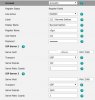
Thank you @YiannisH_3CX and @CentrexJ. I did a clean install once again this time without encryption. So I am able to see the phone in available list...good start.. at-least. My phone is still failing to register. Please see in the pic, it shows highlighted & available but when I assign extension, it keeps failing to register.
And I also noticed that phone IP is showing port 5059 (192.168.1.7:5059). I didn't know where is it getting that from? Is that normal? Could that be cause of not able to register?
I checked everywhere on phone web-interface, its 5060 there.
 

Attachments

  • 3CX.PNG
    3CX.PNG
    6.2 KB · Views: 9
And I also noticed that phone IP is showing port 5059 (192.168.1.7:5059). I didn't know where is it getting that from? Is that normal? Could that be cause of not able to register?
I checked everywhere on phone web-interface, its 5060 there.
The port you are seeing is OK, you may see other ports for the phone as well so don't worry about that.
Also the fact that you are seeing the PnP from the phone indicates that the SBC is connected so that is a good start.

What happens when you assign the phone an extension? Does it provision? Do you see the extensions details on the phone and it simply fails to register?
 
The port you are seeing is OK, you may see other ports for the phone as well so don't worry about that.
Also the fact that you are seeing the PnP from the phone indicates that the SBC is connected so that is a good start.

What happens when you assign the phone an extension? Does it provision? Do you see the extensions details on the phone and it simply fails to register?
Hello @YiannisH_3CX. Yea, looks like SBC is connected, it does show error message due to long inactivity time to time ... not sure if that is something of concern. But then I am also getting these SIP error messages for all of my 3 active extensions. As to what happens when I when I provision, phone web-interface populates all the correct extension details and it simply fails to register. :(

ERR | 20180522-075658.151 | 3CXTunnel | TUNL | 452 | Bridge.cpp:773 | Tunnel is not connected! SIP message is not sent: SipReq: INFO domain.3cx.com:5060 tid=1813699910 cseq=1 INFO [email protected]:5060 / 1 from(wire)
ERR | 20180522-075659.636 | 3CXTunnel | TUNL | 452 | Bridge.cpp:773 | Tunnel is not connected! SIP message is not sent: SipReq: INFO domain.3cx.com:5060 tid=2556197836 cseq=1 INFO [email protected]:5060 / 1 from(wire)
ERR | 20180522-075703.558 | 3CXTunnel | TUNL | 452 | TunnelTcp.cpp:268 | Bridge [3CXSBC15.5.7503] failure 'Too long inactivity' on TCP connection: while processing tunnel connection
ERR | 20180522-075715.528 | 3CXTunnel | TUNL | 452 | Bridge.cpp:773 | Tunnel is not connected! SIP message is not sent: SipReq: INFO domain.3cx.com:5060 tid=4244706441 cseq=1 INFO [email protected]:5060 / 1 from(wire)
ALERT | 20180522-075722.576 | 3CXTunnel | TUNL | 452 | TunnelTcp.cpp:666 | Sending first packet from [ V4 0.0.0.0:61244 UNKNOWN_TRANSPORT ] to [ V4 35.203.94.197:5090 TCP ]
 

Attachments

  • 3CX.PNG
    3CX.PNG
    11.7 KB · Views: 8
  • Phone.jpg
    Phone.jpg
    638.8 KB · Views: 9
From the provided logs i can see that the tunnel is disconnecting due to packet loss. A known reason for this is the machine hosting the PBX is under powered. What are the specifications of the machine? Could that be the reason the tunnel is disconnecting?
 
Status
Not open for further replies.