- Joined
- Apr 14, 2019
- Messages
- 8
- Reaction score
- 0
I'm having trouble seeing any of my new W56H dect handsets in the FXS/DECT extensions tab page. Here is the context of the problem:
I've have a working 3cx with gigaset N300 and gigaset A510 dect phones but
I'm now replacing the N300 with Yealink W60B + W56H dect phones
As the W60B doesn't have a PSTN interface and since I also want to optionally use PSTN as well as current external SIP trunk VOIP provider I firstly got an SPA3102 working with the existing N300 and other ip phones (yealink T21 series) such that I can make and receive calls over PSTN when using a dialled prefix in 3cx but also use external SIP trunk, otherwise.
Now I've taken out the N300 and old dect phones and got all 6 of the W56H registered to the W60B base station and upgraded the firmware on the W60B and W56H to latest from yealink (77.85.0.20 for W60B and 61.85.0.15 for W56H).
The DECT base station and handsets are all on the same private LAN as the 3CX.
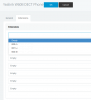
The W60B web interface shows all the DECT handsets.
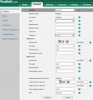
In 3cx I've added a new FXS/DECT for the W60B mac address and copied the provisioning link into the W60B web interface.
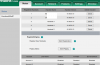
But, in 3cx I do not see any of the new W56H FXS/DECT extensions other than the previously known ones in the extensions tab and attempts to use W56H to make a call fail. I'm wondering whether this is a firmware issue as all are on latest Yealink firmware (or maybe I missed something really daft!)
Interestingly enough I've noticed that I now have the 3cx phone directory available on the new W56H handsets. Obviously some of the 3cx/yealink functionality is working.
Any suggestions welcome ?
I've have a working 3cx with gigaset N300 and gigaset A510 dect phones but
I'm now replacing the N300 with Yealink W60B + W56H dect phones
As the W60B doesn't have a PSTN interface and since I also want to optionally use PSTN as well as current external SIP trunk VOIP provider I firstly got an SPA3102 working with the existing N300 and other ip phones (yealink T21 series) such that I can make and receive calls over PSTN when using a dialled prefix in 3cx but also use external SIP trunk, otherwise.
Now I've taken out the N300 and old dect phones and got all 6 of the W56H registered to the W60B base station and upgraded the firmware on the W60B and W56H to latest from yealink (77.85.0.20 for W60B and 61.85.0.15 for W56H).
The DECT base station and handsets are all on the same private LAN as the 3CX.
The W60B web interface shows all the DECT handsets.
In 3cx I've added a new FXS/DECT for the W60B mac address and copied the provisioning link into the W60B web interface.
But, in 3cx I do not see any of the new W56H FXS/DECT extensions other than the previously known ones in the extensions tab and attempts to use W56H to make a call fail. I'm wondering whether this is a firmware issue as all are on latest Yealink firmware (or maybe I missed something really daft!)
Interestingly enough I've noticed that I now have the 3cx phone directory available on the new W56H handsets. Obviously some of the 3cx/yealink functionality is working.
Any suggestions welcome ?