Missing Phone Provisioning

Status
Not open for further replies.

RMI.ICT

Joined
Sep 4, 2015
Messages
4
Reaction score
0
Hi,

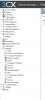
Where did the setting Phone Provisioning go with v14?

It seems to be missing after installing. See attached image.
 

Attachments

  • missing setting.png
    missing setting.png
    37.5 KB · Views: 1,895
Not clear what you are looking for.

to set the provisioning template for a specific extension - edit the extension then go to the Provisioning tab.

To activate provisioning - go to Phones node in mgmt console, highlight phone (or multiple phones) and click the Provision menu option.

Allen
 
Hi,

Under Settings in 12.5 there was the menu Phone Provisioning containing the Provisioning URL, Time zone settings, Daylight saving time settings.
I can't find the menu in 14 SP2. Did a complete reinstall and still the menu is gone. Where can I find it?
 
The phone provisioning url appears on the first screen in v14. I've had an issue where sometimes you had to zoom the browser display for it to appear. It will appear as the second line of item 5 - Configure and deploy,

Allen
 
Hi,

Thanks. I found that one already after resizing the browser. In the manuals of 14 they still mention this menu item thats why I am asking if this has been removed or not.
 
The screen is gone. Timezone is based on server.
I liked the screen because by enabling DST (or vice versa) you could recreate all phone provisioning profiles quickly.
 
Thanks for the info Craig!
 
Just a note that on our v14sp3 deployment, this did not work as expected. Our Yealink T4x phones were provisioned to pull the DST dates from the settings on the server. I don't think these are sent out anymore with v14. I had to manually edit the Yealink provisioning template and reset/reprovision the phones. I did confirm that the 3CX server was in the correct time zone and was displaying the correct time.

============================================
#Configure the daylight saving time feature; 0-Disabled, 1-Enabled, 2-Automatic (default);
local_time.summer_time = 2

#Configure the DST type when the DST feature is enabled; 0-By Date (default), 1-By Week;
local_time.dst_time_type = 1

#Configure the start time of DST. The default value is 1/1/0.
#If the DST type is configured as By Date, the value format is Month/Day/Hour. For example, the value 5/20/10 means the start time is at 10:00 on May 20.
#If the DST type is configured as By Week, the value format is Month/Day of Week/Day of Week Last in Month/Hour of Day.
#For example, the value 1/4/2/5 means the start time is at 5 o'clock on Tuesday of the 4th week in January.
local_time.start_time =3/2/7/2
#Configure the end time of DST. The default value is 12/31/23. The value format is the same to the start time.
local_time.end_time =11/1/7/2
#Configure the offset time (in seconds). It ranges from -300 to 300, the default value is 60.
local_time.offset_time = 60

#Configure the time format; 0-12 Hour, 1-24 Hour (default);
local_time.time_format = 0
 
Status
Not open for further replies.

Members Online Now

Forum statistics

Threads
111,842
Messages
589,320
Members
164,677
Latest member
skander