Modify a VoIP Gateway after migration to v20

Status
Not open for further replies.

MTIFANCE_AG

Silver Partner
Basic Certified
Joined
May 7, 2014
Messages
2
Reaction score
0
Hi, best wishes for 2024 to everyone,

I made a migration to v20yesterday and now I can no longer modifiy my Gateway under voice & chat, I can't even delete it.

Any idea?
 
Did you manage to resolve your issue? Similar problem here ... we don't have the luxury to wait for the latest version. Is rollback / restore from backup simple?
 
To go backwards you should install v18 then restore from a v18 backup.
 
Can you simply restore from backup without reinstalling v18 first? Unsure of the process of a reinstall.
 
The backup is the database not the software.

Is this a VM? You could shut it down and create a new one with the same IP. Or revert to an earlier snapshot. There should be an option to restore during the install.
 
It will be available in a matter of a few weeks
 
  • Like
Reactions: Evolute IT
:( our customer cannot wait 2 weeks without phones ... it's a hospital environment with phones in each room so the patients can call to get help.
Without much experience with phone systems I've been trying to figure out a plan of action ... I've been struggling with slow response times from 3CX support as I've worked day and night to try to fix this.

My plan currently:
- Stand up a new 3CX v18 instance
- Backup the current v20 instance
- Restore the backup onto the new v18 instance
- Cutover to the new v18 instance by changing the public IP

However, 3CX support came back overnight saying that reverting back to v18 will not be possible because the licence key has been upgraded to v20? Not sure what I can do.
 
:( our customer cannot wait 2 weeks without phones ... it's a hospital environment with phones in each room so the patients can call to get help.
Without much experience with phone systems I've been trying to figure out a plan of action ... I've been struggling with slow response times from 3CX support as I've worked day and night to try to fix this.

My plan currently:
- Stand up a new 3CX v18 instance
- Backup the current v20 instance
- Restore the backup onto the new v18 instance
- Cutover to the new v18 instance by changing the public IP

However, 3CX support came back overnight saying that reverting back to v18 will not be possible because the licence key has been upgraded to v20? Not sure what I can do.
Also a v20 backup won't restore on v18. You need a v18 backup.
 
Here's where I got to:
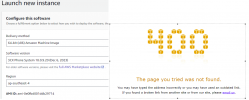
- via AWS Marketplace I attempted to provision a new 3CX v18 instance, however the latest v18 version doesn't provision (400 error). Unfortunately my backup if with the 18.0.9.20 version.
1704410593186.png

- I went back to the previous version via AWS 18.0.8.939 and this provisioned fine. I'll need to upgrade this version within the 3CX admin portal before I can restore the backup.

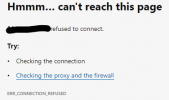
- During the install I tried to use the existing cert thinking I could simply log into the Admin portal using the public IP address e.g https://[publicip]:5001 however I got a page not found error after completing the 3CX installation and trying to log in for the first time.
I'm now working on setting up another cname and another cert to see if I can reprovision the instance and log into the admin portal.
 
Finally managed to get an instance of 3CX v18 deployed in AWS and restored the backup onto it.

Problem:
There might be a problem as the new 3CX instance probably has the same network info as the old one (I can't log into the web-console but I can connect via SSH), the Public IP address configured inside 3CX will not match that of the actual VM.

In this situation, what is the best method to cut over to the newly restored server?

Possible Steps:
1. Use the SSH cli to update the static IP to match that of the VM (unsure of the commands to do this)
2. Update the IP in the External DNS Provider to the ip of the restored server.
3. Wait for DNS propagation and then attempt to connect to the 3CX console?

Will these steps work?

Also, were the SBCs affected by the upgrade to v20, will I need to do some config / rebuild these also?
 
Last edited:
the Public IP address configured inside 3CX will not match that of the actual VM
When you say "inside 3CX" do you mean the 3CX FQDN needs updating? If that isn't updating I believe one can set 3CX that it's a Dynamic IP, which should trigger the update, then change back. Note a Pro license has a 6 hour TTL for a 3CX FQDN.

If the FQDN is not a 3CX domain then DNS needs to be updated manually.
 
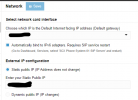
This is where I think I need to change the IP from within 3CX?

1704486590796.png

However I cannot access my new v18 instance since the install / recovery of the backup onto it ... probably because the IP in the console isn't matching the IP on the new VM?
 
Are you using a 3CX hostname or a custom hostname?

Can you browse to the server by IP? (will need to bypass the cert name mismatch warning)
 
Can't browse to the new v18 server at all using a web browser since the install / restore.

Tried:
http://<public ip>
https://<public ip>
http://<public ip>:5015

Unsure why I can't get to it via browser as I can't see an ACL blocking communication on the AWS side. I was able to get to the web browse initially to initiate the install, but after this I have not been able to connect to it.


I can however SSH to the server.
 
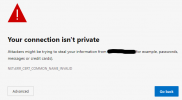
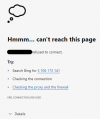
New v18 server when browsing to:

https://<public ip>
1704576383793.png

Old v20 server when browsing to:

https://<public ip>
1704576447436.png


Seems to be either something in AWS blocking traffic (I've checked absolutely everything I can think of) or the 3CX instance is simply not listening on those ports?
 
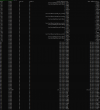
I can still SSH to the server via the public IP ... here is the output of the SS command:
1704579827804.png


Does this mean the VM is not listening on the appropriate ports? I'm not a Linux nor a Networking guy.
 
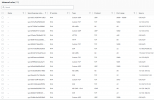
Inbound rules on the AWS Security Group are here:
1704580080644.png

Definitely bound to the right security group because I took away the SSH rule and I lost connection to the VM via SSH. Then re-added it and connectivity was restored.

Whyyy can't I connect to the Management Console via IP?!
 
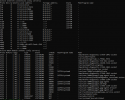
Result of netstat -pln

1704582707816.png
No 443 or 80
 
Re-deployed the 3CX and restored backup ... but instead of AWS I did it in Azure this time ... still the same result ...

https://<publicip>:443
1704605797715.png

Unsure what is going wrong ... the NSG has all of the appropriate rules in it as it auto-generated from the 3CX marketplace template.
 
Status
Not open for further replies.

Forum statistics

Threads
112,326
Messages
591,901
Members
165,479
Latest member
Senergia