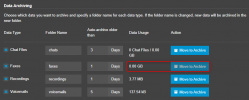
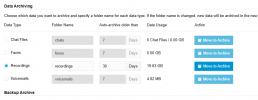
I have setup the M365 integration and enabled Remote Data Storage & Archive. I can also see the Folder/Path but the Move to Archive button is greyed out/disabled. What am I missing?
You will need to enable which items you need to archive, and if there is anything on the server it will archive them. If there is nothing there, then it will not archive anything.
Thanks Nicholas, stupid of me, didn't know I had to tick the box and SAVE before it enables the button. I'll probably know this in a sec but just in case, will it archive all 19GB?
With this option it will check every day and archive recordings older than 30 days.
It will start reducing the usage but will not archive all of them since the PBX will only do for 30 days old recordings.
Depending though on the average recordings per day this might not be reduced a lot. Maybe you need to set this in less days.