


- Joined
- Aug 16, 2023
- Messages
- 3
- Reaction score
- 0
Hi All,
We are doing a Teams Integration for a customer and experiencing some issues with the Teams SBC being inactive; I have followed the Guide (https://www.3cx.com/docs/microsoft-teams-business-voice/) and the Faq (https://www.3cx.com/docs/microsoft-teams-integration-faqs/#h.nw4gx1tt7izt), see the attached screen shot.
On the server side I can see traffic on the SIP Signalling and Secure SIP ports (5062 and 5061) but still no connectivity. We had at first purchased a certificate from another vendor after checking the CA/issuer but since have tried using the recommended ssl.com Basic SSL certificate with no change...
Current certificate chain:
Certificate chain
0 s:CN = teams.########.com
i:C = US, ST = Texas, L = Houston, O = SSL Corporation, CN = SSL.com RSA SSL subCA
a KEY: rsaEncryption, 2048 (bit); sigalg: RSA-SHA256
v:NotBefore: Aug 15 02:32:15 2023 GMT; NotAfter: Aug 14 02:32:15 2024 GMT
1 s:C = US, ST = Texas, L = Houston, O = SSL Corporation, CN = SSL.com RSA SSL subCA
i:C = US, ST = Texas, L = Houston, O = SSL Corporation, CN = SSL.com Root Certification Authority RSA
aKEY: rsaEncryption, 4096 (bit); sigalg: RSA-SHA256
v:NotBefore: Feb 12 18:48:52 2016 GMT; NotAfter: Feb 12 18:48:52 2031 GMT
2 s:C = US, ST = Texas, L = Houston, O = SSL Corporation, CN = SSL.com Root Certification Authority RSA
i:C = US, ST = Texas, L = Houston, O = SSL Corporation, CN = SSL.com Root Certification Authority RSA
aKEY: rsaEncryption, 4096 (bit); sigalg: RSA-SHA256
v:NotBefore: Feb 12 17:39:39 2016 GMT; NotAfter: Feb 12 17:39:39 2041 GMT
Traffic (ports 5060, 5061, 5062):
10:47:03.902843 IP XXX.XXX.XXX.XXX.41219 > 52.114.20.29.5061: Flags [P.], seq 168971:169532, ack 126895, win 501, options [nop,nop,TS val 3475985028 ecr 30609917], length 561
10:47:03.904743 IP 52.114.20.29.5061 > XXX.XXX.XXX.XXX.41219: Flags [P.], seq 126895:127316, ack 169532, win 16381, options [nop,nop,TS val 30625000 ecr 3475985028], length 421
10:47:03.904771 IP XXX.XXX.XXX.XXX.41219 > 52.114.20.29.5061: Flags [.], ack 127316, win 501, options [nop,nop,TS val 3475985030 ecr 30625000], length 0
10:47:03.905958 IP 52.114.20.29.27201 > XXX.XXX.XXX.XXX.5062: Flags [P.], seq 81688:82243, ack 95903, win 2050, length 555
10:47:03.905976 IP XXX.XXX.XXX.XXX.5062 > 52.114.20.29.27201: Flags [.], ack 82243, win 770, length 0
10:47:03.956347 IP XXX.XXX.XXX.XXX.5062 > 52.114.20.29.27201: Flags [P.], seq 95903:96519, ack 82243, win 770, length 616
10:47:03.980173 IP 52.114.20.29.27201 > XXX.XXX.XXX.XXX.5062: Flags [.], ack 96519, win 2048, length 0
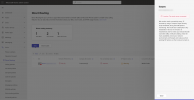
To be clear the MS365 side of things is working and no issues:
Microsoft 365 access is properly configured. If you still feel something is wrong you can re-provision it again.
Your application id for reference is de63f991-5c77-4721-b088-20866337e8f7
Status OK. Real Time Notifications to Microsoft 365 and back are working. This means that changes from Microsoft 365 to 3CX will be updated.
Any suggestions, even for trouble shooting would be greatly appreciated.
Thanks!
We are doing a Teams Integration for a customer and experiencing some issues with the Teams SBC being inactive; I have followed the Guide (https://www.3cx.com/docs/microsoft-teams-business-voice/) and the Faq (https://www.3cx.com/docs/microsoft-teams-integration-faqs/#h.nw4gx1tt7izt), see the attached screen shot.
On the server side I can see traffic on the SIP Signalling and Secure SIP ports (5062 and 5061) but still no connectivity. We had at first purchased a certificate from another vendor after checking the CA/issuer but since have tried using the recommended ssl.com Basic SSL certificate with no change...
Current certificate chain:
Certificate chain
0 s:CN = teams.########.com
i:C = US, ST = Texas, L = Houston, O = SSL Corporation, CN = SSL.com RSA SSL subCA
a
KEY: rsaEncryption, 2048 (bit); sigalg: RSA-SHA256v:NotBefore: Aug 15 02:32:15 2023 GMT; NotAfter: Aug 14 02:32:15 2024 GMT
1 s:C = US, ST = Texas, L = Houston, O = SSL Corporation, CN = SSL.com RSA SSL subCA
i:C = US, ST = Texas, L = Houston, O = SSL Corporation, CN = SSL.com Root Certification Authority RSA
a
KEY: rsaEncryption, 4096 (bit); sigalg: RSA-SHA256v:NotBefore: Feb 12 18:48:52 2016 GMT; NotAfter: Feb 12 18:48:52 2031 GMT
2 s:C = US, ST = Texas, L = Houston, O = SSL Corporation, CN = SSL.com Root Certification Authority RSA
i:C = US, ST = Texas, L = Houston, O = SSL Corporation, CN = SSL.com Root Certification Authority RSA
a
KEY: rsaEncryption, 4096 (bit); sigalg: RSA-SHA256v:NotBefore: Feb 12 17:39:39 2016 GMT; NotAfter: Feb 12 17:39:39 2041 GMT
Traffic (ports 5060, 5061, 5062):
10:47:03.902843 IP XXX.XXX.XXX.XXX.41219 > 52.114.20.29.5061: Flags [P.], seq 168971:169532, ack 126895, win 501, options [nop,nop,TS val 3475985028 ecr 30609917], length 561
10:47:03.904743 IP 52.114.20.29.5061 > XXX.XXX.XXX.XXX.41219: Flags [P.], seq 126895:127316, ack 169532, win 16381, options [nop,nop,TS val 30625000 ecr 3475985028], length 421
10:47:03.904771 IP XXX.XXX.XXX.XXX.41219 > 52.114.20.29.5061: Flags [.], ack 127316, win 501, options [nop,nop,TS val 3475985030 ecr 30625000], length 0
10:47:03.905958 IP 52.114.20.29.27201 > XXX.XXX.XXX.XXX.5062: Flags [P.], seq 81688:82243, ack 95903, win 2050, length 555
10:47:03.905976 IP XXX.XXX.XXX.XXX.5062 > 52.114.20.29.27201: Flags [.], ack 82243, win 770, length 0
10:47:03.956347 IP XXX.XXX.XXX.XXX.5062 > 52.114.20.29.27201: Flags [P.], seq 95903:96519, ack 82243, win 770, length 616
10:47:03.980173 IP 52.114.20.29.27201 > XXX.XXX.XXX.XXX.5062: Flags [.], ack 96519, win 2048, length 0
To be clear the MS365 side of things is working and no issues:
Microsoft 365 access is properly configured. If you still feel something is wrong you can re-provision it again.
Your application id for reference is de63f991-5c77-4721-b088-20866337e8f7
Status OK. Real Time Notifications to Microsoft 365 and back are working. This means that changes from Microsoft 365 to 3CX will be updated.
Any suggestions, even for trouble shooting would be greatly appreciated.
Thanks!


