


- Joined
- Mar 19, 2019
- Messages
- 53
- Reaction score
- 16
Hi,
So I have the following scenario, that I'm hoping someone will be able to help me out?
I have (obviously) a 3CX instance running at a customer of mine. Currently running v16.0.4.493 (hosted in AWS).
We are trying to configure some TAPI integration into a CRM type of system that they use called CODAS.
On the CODAS server, I have installed the Multi-Line TAPI Plugin as well as the 3CX App for Windows.
I have a default extension (000) configured on the Windows App.
I have configured the TAPI .ini file to include the other extensions required for the integration into CODAS (using TAPI).
I can get the default extension of 000 (which is configured on the 3CX Windows App) to work from within CODAS, but the additional extensions configured in the .ini file won't work. Event Viewer throws out the following: "The error indicated TAPI error code “TAPI_E_NOTREGISTERED ((HRESULT)0x80040024L)”
Below is the kind of results we get from with CODAS - Extension 000 will connect okay.
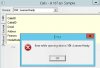
So... Does each extension require the TAPI plugin installed on the local agent's PC or the TAPI plugin and the 3cx Windows App? Or just the 3CX Windows app? I think the change I have made to the .ini file on the server has pointed me in the wrong direction assuming everything will be done via that app?
Any advice would be very much appreciated...
So I have the following scenario, that I'm hoping someone will be able to help me out?
I have (obviously) a 3CX instance running at a customer of mine. Currently running v16.0.4.493 (hosted in AWS).
We are trying to configure some TAPI integration into a CRM type of system that they use called CODAS.
On the CODAS server, I have installed the Multi-Line TAPI Plugin as well as the 3CX App for Windows.
I have a default extension (000) configured on the Windows App.
I have configured the TAPI .ini file to include the other extensions required for the integration into CODAS (using TAPI).
I can get the default extension of 000 (which is configured on the 3CX Windows App) to work from within CODAS, but the additional extensions configured in the .ini file won't work. Event Viewer throws out the following: "The error indicated TAPI error code “TAPI_E_NOTREGISTERED ((HRESULT)0x80040024L)”
Below is the kind of results we get from with CODAS - Extension 000 will connect okay.
So... Does each extension require the TAPI plugin installed on the local agent's PC or the TAPI plugin and the 3cx Windows App? Or just the 3CX Windows app? I think the change I have made to the .ini file on the server has pointed me in the wrong direction assuming everything will be done via that app?
Any advice would be very much appreciated...


