Solved Multiple DID's on same SIP Trunk

Status
Not open for further replies.

Razvan19

Customer
Advanced Certified
Joined
Oct 11, 2019
Messages
22
Reaction score
3
Hello!

I have the next configuration:

3CX PBX installed lopcally because my SIP Trunk provider requires me to connect to their PBX server via a MPLS VPN. Good, this is configured, working perfectly.

Now, I have ported a number from another national network, and I need to use both numbers, but on the same SIP Trunk added and configured.

My first DID is: 1234 567 890
Second DID is: 0987 654 321

So, how do I make an outbound rule for example, when I call somebody from 3CX using my Extension, to go through DID 1 or DID 2?

I tried to lookup on Google and 3CX Forum, but without success.

Thank you in advance!

 

Attachments

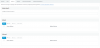
  • 1.png
    1.png
    18.3 KB · Views: 44
  • 2.png
    2.png
    18.6 KB · Views: 45
  • 3.png
    3.png
    8.7 KB · Views: 38
  • 4.png
    4.png
    28.7 KB · Views: 42
You are talking about caller display on outbound calls. An extension has the capability of only displaying one DID number, this is set in the extension parameters. Since all calls route out through the one trunk group, you cannot change caller ID by routing out over a different trunk. Your only option at this point is to place the calls from a second extension with the other DID number attached to it. This could be done by adding a second key line to the set, which involves a customised template for that set.

Have a read through...
https://www.3cx.com/community/threads/ability-to-set-a-caller-id-for-outbound-calls.42840/
 
  • Like
Reactions: AWS2P
And how do I do it?

I can't find it on the Extension Settings as you provided.
 
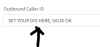
Change the 'Outbound Caller ID' under General tab for each phone but as above this is the default caller ID and can not be changed.
 
  • Like
Reactions: Razvan19
It's not working. I tried to change it, and it's not working.
 
what happens ? what is displayed when you call out ? nothing ? always main number?
 
  • Like
Reactions: Razvan19
It shows up the main number that the SIP Trunking comes with.
 
in extension, general
12843
 
  • Like
Reactions: Razvan19
you have 2 sip trunks?

are the DIDs from one trunk only ? if so , is it the one set in first for outbound rules?
 
  • Like
Reactions: Razvan19
I have only one SIP Trunk, as I described up. From my main SIP Trunk, the ISP provides me 2 SIP Phone Numbers via the same SIP Trunk. I posted my SIP Trunk settings in the main post via screenshots.
 

Attachments

  • photo.png
    photo.png
    9.4 KB · Views: 19
why having set 2 outbound rules if only one SIP trunk?

Is your trunk provider a supported one?
if you set DID in extensions and there's nothing else than main number that is displayed you surely need to ask assistance to SIP provider to know if they grant you to send another number than the main one
 
  • Like
Reactions: Razvan19
@aws2p here is my config. I will attach some screenshots.

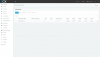
From what you can see, my main number that the SIP Trunk comes too it's 03654xxxxx. And I want to use the second phone number that is also 03657xxxxx. When I set the second option 03657xxxxx to the Outbound Caller ID, and I call from that extension, it calles via the main phone number.
 

Attachments

  • photo2.png
    photo2.png
    31.6 KB · Views: 23
  • photo3.png
    photo3.png
    13.1 KB · Views: 23
why having set 2 outbound rules if only one SIP trunk?
That was for simple testing purpouse to delimit the Mobile and Fixed calling, I wanted to see if 3CX it's able to make the difference between calling with 0 and calling with 1, and also to difference the call type (mobile-fixed).

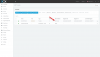
Here is how Outbound looks now.
 

Attachments

  • photo4.png
    photo4.png
    52.2 KB · Views: 23
why having set 2 outbound rules if only one SIP trunk?

Is your trunk provider a supported one?
if you set DID in extensions and there's nothing else than main number that is displayed you surely need to ask assistance to SIP provider to know if they grant you to send another number than the main one
My ISP is not one that is Supported, from what you can see also, here in Romania we don't have any supported SIP Trunking providers. That's very sad, I know. But there has to be somehow to make the calls using the second phone number. My ISP confirmed me today via phone that I am able, "technically" speaking to use 2 phone numbers, the one with 03654xxxxx and the one with 03657xxxxx. So...
 
@aws2p even if I change to the SIP Trunk the next parameter: "Main Trunk No" with the number that I want to use, in my case 03657xxxxx when I call, I receive the call via the main number.
 

Attachments

  • photo5.png
    photo5.png
    66.9 KB · Views: 15
do you have a manager interface for your sip trunks? (from your provider)
 
  • Like
Reactions: Razvan19
Well, I don't understand very well this question. If you mean that my ISP provides me with a Control Panel for my SIP Trunk, well the answer is NO. I only received the email with connecting details for this type of SIP Trunk connection. I know it's weird, but this is how it works. And the Tech guy from my ISP confirmed me that I can have up to 5 phone numbers using on the same SIP Trunk. So I don't need sepparatley SIP Trunk connection for every Phone Number from them. I only need to make 3CX to call using that phone number. I am really curious how I will do that.
 
As I Said you need to ask to your SIP provider if you can use the 2 numbers and also on which sip field they expect PBX send the number
 
  • Like
Reactions: Razvan19
Well, I don't understand very well this question. If you mean that my ISP provides me with a Control Panel for my SIP Trunk, well the answer is NO
yes this is what i asked
 
  • Like
Reactions: Razvan19
Status
Not open for further replies.

Forum statistics

Threads
112,313
Messages
591,841
Members
165,458
Latest member
Kayla Norris