- Joined
- Apr 23, 2025
- Messages
- 11
- Reaction score
- 3
Hi all
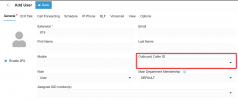
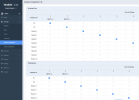
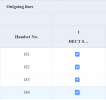
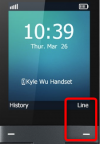
3cx V20 hosted with many desktop handsets and a Yealink DECT set up correctly with 4 extensions assinged to it. Works fine, but all outgoing calls are tied to only the first extensions outbound caller ID. So if extension number 2, 3, or 4 calls out it uses the caller ID of extension 1 on the list.
Is this due to the base station being assigned to that extension, or is due to the order of extension numbers using that DECT handset?
Does this mean I need to create different outbound rules for each of the other extensions so that their Outbound caller ID shows? (which of course I don't need to do with any other single extension on a non shared handset)
Any hints or tricks appreciated!
KR
Adam
3cx V20 hosted with many desktop handsets and a Yealink DECT set up correctly with 4 extensions assinged to it. Works fine, but all outgoing calls are tied to only the first extensions outbound caller ID. So if extension number 2, 3, or 4 calls out it uses the caller ID of extension 1 on the list.
Is this due to the base station being assigned to that extension, or is due to the order of extension numbers using that DECT handset?
Does this mean I need to create different outbound rules for each of the other extensions so that their Outbound caller ID shows? (which of course I don't need to do with any other single extension on a non shared handset)
Any hints or tricks appreciated!
KR
Adam