Music in Hold (MOH) not playing when doing transfer

Status
Not open for further replies.

Space895

Bronze Partner
Basic Certified
Joined
Aug 18, 2020
Messages
11
Reaction score
0
Hello,

we have problems with a new / fresh installation of 3CX Pro v16.
Clients are GIGASET PRO N870 Multicell with GIGASET PRO Handsets and Auerswald ComFortel 3600 IP as well as App and Webclient.

Music on Hold Files are standard files delivered with 3CX System.
External call via SIP Trunk, PBX delivers Audio on, Support Re-Invite off.
Extension: PBX delivers Audio off, Support Re-Invite on.

The Problem is as described as following:
External Call from External Caller via Trunk direct to Extension 40 (Gigaset Handset via Gigaset Mutlicell).
Extension 40 is doing an attendent transfer to Extension 41. Then external caller does not hear anything. No ring, no moh, nothing.
The Transfer is always initiated with the "R" Button at the Gigaset Handset.
Same behaviour with a blind transfer. Same behaviour when call comes via Ring group to an Extension.

Same behaviour with the Auerswald IP Phone. Transfer via "R" Button also with Transfer via "Transfer" Button.

When the transfer is initiated via Webclient, the external caller hears MOH.

Do you have an idea why 3CX behavious like this ?

BR

Florian
 
Hi Florian,

What firmware version is the gigaset base running?
 
Hi JohnS,

newest one available.
 
So the same as mine here? just want to be sure we're on the latest version.

Also my PBX is 16.0.6.641, and it works ok with these versions:

1598517546757.png
 
I updated it recently because there was a bug regarding transfers in combination with asterisk based software. Not with MoH, transfer did randomly fail.

I just checked it at the PBX.
Gigaset ist 2.33.1
PBX is 16.0.5.622
 
you should have received now update notification for 16.0.6.641, try to apply and see if problem vanish
 
Yes, I received the update notification. I will do the update and let you know.

BR

Florian
 
did you try to engage transfert other way than using "R" key at starting point ?

Not sure it help , I have no N670 to check, but N510 and this works with MOH played on my side with R or using displayed features on handset M25
 
AWS2P:
I am also not sure that the Update will help.
Regarding your question:
On Gigaset: when starting the transfer via "R" there is no MoH. When starting transfer via WebClient, there is MoH. There is no other possibility to start transfer then "R".
On Auerswald:
When starting the transfer via "R" there is no MoH, when starting via "Transfer Button" there is no transfer. When starting transfer via WebClient there is MoH.

JohnS:
Here are specific information about the PBX:
3CX Professional Annual 8 SC 16.0.5.622
Debian as VM on Hyper-V Host.
Gigaset Pro Handset (R650H an S650) on Gigaset Pro N870 Multicell System
Provisioning: Local
Telekom SIP Trunk
Firewall Check passed
No custom Phone Templates.
 
Other IP Phone:
Auerswald ComFortel 3600 IP, latest Firmware.
 
Gigaset N870 including Handset also latest Firmware.
 
Sorry i did a mistake about phone model, M25 is Snom one, it was a gigaset SL610 PRO.
So on handset when in call with someone, on screen have a button to make second call, I press and compose new extension when second extension answer I hang up.
While first call is on MOH, if i do the same starting with R , it works too and MOH is played
 
If your internal calls do not have this issue, it may be worth running a capture and replicating the issue.

This way you will see for sure what the PBX sends (or doesn't)
 
do you have other deskphone where MOH works?
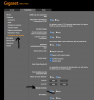
In my N510 DECT Base I have a setting in advanced voip settings section related to MOH it's enabled on mine, is this setting existing on your base and enabled ?
this is in french but nothing hard to understand
1598541680607.png
 
Last edited:
Hello aws2p,

I just made the update this morning. I will try to test MoH later.

Regarding your question:
There are around 10 Gigaset on a Multicell with 6 Basestation. All the same behaviour - no MoH.
The Gigaset has only the "R" Button and the left soft display button - which does the same then the "R" Button.

There is also a single Auerswald Desk Phone (ComFortel 3600IP). Also no MoH.
There you can initiate the transfer in two ways - "R" Button and "Transfer" Button.
With both, there is no MoH.

MoH is only played when the transfer is initiated via WebClient.

But now I have described the behaviour BEFORE the Update.
I will test the behaviour AFTER Update in the next few hours, because the company is closed now.
 
Hello, I just tested it.
There is still no MoH.
 
audio file is the default file provided by 3Cx or you change it ?
 
now you should do a capture on a call test to see what happens , is the problem coming from PBX not playing MOH .

Not sure if it was asked before, is the firewall checker passes green?
 
Status
Not open for further replies.

Latest Posts

Forum statistics

Threads
111,962
Messages
589,969
Members
164,864
Latest member
SCarpenter@fifthavenue-la