- Joined
- Dec 15, 2020
- Messages
- 9
- Reaction score
- 3
I've had it reported to me today that our MOH is coming through garbled and has been apparently for some time (apparently first reported about 6 months ago, but then more frequently recently).
I've looked into this and what seems to be happening is that when a call is answered, then placed On Hold, it starts playing a track that I can't find in the system anywhere, then after around 10 seconds it starts playing the track that we've set it up to play. When the second (correct) track kicks in, it's at that point it becomes garbled, because it's trying to play two tracks at the same time.
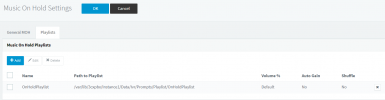
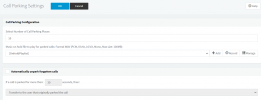
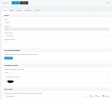
I've attached a few screenshots for how it's setup - for the record, the Playlist is just a single track (the one we previously had setup). I setup the playlist this morning when I started looking into this issue and wanted to see if it made any difference...it hasn't, it's still doing the exact same thing.
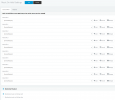
Also, we have 4 different Call Queues, but all are setup with the playlist now too as shown in queue.png.
Any help greatly appreciated, because I can't work out what's going on here...
I've looked into this and what seems to be happening is that when a call is answered, then placed On Hold, it starts playing a track that I can't find in the system anywhere, then after around 10 seconds it starts playing the track that we've set it up to play. When the second (correct) track kicks in, it's at that point it becomes garbled, because it's trying to play two tracks at the same time.
I've attached a few screenshots for how it's setup - for the record, the Playlist is just a single track (the one we previously had setup). I setup the playlist this morning when I started looking into this issue and wanted to see if it made any difference...it hasn't, it's still doing the exact same thing.
Also, we have 4 different Call Queues, but all are setup with the playlist now too as shown in queue.png.
Any help greatly appreciated, because I can't work out what's going on here...