- Joined
- Mar 26, 2024
- Messages
- 1
- Reaction score
- 0
We have an in-house demo 3XC running Version 20.0 Update 5 (Build 538 Beta) that we use for testing different scenarios.
We have a customer that has a 24/7 digital receptionist with 4 options. They want to keep option 1 as a 24/7 option but the other 3 options they want going to a different digital receptionist between the hours of 07:00 - 20:30 Monday to Friday. Option 1 going back to the 24/7 option1 and option2 being able to leave a voicemail to the relevant department in options 2, 3 and 4.
I created the relevant departments, office hours, uploaded greetings they had professionally recorded and programmed everything accordingly.
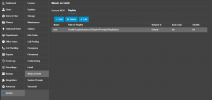
It all works apart from when you call the digital receptionist you get music on hold playing as well as the prompt for the digital receptionist. There was and old music on hold setup that has been deleted and there’s nothing in any of the 10 music files. Within General MOH.
The only thing I did was create queues; realising the customer didn’t want queues, creating ring groups.
Can't see where the music on hold is coming from and why it's playing?
Any suggestions?
We have a customer that has a 24/7 digital receptionist with 4 options. They want to keep option 1 as a 24/7 option but the other 3 options they want going to a different digital receptionist between the hours of 07:00 - 20:30 Monday to Friday. Option 1 going back to the 24/7 option1 and option2 being able to leave a voicemail to the relevant department in options 2, 3 and 4.
I created the relevant departments, office hours, uploaded greetings they had professionally recorded and programmed everything accordingly.
It all works apart from when you call the digital receptionist you get music on hold playing as well as the prompt for the digital receptionist. There was and old music on hold setup that has been deleted and there’s nothing in any of the 10 music files. Within General MOH.
The only thing I did was create queues; realising the customer didn’t want queues, creating ring groups.
Can't see where the music on hold is coming from and why it's playing?
Any suggestions?