Solved Mute phone for external calls

Status
Not open for further replies.

EduardoMansano

Customer
Joined
Mar 3, 2020
Messages
3
Reaction score
1
Hello,
I'm new here.
I've been using 3cx for a while, I'm using version 16 hosted on Azure.
I was using the 3cx softphone on the desktops, but as I had instability in the calls, I decided to purchase an IP phone to see if it solves the problem.
I purchased 2 entry phones, Fanvil X1 and Intelbras 125i, both approved by 3CX, I was able to configure them normally, but I'm having problems when I receive calls from outside the company, whoever calls but whoever receives the call does not hear, both phones have the same problem.
Fanvil is normal internally, I can hear and on the other side as well, Intelbras internally does not hear either.
Both phones have firmware updated by 3cx.

Can someone help me?

Thanks
 
Hello,
I'm new here.
I've been using 3cx for a while, I'm using version 16 hosted on Azure.
I was using the 3cx softphone on the desktops, but as I had instability in the calls, I decided to purchase an IP phone to see if it solves the problem.
I purchased 2 entry phones, Fanvil X1 and Intelbras 125i, both approved by 3CX, I was able to configure them normally, but I'm having problems when I receive calls from outside the company, whoever calls but whoever receives the call does not hear, both phones have the same problem.
Fanvil is normal internally, I can hear and on the other side as well, Intelbras internally does not hear either.
Both phones have firmware updated by 3cx.

Can someone help me?

Thanks
Are those phones in STUN? (direct SIP)

If so, you need different SIP/RTP ports for both phones as well as forward those ports in your firewall to the respective IPs of the phones. Then, enable "PBX DELIVERS AUDIO" in the extensions.

You can also use an SBC to fix a lot of things.
 
  • Like
Reactions: JohnS_3CX
Hi Eduardo,

This can depend on a few things but if the phones are remote (which they are in your case since the PBX lies in Azure), you will need to open the correct ports for them on your firewall, set separate ports for each device in the 3CX Management Console, and enable PBX Delivers audio for your extensions.

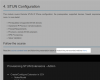
Each type of client (whether desphone or softphone) have their own requirements in order to get them working. I suggest viewing this academy module for Remote IP Phones, especially slide 6

https://www.3cx.com/3cxacademy/videos/intermediate/configuring-remote-extensions/
 
Are those phones in STUN? (direct SIP)

If so, you need different SIP/RTP ports for both phones as well as forward those ports in your firewall to the respective IPs of the phones. Then, enable "PBX DELIVERS AUDIO" in the extensions.

You can also use an SBC to fix a lot of things.
I am using the RTP port 6000 to 8000 for both phones.
So to solve the problem, do I need to create a port for each phone and do a redirect on the firewall?
 
I am using the RTP port 6000 to 8000 for both phones.
So to solve the problem, do I need to create a port for each phone and do a redirect on the firewall?
That is not the recommended way to set your extensions. Refer to the slide above please, and don't forget to forwards the ports at the phones site too.
 
You can also watch the pre-recorded webinar to hear a detailed explanation, this is always helpful
1583249618180.png
 
  • Like
Reactions: Evolute IT
Solved, I did as recommended, redirected an RTP port to each IP phone on the firewall.
Thanks a lot for the help
 
  • Like
Reactions: JohnS_3CX
(╯°□°)╯︵ ┻━┻
 
Status
Not open for further replies.

Latest Posts

Forum statistics

Threads
111,939
Messages
589,843
Members
164,822
Latest member
Lengo