Solved Mynetfone SIP trunk Australia

Status
Not open for further replies.

Generic Penguin

Joined
Apr 1, 2017
Messages
2
Reaction score
1
Hi,
Has anyone got some screen grabs of your config they can share of a Mynetfone SIP trunk working with 3CX.
Mynetfone config not an option to select in 3CX setup.

Mynetfone support are non existent.

They just said the below

thanks

---
We don't have any set up guide for 3CX PABX
However you can visit the following the link
And used it as reference only.
https://www.mynetfone.com.au/media/...g/MyNetFone_SIP_Setup_on_Asterisk_FreePBX.pdf

SIP Trunk Authentication
https://www.mynetfone.com.au/media/support/SIP_Trunk_Packet_Example.pdf
 
Hey!

We've just gone through the same challenge of setting up Mynetfone with 3CX and succeeded. Do you still need help?
 
Hi, Eventually reached a more senior person at Mynetfone that was prepared to help. Attached is what you need to do

In setup Wizard
- Select Country Generic
- Select Provider "Generic SIP trunk"
- Enter the main trunk ID in 0NSN format. I.E 02800xxxxx. DO NOT enter the main trunk ID that Mynetfone send you in the welcome email of +612800xxxxx. It will not work if you put the +612 and you need to enter 02
- Leave all Inbound parameters and Outbound parameters set by the setup wizard as is.
- In Options / Advanced, set the "select which IP to use in "Contact" (SIP) and Connection (SDP) fields" to : "Use this IP address" and enter the IP address of the public IP that is being resented to Mynetfone, This will be set in your Mynetfone admin interface on there website.
- For inbound call routing, the DID number must be in 0NSN format as well for e.g. if your DID is 6128001000, we need to configure it as 028001000 in the list of DIDs
 
  • Like
Reactions: Phippsy
Hello All

I am trying to setup the 3CX with mynetfone, however there is no public ip , or any ip info listed in the admin interface on there website that I can find, I have email MNF but no reply as yet.

I have outbound working, just no inbound, or sure if it is a fields mapping error or the select which IP to use in "Contact" (SIP) and Connection (SDP) fields"

if anyone has got this working with mynetphone and can share there incoming settings, or whatever you need to make it work that would be great

I tried with my old adamtalk account as a test and the 3cx default settings for generic voip provider just worked in and out first time, so I can be 99.9% sure is not a firewall type problem , but a MNF settings issues

Thanks in advance


Hi, Eventually reached a more senior person at Mynetfone that was prepared to help. Attached is what you need to do

In setup Wizard
- Select Country Generic
- Select Provider "Generic SIP trunk"
- Enter the main trunk ID in 0NSN format. I.E 02800xxxxx. DO NOT enter the main trunk ID that Mynetfone send you in the welcome email of +612800xxxxx. It will not work if you put the +612 and you need to enter 02
- Leave all Inbound parameters and Outbound parameters set by the setup wizard as is.
- In Options / Advanced, set the "select which IP to use in "Contact" (SIP) and Connection (SDP) fields" to : "Use this IP address" and enter the IP address of the public IP that is being resented to Mynetfone, This will be set in your Mynetfone admin interface on there website.
- For inbound call routing, the DID number must be in 0NSN format as well for e.g. if your DID is 6128001000, we need to configure it as 028001000 in the list of DIDs
 
Hi,
Thanks for the info. Just a few quick questions:
- What did you put for the server addresses in the "Registrar/Server/Gateway" & the "Outbound Proxy"?
- What Codecs did you select?

TIA


Hi, Eventually reached a more senior person at Mynetfone that was prepared to help. Attached is what you need to do

In setup Wizard
- Select Country Generic
- Select Provider "Generic SIP trunk"
- Enter the main trunk ID in 0NSN format. I.E 02800xxxxx. DO NOT enter the main trunk ID that Mynetfone send you in the welcome email of +612800xxxxx. It will not work if you put the +612 and you need to enter 02
- Leave all Inbound parameters and Outbound parameters set by the setup wizard as is.
- In Options / Advanced, set the "select which IP to use in "Contact" (SIP) and Connection (SDP) fields" to : "Use this IP address" and enter the IP address of the public IP that is being resented to Mynetfone, This will be set in your Mynetfone admin interface on there website.
- For inbound call routing, the DID number must be in 0NSN format as well for e.g. if your DID is 6128001000, we need to configure it as 028001000 in the list of DIDs
 
Hello All

I hope this helps anyone

So the way I have found to make 3CX ( version 15 at least ) work with your MNF accounts, from the standard 3CX settings

For outbound

You must add to DID numbered in the default caller ID / Configure Outbound Caller ID field

For inbound

Then in inbound parameters, tick Call Source Identification, Then in the second field select custom ip range from the pulldown , enter the MNF Public IP , ( to find this just ping the sipXX.netnetfone for your account they supplied you )
In options, you need to tick the put public IP in SIP VIA Header, and enter the same MNF Public IP

Then also in options Select which IP to use in 'Contact' (SIP) and 'Connection'(SDP) fields, select use this IP address from the pulldown Then enter the MNF public IP address for the sipxx.mynetfone.com.au

And also add the G729 Codec and move in to the top

I hope this assists your other MNF customers in some way , as there support was vague.
 
Hi All,

If you can get us test accounts at Mynetphone, we will be happy to add a template... Maybe the more senior person at Mynetphone is ready to get us accounts and support us...
 
Hi Nick,

Thanks for the reply. Unfortunately I only have an IP Authenticated account. I'll attempt to get what you've requested.

As soon as i have this working, I'll upload pics & a thorough guide so others can benefit.

Did you want to cast your eye over my settings in case i have missed something? You can find pics here: https://www.dropbox.com/sh/ww1tbg9eeive1u7/AAAj2Q8VeEHDuYSARkaEGEmna?dl=0

Thanks again.

If you can get us test accounts at Mynetphone, we will be happy to add a template... Maybe the more senior person at Mynetphone is ready to get us accounts and support us...
 
Hi All,

So after a lot of farting around, and a tonne of help from the Aust distributor, Alloy, we have MNF SIP trunks working on V15.5. Its only been up for 24 hours, but so far so good. I'll write a step-by-step guide as soon as i can.

Nick, I've made contact with my reps at MNF, i hope to hear back from them soon.

And thanks again Astro.

If you can get us test accounts at Mynetphone, we will be happy to add a template... Maybe the more senior person at Mynetphone is ready to get us accounts and support us...
I hope this assists your other MNF customers in some way ,
 
Very keen to see your setup details as I'm trying to get MyNetFone working today.
 
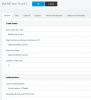
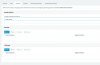
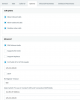
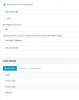
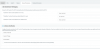
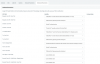
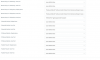
Here's what I have.
Outbound parameters left as defaults.

Many thanks

upload_2017-9-7_9-57-9.png
upload_2017-9-7_9-57-19.png
upload_2017-9-7_9-57-32.png
upload_2017-9-7_9-57-50.png
upload_2017-9-7_9-58-1.png
upload_2017-9-7_9-58-6.png
upload_2017-9-7_9-58-14.png
 
I just got an inbound call to work.

Should the SIP Trunk show registration (my other SIP providers do), or just a green indicator?
 
It works for inbound calls, but the call drops out after exactly 33 seconds each time.
Any ideas?
 
Should the SIP Trunk show registration (my other SIP providers do), or just a green indicator?
There should be a green indicator. "Register Sent", "Register OK", & "Last Failed Register" wont display anything as it isnt a credentials based registration.

Here are the changes i think you need to make:
- Take the entry out of the "Outbound Proxy". Leave it blank.
- Uncheck "Put Public IP in SIP VIA Header". This should not be set.
- Set the IP for "Select which IP to use in 'Contact' (SIP) and 'Connection'(SDP) fields" to YOUR WAN IP (not MNF SIP Server)
- All "Outbound Parameters" should be left as default.

When you've set the above, run a firewall test & make sure all is green.
 
Firewall test is all good.

I can make internal calls and inbound calls (now don't drop out after 33 secs).

All external call attempts get Not Found and logs show:
09/08/2017 1:01:12 PM - Leg L:31.1[Extn:27] is terminated: Cause: BYE from PBX
09/08/2017 1:01:12 PM - [CM503020]: Call(C:31): Normal call termination. Call originator: Extn:27. Reason: Not found
09/08/2017 1:01:12 PM - L:31.1[Extn:27] failed to reach Line:10000>>0281884262, reason Not Found
09/08/2017 1:01:12 PM - Leg L:31.2[Line:10000>>0281884262] is terminated: Cause: 404 Not Found/INVITE from 125.213.160.83:5060
09/08/2017 1:01:12 PM - Call to T:Line:10000>>0281884262@[Dev:sip:[email protected]:5060] from L:31.1[Extn:27] failed, cause: Cause: 404 Not Found/INVITE from 125.213.160.83:5060
09/08/2017 1:01:12 PM - [CM503003]: Call(C:31): Call to <sip:[email protected]:5060> has failed; Cause: 404 Not Found/INVITE from 125.213.160.83:5060
09/08/2017 1:01:12 PM - [CM503025]: Call(C:31): Calling T:Line:10000>>0281884262@[Dev:sip:[email protected]:5060] for L:31.1[Extn:27]
09/08/2017 1:01:12 PM - [CM503027]: Call(C:31): From: Extn:27 ("Louise Horton" <sip:[email protected]:5060>) to T:Line:10000>>0281884262@[Dev:sip:[email protected]:5060]
09/08/2017 1:01:12 PM - [CM503004]: Call(C:31): Route 1: from L:31.1[Extn:27] to T:Line:10000>>0281884262@[Dev:sip:[email protected]:5060]
09/08/2017 1:01:12 PM - Line limit check: Current # of calls for line Lc:10000(@MyNetFone Trunk 1[<sip:[email protected]:5060>]) is 0; limit is 4
09/08/2017 1:01:12 PM - Call(C:31): Call from Extn:27 to 81884262 matches outbound rule 'Default Outbound'
09/08/2017 1:01:12 PM - [Flow] Call(C:31): has built target endpoint: Out#:>>Rule{Default Outbound}>>81884262 for call from L:31.1[Extn:27]
09/08/2017 1:01:12 PM - [Flow] Target endpoint for 81884262 is Out#:>>Rule{Default Outbound}>>81884262
09/08/2017 1:01:12 PM - [CM503010]: Call(C:31): Making route(s) from Extn:27 to <sip:[email protected]:5060>

Curiously I can make an outbound call to the same number from the 3CX app on my iPhone.
 
Sorted.

It's funny how talking to another tech focusses your mind.

I called Remo at Alloy and he couldn't see any issues with my SIP trunk setup.

As he was checking things I noticed that I had Caller IDs in the extension setup, which are for the DIDs which are yet to be ported.

MyNetFone rejects calls that present a caller ID other than that which the trunk is for.

Changed Caller ID and I can call out successfully.

Thanks centre1 for your assistance.
 
[CM503020]: Call(C:31): Normal call termination. Call originator: Extn:27. Reason: Not found
09/08/2017 1:01:12 PM - L:31.1[Extn:27] failed to reach Line:10000>>0281884262, reason Not Found
09/08/2017 1:01:12 PM - Leg L:31.2[Line:10000>>0281884262] is terminated: Cause: 404 Not Found/INVITE from 125.213.160.83:5060
09/08/2017 1:01:12 PM - Call to T:Line:10000>>0281884262@[Dev:sip:[email protected]:5060] from L:31.1[Extn:27] failed, cause: Cause: 404 Not Found/INVITE from 125.213.160.83:5060

Compare these lines with a working call from your iPhone using the 3CX App. It would appear that your provider doesn't consider it valid.

Never mind...I see you solved it.
 
  • Like
Reactions: StripeyHorse
Status
Not open for further replies.

Forum statistics

Threads
111,874
Messages
589,502
Members
164,723
Latest member
aman-pandey