Need help about SIP TRUNKS

Status
Not open for further replies.
i have 2 separate DIDS with authentification and i have created 2 sip trunks, with different numbers and different authentication details.

when you do this are your trunks registred green or not, if not you need to ask support to your sip provider, and in activity log you normally can see registration trying so you should have some infos on what happens
 
update# deleted inbound rule for *155005 , calling to 155551 but same, ext directed because in the sip trunk parameters for 155005 i wrote destination to 1020, so same happens somehow 155551 calls goes now to 1020, but in the parameters of the sip trunk 155551 is call center 8080, also inbound route 8080
 
so if you have same credentials, same host, same provider are you sure you have not just only one trunk ?

and 2 DIDs
 
Last edited:
so if you have same credentials, same host, same provider are you sure you have just only one trunk ?

and 2 DIDs
i do not know, they sent me such parameters

2155005
100
username: 999993489
password: **
sip.Server: sip.intelphone.ge ip 92.241.68.3


2155551
101
username: 999993490
password: *
sip Server: sip.intelphone.ge IP 92.241.68.3
 
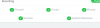
is your firewall checker green?

First of all , your trunks need to be registred green, if not you need support from your provider .
If registration fails of course inbound rules are no use for now.
 
when i am adding sip.intelphone.ge it is not working, when i am putting IP there, it is working, only 1 trunk as i have mentioned.
 
is your firewall checker green?

First of all , your trunks need to be registred green, if not you need support from your provider .
If registration fails of course inbound rules are no use for now.
no firewall is off atm.
 
ok so according to what you post , you have two sip accounts so , if your pbx is not in use try to scratch trunks and Set once at a time each trunk sip and check if they are green registred to provider.

If this is not working you need provider support.
 
I spoke firewall in console
10792
 
ok so according to what you post , you have two sip accounts so , if your pbx is not in use try to scratch trunks and Set once at a time each trunk sip and check if they are green registred to provider.

If this is not working you need provider support.
i have deleted both trunks, so i have added 1 155551 (callcenter trunk) it is red but it is working. provider tech support are bad people, i have called recently to 1 of them and it was like a hell to talk with him because he told me that they have created simple trunks and gave parameters to us, what else they can do....... useless to talk with them, i have explained situation that their server sends me authentification failed, but they said how it is working then? how it is working on the sipphone if it's their fault....

give me arguments please to ARGUE with them...
 
only this 2 check failed by firewall
 

Attachments

  • firewall.jpg
    firewall.jpg
    27 KB · Views: 5
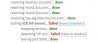
try to do this in same order in picture, see registration date and time change or not
10794

From your FW picture , you have SIP ALG enabled in your router, you need to disable this surely reason why doing a mess in your 3CX

FW checker need to pass with no error, and SIP ALG is very important not to have enabled.

Sorry but i've to go, hope you can fix this, have a good day
 
no progress at all.. :) unfortunately i am not able to fix this issue. no ideas at all.
 
What router brand and model do you use ?
Normally you have a GUI access on router, you need to have credentials of course, after your search for SIP ALG options to disable. When done check once again FW in 3CX, it should pass with no errors.
After try to restart SIP trunk creation and check registration (green only)
Do the same for second one , if all is good with registration, then next step inbound rules and finally do call tests
 
Last edited:
Are each of the trunks from a different provider? One of the attachment in your earlier posts seem to show both, not registered (red), and possibly from the same provider (same IP).

now i changed the thing for the 1 trunk 155005 and directed to the ext not to the group. 1020 ext
when i am calling now to the number 155551 - which must be on call center... it directs to 1020 wtf?

If you are now getting calls, on both numbers, then you can use the Activity Log to see why they are going where they do. It will show which trunk the call comes in on, the full DID number (if sent), and the destination.
 
Hello @Giorgi Kambarashvili

So, you have 2 trunks with 1 number each but the same IP to which the trunks register to.

Since you have 2 trunks with the same IP you need to disable the call source identification from the Inbound parameters for both trunks. If you have call source identification enabled with the wrong settings you might end up breaking the trunks.

Check the Activity log of the PBX and verify the number format the provider is using to present the call to you. Check the Invite message from the provider and identify the format used in the to display your own DID. Then add your DIDs using the same format.

Check if this works and if the trunks register and show as green in the Sip trunks section. If the trunks register but calls still fail you will need to enable the call source identification options and adjust them based on your providers settings but since the provider is not tested we do not know the settings you need to use.
If the trunks do not register and you will still get an error you will need to contact your provider and ask them why they are rejecting the registration.
 
Status
Not open for further replies.

Latest Posts

Forum statistics

Threads
111,925
Messages
589,757
Members
164,798
Latest member
Call_Flow.co.uk