Need help configuring IVR for different languages

Status
Not open for further replies.

Andreasweiz

New User
Joined
Feb 22, 2023
Messages
10
Reaction score
0
Hello,

Been trying this for a long time but not sure it's possible.

Here is a "diagram" of what I am trying to do:

When call to main line -> Digital receptionist (Welcome message, press 1 for English, press 2 for French)

If during office hours:

1 -> Please wait voice message then rings main extension. If call declined or not answered -> Play Busy English voice message and go to voicemail (simply a beep).

2 -> Please wait voice message then rings main extension. If call declined or not answered -> Play Busy French voice message and go to voicemail (simply a beep).

If outside of office hours:

1 -> Play Office closed English message and go to voicemail (simply a beep).

2 -> Play Office closed French message and go to voicemail (simply a beep).

I say "simply a beep" because my messages already contain a voice line to leave a message after the tone.

Any help would be appreciated.

Thanks,
Andreas
 
Which part are you stuck on?

Daytime:
Inbound rule -> DR with the 2 options (English, French etc). Each option goes to a separate Ring Group ringing the main extension. Destination no answer of each ring group goes to voicemail of a dummy extension (2 different dummy extensions, each loaded with correct lang file in the voicemail section)

Nighttime:
Inbound rule -> DR with the 2 options (English, French etc). Each option goes to voicemail of a dummy extension (2 different dummy extensions, each loaded with correct lang file in the voicemail section)
 
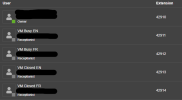
I don't understand where to configure the greeting for each extension. I have now created 4 additional extensions. VM Busy EN, VM Busy FR, VM Closed EN and VM Closed FR.

How do I assign separate greetings to each extension which will only be used as a voicemail? Do these dummy users need a specific role?

On the call handling side, I now have 2 DR: One DR for when its open, which 1 or 2 goes to a respective queue for that language.
The second DR for when its closed, which 1 or 2 goes to the VM Closed extensions.

Thanks for the help!
 
I don't understand where to configure the greeting for each extension. I have now created 4 additional extensions. VM Busy EN, VM Busy FR, VM Closed EN and VM Closed FR.

How do I assign separate greetings to each extension which will only be used as a voicemail? Do these dummy users need a specific role?

On the call handling side, I now have 2 DR: One DR for when its open, which 1 or 2 goes to a respective queue for that language.
The second DR for when its closed, which 1 or 2 goes to the VM Closed extensions.

Thanks for the help!
Sign into each extension and 3 dots, settings, greetings. Click record greeting or upload a wav file.
(I assume you are using startup, if using dedicated you can do this from the management console)

No special role needed for the dummy users.

Let me know if you get stuck.
 
Got it! The office closed is now working fine, I left test voicemails but is there any way to have the voicemail files sent to me by email? I didnt find an option for that. Otherwise, anyway for me to see all the voicemails under my admin extension?

One last issue is when office is open, calls get routed to the respective queue while hold music plays and rings the main extension, however if I decline the call it keeps ringing the main extension. How can I configure so that if declined it goes to the respective voicemail?

(for now both language choices go to the same extension)

Thanks again!
 
So I'm not as experienced with startup, but there should be an option for voicemail to email - there is in dedicated, but I don't know where it is in startup. It will attach the voicemail to an email and send it to you.

TO answer your last question, are you using a Queue specifically? Queues will continue to ring all available agents per your selected strategy until no agents are available or max queue time elapses - then it follows the destination no answer.

You might be better with a ring group or just sending calls directly to an extension depending on your needs.
 
The reason why I have a queue is because I want a custom hold music with a 120s timeout. I didn't find a way to change the hold music when using Ring groups. Any ideas or work around for the queues?
 
Log out of the queue. If you are the last agent and log out, it should go right away to the Destination No Answer. If not, your phone will stop ringing.
 
I am the only one logged into the 3CX app on iPhone. When the call declined, it calls back in a loop.

Ive noticed that in the web app, there is a send to voicemail button, which is great. I would just need the same on my iPhone.

Thanks
 
Hello again,

I am still trying to setup the PBX so that I can have someone hold on custom music while it rings my only extension. And if that extension declines, it goes to a particular "busy" voicemail (already configured).

Thanks,
Andreas
 
What do you mean by custom hold music? Something different then the system wide music?

You might be best set to make a queue where you are the only user.

Any more details on how this call flow looks like is needed.
 
Correct. I can only set custom hold music when using a queue. I am the only end user currently in the queues (main extension)

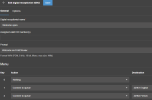
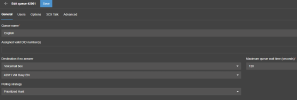
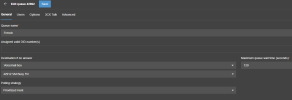
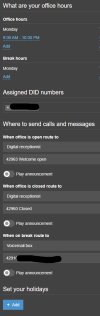
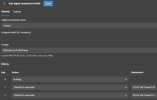
See screenshots of current setup, hope that helps.

Thanks
Andreas
1.png
2.png3.png4.png5.png6.png7.png
 
So what's the issue? Someone calls, gets put into a queue with hold music, and you (the agent) gets called. If the call hits the DNA for any reason it can go to a voicemail box.
 
While they're on hold, I get the call. If I decline on the 3CX app on my phone, the call doesn't go to the voicemail configured, instead it keeps on calling me on a loop, and caller is still on hold.
 
I see, seems like quite the produce in that case. Ill then use ring groups, but surely there is a way to change the system hold music? Couldn't find it anywhere.
 
I'm not 100% sure where/even if it is in startup - in dedicated you can set a system wide hold music, queue music, and 2 others.

Why doesn't the queue music work for you?
 
Lot of people have that same music and wanted to put my own. Kind of a pretty.
 
Again, I'm not 100% sure where/even if it is in startup (the ability to change the system hold music). I'll have to poke around next week and see if I can find it.
 
  • Like
Reactions: Andreasweiz
Status
Not open for further replies.

Members Online Now

No members online now.

Forum statistics

Threads
111,831
Messages
589,277
Members
164,660
Latest member
RJenkinsROCK