Need Inbound Call Source Identification help (Voip Innovations)

Status
Not open for further replies.

dandenson

SOHO User
Joined
Aug 4, 2009
Messages
404
Reaction score
52
I'm really struggling trying to find appropriate settings. I'm using VoipInnovations. I have multiple trunks setup and I need to use call source identification to select the remote parties caller ID as how to identify the call so inbound call routing works.

So it seems that I really want the "To:" field in the sip INVITE, and it seems like that should in the "To: User Part"

but I can't get that to work no matter how many toggles I hit.

Ultimately, I want inbound rules to route based on called number from any trunk they come in on. Ideas?
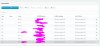
 
yuck yuck yuck. I found it.

So, when selecting the inbound route, there are multiple entries shown because the DID is in multiple trunks. If I don't select the DID that matches trunk 1, it doesn't work.

so, did 1 and 2 are both on trunk 1

when I add the inbound run and select did1's first copy I get an entry showing trunk1. this works.
create did's inbound route selecting trunk1's copy and that works.
delete that and recreate did 1's entry but select the second entry and it the matching no longer works.

This effectively means that I have to have an inbound route entry for every trunk+did.

ie, inbound routes for
trunk1-did1
trunk1-did2
trunk2-did1
trunk2-did2

except there are 5 inbound trunks and if I have 15 DIDs to route that's a gigantic mess.

So I think this comes down to the GWHostPost entry. I think that needs to be something else, specifically something that doesn't use the gateway IP for identification because I want the inbound routing to 'float'
 
Haha yes you are correct and that shows in the screenshot I sent you earlier. Each DID will have 5 entries, one for each trunk. It's really not a mess because as I mentioned you can go to the extension and assign all 5 DID entries, which will create 5 inbound rules all for the same number, all you have to do it put them in the proper order.
 
ok, so I need to use the destination's UI instead of the inbound rules to do this in a usable way. I can live with that.

But...I can't really re-arrange the items in inbound rules. Each one seems stuck either where it is or 1 place different. So I did this and I've got the trunk2 entries at the top, trunk3 entries below, trunk1 entries on the bottom, can't move trunk1 to the top etc.

normal?
 
check this out. I can only switch the VI-IN-2 places with each other, I can't move VI-IN-1 to a new location. Seems weird.

9836
 
The destination UI is the easier way to go about it for sure. Once you get all 5 trunks setup and start importing more DIDs you'll be able to move them more, but yes it's normal because the inbound rules stay together on a "per trunk" basis if that makes sense. Add yourself the catch-all CID rule at the BOTTOM of each section like I showed you earlier to make sure that your numbers always have a destination even if you don't assign the DID to a particular extension.
 
Last edited:
You should give them names so that you can organize and see what's going on. For me I put (a) on the ones that are primary trunk (b) on secondary, etc etc. It will make things more manageable in the future as things grow.
 
Status
Not open for further replies.

Latest Posts

Forum statistics

Threads
112,358
Messages
592,092
Members
165,528
Latest member
florentrobineau