Need to change the height of widget on the website

Status
Not open for further replies.

jsky99999

New User
Joined
Oct 5, 2022
Messages
6
Reaction score
0
Need to change the height of widget on the mobile and desktop versions separately because it hides customized buttons that are needed for my website to work.
 
Hello @jsky99999 You could try using the code snippet instead and edit the snippet before placing it on your site.

1664955446699.png
 
Need to change the height of widget on the mobile and desktop versions separately because it hides customized buttons that are needed for my website to work.
Great! How do I do this?
 
I'm sorry but I can't find the code.. neither the way to install it.
Is there some step by step tutorial for installing it on wordpress?
 
If you are using WordPress then in order to use the snippet, you cannot use the WordPress plugin.

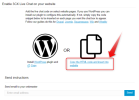
When following the previously mentioned manual, at the point that you copied the URL to paste into your WP plugin, you need to copy the code snippet instead.

1664957761103.png

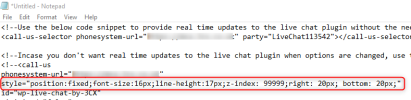
You then need to paste the snippet into a notepad, edit and then enter onto your site (not the WP plugin).
 

Attachments

  • 1664957711989.png
    1664957711989.png
    33.2 KB · Views: 1
The problem is that in the picture you send, the link is a picture and not a link by itself..
 
Hi

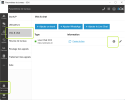
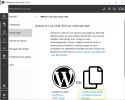
I found how to find the code:

1:
1664988799823.png


2:
1664988899371.png
 
I have added the snippet and changed the bottom to 100 for example but the widget stays at the same place.

[...] style="position:fixed;font-size:16px;line-height:17px;z-index: 99999;--call-us-main-accent-color:#47D6D6;--call-us-main-background-color:#FFFFFF;--call-us-plate-background-color:#206C77;--call-us-plate-font-color:#E6E6E6;--call-us-main-font-color:#292929;--call-us-agent-bubble-color:#29292910;right: 20px; bottom: 100px;" [...]

Can you help me out?

Furthermore, I haven the Powered By 3CX that appeared.
 
In the code snippet, where you see call-us-selector, you need to delete the "selector" element. This will then only use the parameters you edit in the code and not "pull" information from the 3CX.
If for example you want to move the bubble to the right side of the screen, you need to make this change and then edit the following:

minimized-style="bubbleright" -> "bubbleleft"
and also delete "right:20px; bottom:20px" from "style" attribute

If you need further assistance I would recommend you speak with your website webmaster as they will be familiar with editing the code snippet.
 
Status
Not open for further replies.

Forum statistics

Threads
112,149
Messages
590,965
Members
165,170
Latest member
SupportRock