Network interface not showing for registering and providing public IP address

Status
Not open for further replies.

vadimir

Customer
Joined
Apr 26, 2021
Messages
3
Reaction score
0
Hi!
I use 3cx v18 and everything is working fine, now the task is to connect a remote user (ios) but I can’t do it because the network interface for registration and initialization shows only the local IP address of the connection via xxx. my 3cx. xx not working
no firewall errors
 

Attachments

So...if you go to a Windows computer on another network, and do a Tracert of xxx. my 3cx. xx, from the Command Prompt window, you get the local IP of 3CX and not the public IP?
 
So...if you go to a Windows computer on another network, and do a Tracert of xxx. my 3cx. xx, from the Command Prompt window, you get the local IP of 3CX and not the public IP?
tracert shows external ip address
 
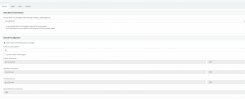
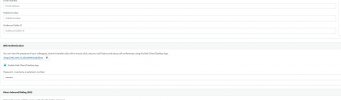
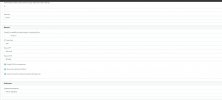
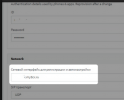
Can you send us a screenshot of the values you see in the drop-down menu?
 

Attachments

  • 3cx3.jpg
    3cx3.jpg
    113.3 KB · Views: 22
  • 3cx2.jpg
    3cx2.jpg
    77.6 KB · Views: 21
  • 3cx1.jpg
    3cx1.jpg
    105.9 KB · Views: 21
Hi!

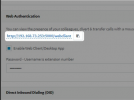
OK, so the link in the "General" tab has nothing to do with the provisioning problems. This link adjusts automatically depending on the URL you use to log into the Management Console:
1643961802589.png

If you log in using https://<FQDN>:5001, then this link will show the FQDN
Obviously in the screenshot above, you have logged in using http://<LOCAL IP>:5000, that is why the link shows like this.

Furthermore, in this drop-down, select the Local IP of the 3CX Server, unless you have Split DNS configured on the local network:
1643961896578.png

After you do the above, to provision your IOS device please follow these steps exactly and tell me what happens:
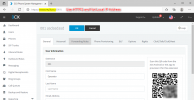
  1. Log into your Management Console using the FQDN, not the IP.
    1643962242408.png
  2. On your IOS, switch OFF WiFi and turn on Mobile Data (this is to make sure it will connect externally to the PBX)
  3. Go to "Users", edit the extension you want to provision with your IOS, then scan the QR code.
The IOS should provision and now it will be able to connect from anywhere, regardless if you are on Mobile Data or Wifi.
 
Status
Not open for further replies.

Forum statistics

Threads
111,974
Messages
590,083
Members
164,901
Latest member
Silent_Guru