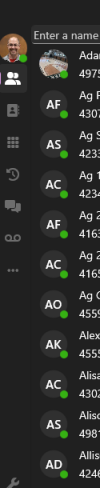
new 3cx desktop app doesn't show users in departments

JohnWoodCC

Premier Customer
Joined
Dec 1, 2022
Messages
46
Reaction score
9
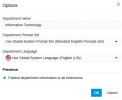
We upgraded to version 20 last week, and now the 3cx desktop app, does not show people in their departments. The departments are listed, but if you click on one, it does not show users that are assigned to that department. If I click on ALL, it will show all users. I am logged in as the system owner. I have went back through the users and assigned them to the proper department. I have also verified the departments are being published to all extensions. Am I missing something?
 

Attachments

  • 3cx-Desktop-App-1.png
    3cx-Desktop-App-1.png
    11.4 KB · Views: 10
  • 3cx-Desktop-App-2.png
    3cx-Desktop-App-2.png
    20.4 KB · Views: 10
  • 3cx-Desktop-App-3.png
    3cx-Desktop-App-3.png
    18.5 KB · Views: 10
never mind. i figured out my issue. i never closed out of the app once I assigned the users to the departments. Once I completely exit out of the app, and re-open, I was able to choose a department and it would show users assigned to that particular department.
 
  • Like
Reactions: Gasha and Vali_3CX
@JohnWoodCC hi thanks for your feedback.
We have a beta coming soon that should resolve the need to re-open the app. Stay tuned
 
  • Like
Reactions: Gasha

Latest Posts

Forum statistics

Threads
111,885
Messages
589,545
Members
164,744
Latest member
johnblackwood1