New Android Beta App with Updated UI, Call Encryption and Reconnection

  • Thread starter Thread starter nb
  • Start date Start date
Today my android 9 (sony xperia) rang, but the app did not manage to move itself to the front. Even after manually opening it, it did not show that a call is arriving (still the phone was ringing).
I could not reproduce the problem at a later time, but, it exists.
 
Today my android 9 (sony xperia) rang, but the app did not manage to move itself to the front. Even after manually opening it, it did not show that a call is arriving (still the phone was ringing).
I could not reproduce the problem at a later time, but, it exists.


I can confirm that on some occasions this happens and it is model / vendor based. The team is looking into each case to write specific permissions we might need.
 
Hi all,

I wish to elaborate on the "exit without push" as I feel it was not communicated well to you.

The beta is ahead of the 3CX PBX which will control soon if you wish to get calls from within your extension profile. As you have access to the profile configuration (as user or admin) you can gradually configure when you wish to be available or not.

The benefit is that you can control your profile status from all 3CX Apps on the fly or via time-based schedule or even sync it with your Office 365 calendars to "automatically" ignore push messages based on those events. Btw, it will not send calls or chat messages.

To my believes this is the correct way to bring together modern needs respecting the employees private time in a BYOD environment.

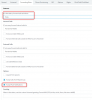
11827

You will have access to this feature on Update 3 Beta (not the upcoming Update 3 Alpha!) and then all the gears should be in sync going forward. Also for your iOS users.
 
I can see the above working for sophisticated or regular users of the app.
For rare ad-hoc users of the app who are primarily desk phone based can I suggest consideration for something simple, such as within the app press menu, push on, or menu, push off. Because I can see that for ad-hoc users, and staff that share desk phones on one account, statuses aren't going to work.
 
I have a problem on Samsung Galaxy S9 with the BETA. Now when I'm in a mobile phone call, always when the extension is ringing the one on the mobile phone call can not hear me anymore. This is only when the app is in the background. If the app is opened this doesn't happen. It doesn't matter if the call is picked up or not.
 
Count me in as one that is disappointed exit ignore push is gone. Many people would like to be able to activate and deactivate the app on the fly. All the other ways are just not right. Changing profile is not the solution many people do not use or like the web client. I prefer the windows softphone myself.
 
(Sigh) Still no video support. Really need it for a doorbell station. In the Ideas forum it has been shown as "In Progress" for a very long time. Loosing faith it will ever arrive.
 
Hi all,

I wish to elaborate on the "exit without push" as I feel it was not communicated well to you.

The beta is ahead of the 3CX PBX which will control soon if you wish to get calls from within your extension profile. As you have access to the profile configuration (as user or admin) you can gradually configure when you wish to be available or not.

The benefit is that you can control your profile status from all 3CX Apps on the fly or via time-based schedule or even sync it with your Office 365 calendars to "automatically" ignore push messages based on those events. Btw, it will not send calls or chat messages.

To my believes this is the correct way to bring together modern needs respecting the employees private time in a BYOD environment.

View attachment 11827

You will have access to this feature on Update 3 Beta (not the upcoming Update 3 Alpha!) and then all the gears should be in sync going forward. Also for your iOS users.

@StefanW Your screenshot shows the abillity to disable push notifcations on 3CX App when the 3CX status is away. My main focus is disabling the push notifcations when my 3CX status is available.
Could you tell me if this also will be possible?

If so, that would be great news and remove one of my biggest problems with the app!
I agree with the rest tho: a simple method in the app to quickly ad-hoc enable or disable the app is also very much appreciated. This can exist side-by-side with the new options in the profile.
 
Last edited:
@StefanW Your screenshot shows the abillity to disable push notifcations on 3CX App when the 3CX status is away. My main focus is disabling the push notifcations when my 3CX status is available.
Could you tell me if this also will be possible?

If so, that would be great news and remove one of my biggest problems with the app!
I agree with the rest tho: a simple method in the app to quickly ad-hoc enable or disable the app is also very much appreciated. This can exist side-by-side with the new options in the profile.
Are you aware that you already have the option to entirely disable Push for an extension? It's located in Phone Provisioning --> 3CX App. In the second block you'll see parameters such as "Allow PUSH notifications".
 
I have a problem on Samsung Galaxy S9 with the BETA. Now when I'm in a mobile phone call, always when the extension is ringing the one on the mobile phone call can not hear me anymore. This is only when the app is in the background. If the app is opened this doesn't happen. It doesn't matter if the call is picked up or not.
Thank you for reporting. Can you replicate this behaviour with a different device or is the issue present on the Samsung S9? I did try to replicate it on my device but i was not able to.
 
@StefanW Your screenshot shows the abillity to disable push notifcations on 3CX App when the 3CX status is away. My main focus is disabling the push notifcations when my 3CX status is available.
Could you tell me if this also will be possible?

yes you can, it is a setting in each profile
 
  • Like
Reactions: Danvarii
yes you can, it is a setting in each profile

It needs to be something that can just be turned on from mobile, for say half an hour or 2 hours or whatever as needed one-off ad-hoc, and then turned off again from mobile. Without having users got to go into profile settings etc. Please, so it is just as easy as the current exit without push for ad-hoc users.
 
currently not available to do so in the mobile client but in the WebClient you have already something like temp status for period X. The PM of the mobile device will know if this function also comes to the clients.

And exit without push or switch to aways is very much the same in "clicks" ;-)
 
  • Like
Reactions: Evolute IT
For us I don't see status as the best solution for this, user is available the whole time, their status doesn't change from available just because they are answering calls from their mobile for half an hour or for an afternoon. It is just my opinion. Everyone has different work pattern and use of telephones, I think this will get a lot of feedback when in main release out of beta.
 
  • Like
Reactions: Evolute IT
Thank you for reporting. Can you replicate this behaviour with a different device or is the issue present on the Samsung S9? I did try to replicate it on my device but i was not able to.
I think you are right. On the A7(2018) the problem doesn't exist.
 
Great improvement with chat and new UI

I am testing calls but the app always hangs when call is established.
I am using Galaxy J7 Prime with Android 8.1.0
 
After working with the new beta client on my LG V30 (AT&T) for a few days, I REALLY like the direction, but there are a few issues that I've seen.

First and foremost, the automatic network switch between WiFi/Cell has been ROCK solid for me. Very nice work guys!!
With the most recent update the Chat won't bring up the keyboard anymore, even after a reboot. Also, Where the the "Play on phone" option go for Voicemail? Seriously, that was the best part of the client!

Other than that, I'd echo the need for the restoration of the "Exit without push". This feature may seem trivial to 3CX dev staff, but as 3CX is a VERY flexible system marketing to the internet at large, multiple use-cases from other points of view would be beneficial to recognize so as to not alienate existing users and future sales. As long time 3CX user and ex-partner, the regular churn of add/subtract of well known userful features between versions can be frustrating.
 
  • Like
Reactions: datamerge
This is not correct. use the status.. Change to dnd. You won't be pushed. You do not forget to exit the app by going to settings and pressing on exit without push. In the same way, whe you are about to exit without push, change to DND Top right..
DND is not the same. I don't want my mobile handset to ring, but I still want my deskphone to ring. I only need to be able to use my mobile app when I need it. For me that is about 10% of the time. I can't have it ringing every time I get a call. My mobile ringer is much louder than my deskphone. If I can't disable it, I would have my mobile buzzing and ringing all day driviing me and everyone around me crazy. Customers on iPhones complain about not being able to exit completely and Android has always been the way out of the problem up to now.

The bottom line is that different users have different needs and I think the comments here show that exit - ignore push (or something equivalent) is something many paying customers still want.
 
Last edited:
currently not available to do so in the mobile client but in the WebClient you have already something like temp status for period X. The PM of the mobile device will know if this function also comes to the clients.

And exit without push or switch to aways is very much the same in "clicks" ;-)
Why dont you want to make a shortcut from the activate/deactive account of the app into the profile pull down?
Simple to implement because no new functionality has to be created
Works like expected
Will be discovered by everyone withouth a steep learning curve.
Simple to use because only two touches are needed.
 
DND is not the same. I don't want my mobile handset to ring, but I still want my deskphone to ring. I only need to be able to use my mobile app when I need it. For me that is about 10% of the time. I can't have it ringing every time I get a call. My mobile ringer is much louder than my deskphone. If I can't disable it, I would have my mobile buzzing and ringing all day driviing me and everyone around me crazy. Customers on iPhones complain about not being able to exit completely and Android has always been the way out of the problem up to now.

The bottom line is that different users have different needs and I think the comments here show that exit - ignore push (or something equivalent) is something many paying customers still want.
You will still be able to have your IP phone ringing without having your mobile app ringing. The option for disabling push will be under all statuses so you can switch statuses when you want your IP phone ringing but you do not want Push. You can do so by switching to Lunch (or you can rename it to No Push) which behaves the same way as Available.
So you can have it to Available when you want push and to No Push when you want to sit at your desk. And the switch is super easy through the app. You just click on the status indicator (little green square on the top right of the Beta app) and you switch to No Push when you want to exit the app without push. Your calls will arrive normally at your IP phone but your phone will not ring.
 

Latest Posts

Forum statistics

Threads
111,991
Messages
590,167
Members
164,929
Latest member
Cloudstar