New install - cloud hosted - no voice

Status
Not open for further replies.

Gergorian

Customer
Basic Certified
Joined
May 31, 2018
Messages
17
Reaction score
1
I have a new 3CX install that I have hosted in the cloud. I've got things working but callers can neither hear nor be heard even on internal (between extensions) calls. I am assuming it is due to needing some ports opened but I'm not sure which ports and where to open/point them to since there isn't an on-premise system. Previously I've done local installs so I had to do some port forwarding to the system that was internally handling calls (both 3CX and FreePBX). Phones are connected via STUN and are being recognized as the extensions I've configured in the 3CX Dashboard.
They are using Ubiquiti Edge Router. Do I just need to open specific ports pointed to each phone or is there a "global" setting I can do to allow the phones to properly communicate?

Thanks for any assistance.
- Greg
 
It depends on how you have the phones provisioned. If the phones are using a VPN or SBC, there are no ports needed. If they are using STUN then you do you need unique SIP/RTP ports per phone which have to be configured in 3CX and then forwarded in the firewall. Look up the guide for your phone here:

https://www.3cx.com/sip-phones/
 
I have everything setup using a cloud hosted 3CX (on Digital Ocean), internal office network is using Ubiquiti EdgeRouter hardware and all phones are Yealink T29G models.
All phones can connect, show status of each user, phones ring and dial out/connect but no audio is ever heard.

I've set static IP on all phones, and then set an incrementing SIP and RTP port for each phone (5065 SIP and 14000-14019 RTP for extension 100, 5066 SIP and 14020-14039 RTP for extension 101, etc), and then setup forwarding in the router for each phones IP to match its SIP and RTP settings but I still can't get any audio to pass through on either local extension to extension calls or from/to my cell phone. No audio in either direction.

I've disabled SIP ALG in the EdgeRouter and restarted but still nothing.

I do see that in my dashboard the Firewall is a red ! so I am starting to think maybe firewall settings on the DigitalOcean setup? I created a new instance, installed 3CX, then "restored" my backup from the trial 3CX install. Are there other firewall settings at the DigitalOcean server that I am possibly missing? Do I need to setup some port handling FROM the static DigitalOcean server to my EdgeRouter?

I was hoping this was a pretty straightforward setup so I could provision a phone for the client to take to their alternate home (about 2-3 hours away) where they spend some time and would like their staff to be able to reach them and make calls out as if they were in the office (i.e. caller ID of office when they call).

Any direction you can provide would be greatly appreciated.
 
Did you try setting each extension as "PBX Delivers audio" ? And yes, there may be additional firewall settings that require tweaking as the audio ports do not seem to be passing.
 
Yes, PBX Delivers audio is set on each extension. Not sure what firewall rules to check/adjust at the server level. First non-prem install of a PBX system.
- Greg
 
You can try the following to help you narrow down the issue. The first thing to do is to call *777 (Echo test). The PBX will answer the call and you should be able to hear your self if the connection between the PBX and phones is setup correctly. Then you can try using a 3CX client for Windows or Android or iOS from the remote site. See if that works. If it does then it is probably an issue with the firewall at the remote site as the client will use the tunnel to connect and traverse any firewall issues.
You can also try the mobile client in 3G/4G mode and see if that works. If everything fails then it is probably an issue with the Digital Ocean rules.
 
I know WHICH ports need to be open but having issues getting the firewall on DigitalOcean to allow them through.
 
I know WHICH ports need to be open but having issues getting the firewall on DigitalOcean to allow them through.
I have multiple 3CX hosted on DigitalOcean without issues. Are you sure you configured the firewall correctly? Please attach a screenshot of your DO firewall config.

Also, make sure the firewall is assigned to the VM and also check that RTP ports are in UDP. DO firewall defaults to TCP when adding a rule.
 
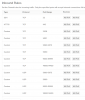
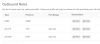
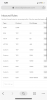
Here are screenshots of my rules. Yes, I know I've opened TCP and UDP where not needed, was trying to be sure I wasn't missing something so opened more than necessary. It shows it is applied to the 3CX droplet. I've gone in via SSH and flushed all IPTables commands so now IPtables -S shows NOTHING (pasted screenshot of that too). Not sure if there is some other firewall active?

\11873
11874
11875
 
Here are screenshots of my rules. Yes, I know I've opened TCP and UDP where not needed, was trying to be sure I wasn't missing something so opened more than necessary. It shows it is applied to the 3CX droplet. I've gone in via SSH and flushed all IPTables commands so now IPtables -S shows NOTHING (pasted screenshot of that too). Not sure if there is some other firewall active?

\View attachment 11873
View attachment 11874
View attachment 11875
First, you have opened wayyyy too much ports.

RTP 14000+ are not needed, these are on the phone-side. Same goes for 5060-5075.

Here's the only rules really needed:
  • TCP 80
  • TCP 443
  • TCP 5015 (setup wi
  • UDP 5060
  • TCP 5060
  • TCP 5061
  • TCP 5090
  • UDP 5090
  • UDP 9000-10999

The others are redundant and my guess is since you have overlapping rules, the firewall doesn't work properly.
 
Here's a screenshot of my rules, those work perfectly.

11876
 
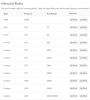
I had mentioned that I KNEW I had too much open but was trying to ensure I had the PROPER things open. Here are my rules now and my firewall in dashboard still shows a red !. If I don't have 5001 open I can't access the dashboard (and I had removed it and thus couldn't get to dashboard so I know this firewall is active on my droplet).
11877
 
I had mentioned that I KNEW I had too much open but was trying to ensure I had the PROPER things open. Here are my rules now and my firewall in dashboard still shows a red !. If I don't have 5001 open I can't access the dashboard (and I had removed it and thus couldn't get to dashboard so I know this firewall is active on my droplet).
View attachment 11877
The 5001 is only if you used the that port during the setup. Normally it would be 443.

Have you tried simply deactivating the firewall and run a test? See if the VM itself is doing something.

The VM will still be accessible without a firewall.

By the way, Iptables blocks requests by default. You should creates rules to allow ports. For testing, you can allow all ports/protocols. You can also simply disable it.
 
Just so you know, the red firewall icon won't become green by itself. You need to run a firewall test to make it turn green.
 
I've attempted to disable firewall via SSH on VM with no good results. Uninstalled IPTables and completely broke everything so restoring from image I took prior to making changes (backups save lives!)

Not sure what else to try, this was a trial install that I backed up from the Google instance and restored to a new install on DigitalOcean. Not sure if that could have something to do with it... I really need to figure out why I can't get the firewall to test. Ran check again and same results ports are innaccessible.
 
I've attempted to disable firewall via SSH on VM with no good results. Uninstalled IPTables and completely broke everything so restoring from image I took prior to making changes (backups save lives!)

Not sure what else to try, this was a trial install that I backed up from the Google instance and restored to a new install on DigitalOcean. Not sure if that could have something to do with it... I really need to figure out why I can't get the firewall to test. Ran check again and same results ports are innaccessible.
Once your snapshot is restored, try disabling the firewall on DigitalOcean directly. Simply unassign the VM. Then run the firewall test. Post a screenshot of the results here please.

Also, I would recommend launching a new droplet, install 3CX using a new trial key and then see if it works out-of-the-box. I recommend a manual installation on Debian 9 based droplet.

Iptables shouldn't break things but it depends on how you installed 3CX. Their ISO takes care of everything.
 
Once your snapshot is restored, try disabling the firewall on DigitalOcean directly. Simply unassign the VM. Then run the firewall test. Post a screenshot of the results here please.

Also, I would recommend launching a new droplet, install 3CX using a new trial key and then see if it works out-of-the-box. I recommend a manual installation on Debian 9 based droplet.

Iptables shouldn't break things but it depends on how you installed 3CX. Their ISO takes care of everything.

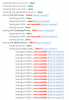
I disabled VM from firewall rules and results are below. I also ran the command: iptables -A INPUT -p udp -m udp --dport 9000:10999 -j ACCEPT and then checked with iptables -S and got the results posted. But when I use the link at https://www.yougetsignal.com/tools/open-ports/ to test port 9000 it still says it's closed. Is it possible there is some OTHER firewall installed? Is there a way to see where/how a port is being blocked?
11879

11878
 
The How to resolve? link is practically useless as it explains WHY it is failing but not HOW to resolve it. (at least to my understanding and I've read it multiple times)
 
Status
Not open for further replies.

Latest Posts

Forum statistics

Threads
112,359
Messages
592,099
Members
165,534
Latest member
[email protected].