- Joined
- Mar 24, 2026
- Messages
- 2
- Reaction score
- 0
Hi
deployed a SMB instance in Azure following the guide (https://www.3cx.com/docs/pbx-azure-marketplace/).
I have uploaded right configuration and the process are all done and dusted. Worth noting that it sends me to update the password which I did
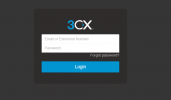
Then it send me to <my_fqnd>.3cx.com.au/#/login
This is where it all falls apart. I tried every possible way to login and even tried to reset my password via my email - didn't work.
I can login to my 3cx portal where I can see the my 3cx instance with greenlights showing it's online.
How do I actually login or maybe reset my password?
deployed a SMB instance in Azure following the guide (https://www.3cx.com/docs/pbx-azure-marketplace/).
I have uploaded right configuration and the process are all done and dusted. Worth noting that it sends me to update the password which I did
Then it send me to <my_fqnd>.3cx.com.au/#/login
This is where it all falls apart. I tried every possible way to login and even tried to reset my password via my email - didn't work.
I can login to my 3cx portal where I can see the my 3cx instance with greenlights showing it's online.
How do I actually login or maybe reset my password?