- Joined
- Nov 16, 2008
- Messages
- 177
- Reaction score
- 0
I upgraded to the latest version last night 7.0.4744.0 and was very happy with the addition of sub-folders under extensions. I expect this will developed further in due course, to allow more than 1 teir of sub-folders and profile settings across extensions.
However, since upgrade I have noticed that only 1 of my simple DID rules do not work as before.
I have a DDI Range of 01932251900 - 909 on my test ISDN 2e box.
I have a DDI Range of 01932233960 - 969 on my production 4 x ISDN 2e boxes.
I discovered that if I made the inbound rule to *0 through to *9, I can do a mapping to the respective internal extension ending with the same number. I deliberately created my rules loose like this, so when I plug in my production ISDNs, I would not have to create additional rules, these rules basically worked for both lots of ranges.
However I had to amend *9 to *09 for it to match and foward to the extension. e.g. *09 --> 3969 (internal extension number). THIS ONLY AFFECTS INBOUND RULE FOR *9, all the others go to their respective internal extension number!
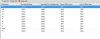
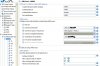
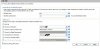
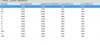
The *9 takes it to my ring group 8000. Please see the 3 screenshots below, the first illustrates my DID rules, the second shows the Patton ISDN Gateway, it's 10002 port with it's respective rules. Note the port rule is to go to 8000, and this is the behavious that is taking place with the *9 rule. I have finally shown the *9 rule point to extension 3969 - Any ideas would be appreciate as I have recreated this rule several times, and the only solution is to change it to *09. Am I doing something wrong ?
Here is my Activity Log as well for the test:
However, since upgrade I have noticed that only 1 of my simple DID rules do not work as before.
I have a DDI Range of 01932251900 - 909 on my test ISDN 2e box.
I have a DDI Range of 01932233960 - 969 on my production 4 x ISDN 2e boxes.
I discovered that if I made the inbound rule to *0 through to *9, I can do a mapping to the respective internal extension ending with the same number. I deliberately created my rules loose like this, so when I plug in my production ISDNs, I would not have to create additional rules, these rules basically worked for both lots of ranges.
However I had to amend *9 to *09 for it to match and foward to the extension. e.g. *09 --> 3969 (internal extension number). THIS ONLY AFFECTS INBOUND RULE FOR *9, all the others go to their respective internal extension number!
The *9 takes it to my ring group 8000. Please see the 3 screenshots below, the first illustrates my DID rules, the second shows the Patton ISDN Gateway, it's 10002 port with it's respective rules. Note the port rule is to go to 8000, and this is the behavious that is taking place with the *9 rule. I have finally shown the *9 rule point to extension 3969 - Any ideas would be appreciate as I have recreated this rule several times, and the only solution is to change it to *09. Am I doing something wrong ?
Here is my Activity Log as well for the test:
Code:
10:20:03.396  [CM503008]: Call(8): Call is terminated

10:20:01.944  [CM505001]: Ext.3967: Device info: Device Identified: [Man: Snom;Mod: 3xx series;Rev: General] Capabilities:[reinvite, replaces, able-no-sdp, recvonly] UserAgent: [snom320/6.5.16] Transport: [sip:192.168.66.57:5060]

10:20:01.924  [CM503002]: Call(8): Alerting sip:[email protected]:2051;line=s9u19qgb

10:20:01.784  [CM503004]: Call(8): Calling: HuntGrp8000:3969Ext.3969@[Dev:sip:[email protected]:2057;line=yzmyarab]

10:20:01.784  [CM503004]: Call(8): Calling: HuntGrp8000:3968Ext.3968@[Dev:sip:[email protected]:2051;line=d9xuop9s]

10:20:01.763  [CM503004]: Call(8): Calling: HuntGrp8000:3967Ext.3967@[Dev:sip:[email protected]:2051;line=s9u19qgb]

10:20:01.763  [CM503010]: Making route(s) to <sip:[email protected]:5060>

10:20:01.733  [CM503001]: Call(8): Incoming call from anonymous@(Ln.10002@Patton ISDN Gateway) to <sip:[email protected]:5060>

10:20:01.723  [CM503012]: Inbound office hours rule (unnamed) for 10002 forwards to DN:8000

10:13:43.069  [CM503008]: Call(7): Call is terminated