


- Joined
- Jul 8, 2017
- Messages
- 40
- Reaction score
- 2
Hi,
I trying set up Live Chat & Talk using this tutorial: (https://www.3cx.com/blog/releases/website-live-chat-talk/), but unfortunatly don't work. When I try type start a chat in browser, appear the message bellow:
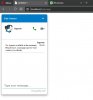
See bellow how I set up:
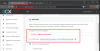
Initially I think his problem with my extension, but using this link can work normally: https://conectiva.my3cx.com.br/callus/#marketing
Anyone can help me with this issue?
I trying set up Live Chat & Talk using this tutorial: (https://www.3cx.com/blog/releases/website-live-chat-talk/), but unfortunatly don't work. When I try type start a chat in browser, appear the message bellow:
See bellow how I set up:
HTML:
<html>
<head>
<meta content="text/html; charset=utf-8" http-equiv="Content-Type" />
<title>Untitled 1</title>
<script type="text/jscript" src="callus.js"></script>
<style>
#callus{
--call-us-form-header-background: #007bc7; //Primary Color
--call-us-header-text-color: #ffffff; //Secondary Color
position: fixed;
bottom: 20px;
right: 6px;
}</style>
</head>
<body>
<call-us id="callus"
phonesystem-url="https://conectiva.my3cx.com.br:5001"
party="marketing"
minimized="false"
allow-call="true"
allow-video="true"
operator-name="Suporte"
window-title="Fale Conosco"
authentication="name"
invite-message="Olá! Como podemos ajudá-lo?"
authentication="true">
</call-us>
</body>
</html>
Initially I think his problem with my extension, but using this link can work normally: https://conectiva.my3cx.com.br/callus/#marketing
Anyone can help me with this issue?


