No Audio since update

Status
Not open for further replies.

thereverendd

Free User
Joined
Mar 31, 2019
Messages
66
Reaction score
5
I have 2 external extensions that are not getting audio since the last update of the software. My Android soft phones work 100% in both directions. But the desk phones
both are Cisco 303's are now not getting audio. I ran the firewall checker and get this "detected (received 651aca64 ≠ 8c728c36)" not sure what that means but all other ports etc
check out fine. Could this message be the problem or is there something else I should check? I did also add 1 extension a Yealink phone internally right about the same time this happened
any help would be great. Thank you in advance.

 
The phone were working until the latest update and seem to work after rebooting the services but the after about a day or so stop working again all together.

Also this link you sent me states
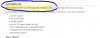
"Note that these phones can not be used from a remote location or in combination with a 3CX in the cloud. "
I have been using them in a REMOTE location for the last 4 years. Now all of a sudden this has happened. also not sure how to set up a VPN for 2 desk phones to use standalone that would not effect the whole network that the phones are on.
 
On further testing. If I call OUT from the desk phone to my cellular i can hear in both directions However. On incoming calls to the desk phone I can not hear from the desk phone to my cellular or 3cx on my android. Seems odd. that it works if the call is started from the desk phone and it works 100% that way but if the call comes in from the outside world they can not hear me at all.
 
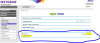
Now I went into my router and when i click this box :
12431
I can not hear in either direction. But when I uncheck that box i can hear 1 way.
This is very confusing can someone PLEASE help.. thanks
 
Ok while people stopped responding to my messages here I went back into the router and changed these settings to this : For others that have this same problem. You MUST have OPEN selected. This is NEW firmware by NETGEAR that messed this whole thing up. and YES you can have external SPA303's just wondering why the setup screen says you can not.. This might be something someone needs to look at and correct.
12433

This is NOT a fact. My SPA303's x2 are working outside of the servers network 100% unsure why this says this but it is a bit misleading.
12434
 
So just to confirm, it was not the 3CX update as stated in your post but rather a router firmware update?
 
  • Like
Reactions: JohnS_3CX
That is correct. At the same time we did the 3cx update as well as the router update. Making it appear as if the 3cx update caused the issue but it looks like it was mostly the router firmware that cause this issue and not the 3cx update. So if anyone is having a similar issue they should 1st make sure that the routers settings for NAT filtering are set to OPEN and the SIP ALG is set to OFF or disabled. What was throwing us was the fact that we set the SIP ALG to off and it made things worse. Very important to also set the nat filtering to off.
 
Status
Not open for further replies.

Latest Posts

Forum statistics

Threads
111,933
Messages
589,817
Members
164,810
Latest member
astrobalaji