- Joined
- Aug 15, 2022
- Messages
- 3
- Reaction score
- 0
Hello all,
maybe someone here can help us. Our IT service provider as well as all IT Affinen coworkers are helpless with the following error: Two users of the Windows App (Win8Phone.exe) have the problem that the audio input, output and ringing are not to be heard, both with outgoing and with incoming calls. Here in the forum I read that in that case the incoming UDP ports must be allowed for the app. The firewall already had such a rule for the Win8Phone.exe for all incoming UDP ports. What else could be the cause here?
The strange behavior: As a temporary crutch we installed the desktop app. Now the incoming calls worked with the Windows 10 app too! Inasmuch as both programs are started. The outgoing calls (with Windows 10 app) are still without sound / connection. The Desktop App works fine.
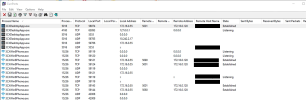
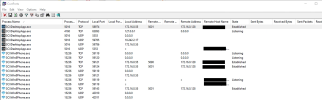
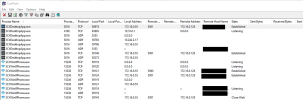
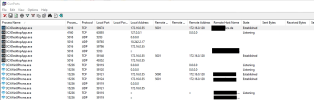
Attached are screenshots from a port scanner on one of the problem machines. The screenshots were taken while a line was up, both for the Windows 10 and for the desktop app, outgoing and incoming. Maybe the screenshots will help to find the cause.
maybe someone here can help us. Our IT service provider as well as all IT Affinen coworkers are helpless with the following error: Two users of the Windows App (Win8Phone.exe) have the problem that the audio input, output and ringing are not to be heard, both with outgoing and with incoming calls. Here in the forum I read that in that case the incoming UDP ports must be allowed for the app. The firewall already had such a rule for the Win8Phone.exe for all incoming UDP ports. What else could be the cause here?
The strange behavior: As a temporary crutch we installed the desktop app. Now the incoming calls worked with the Windows 10 app too! Inasmuch as both programs are started. The outgoing calls (with Windows 10 app) are still without sound / connection. The Desktop App works fine.
Attached are screenshots from a port scanner on one of the problem machines. The screenshots were taken while a line was up, both for the Windows 10 and for the desktop app, outgoing and incoming. Maybe the screenshots will help to find the cause.