No Languages in Templates

Status
Not open for further replies.

IT Heights

Customer
Joined
Nov 26, 2023
Messages
16
Reaction score
0
Hello, we just upgraded to the newest release and we noticed that there is no longer a language section for our templates. This means we cannot add or create new templates. Does anyone else have this problem?
 
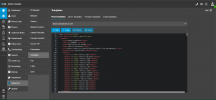
Hi, you still have the access to templates

1701019797348.png

Using the default templates you can set the display language for deskphones.

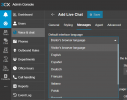
The same for the live chat

1701019908863.png
 
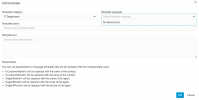
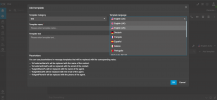
Okay but I mean on the System Console like here.Screenshot 2023-11-26 3CX.png
 
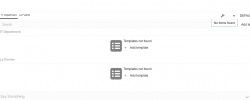
I am trying to create a template in our chat for quick responses. I cannot save them because it is asking for a language in the above photo. I cannot see any languages in the below section when I respond to any chats. Every time I try to pick a language it just shows "No Items Found". Screenshot 2023-11-26 114247.png
 
Ok it shows the languages too

1701020776089.png

Check you are using Chrome or Edge as browser and delete cache/cookies.
 
I have used both Edge and Chrome, cleared my cache and cookies, still not seeing it.
 
can you try to create a new category and add a new template.

check your user has role for example system owner.
 
I tried and it still says the same thing no items found.
 
could you try it as incognito mode?
 
Still have nothing even in Incognito mode
 
thats weird, I can not replicate it,

one last thing, is your chrome browser 119.0.6045.160 (Build oficial) (64 bits)?, restart the 3cx database server, then try one more time and go to the development tools in your browser, from there check the console if you see any error
 
Yes, restarting the database worked, Thank you!
 
perfect, good to know it is working now.
 
Status
Not open for further replies.

Forum statistics

Threads
111,973
Messages
590,079
Members
164,897
Latest member
ferpeba83