Solved No outbound calls via tunnel

Status
Not open for further replies.
Kindly confirm the following:

a) Under your network settings, do you have the correct interface that talks to the internet?

If you have 2 LAN cards you need to select the correct one that has internet access.

b) In addition, there is also the public IP that must match your current public IP

13864
 
Oh by the way I was just looking at your posts again, it looks like one of the tests we ran was not done correctly.

On Post #11 I asked you to try using UDP and tunnel disabled, but the call went to port 5090 which implies the tunnel was used. Can you please give it another try as described in post #11? Make sure the client is reprovisioned to not use the tunnel at all (you will see the traffic going to 5060 instead of 5090)
 
There is 1 interface and it has internet access and public ip is correct.

Oh by the way I was just looking at your posts again, it looks like one of the tests we ran was not done correctly.

On Post #11 I asked you to try using UDP and tunnel disabled, but the call went to port 5090 which implies the tunnel was used. Can you please give it another try as described in post #11? Make sure the client is reprovisioned to not use the tunnel at all (you will see the traffic going to 5060 instead of 5090)

you are right. If I disable tunnel option I don't even get a presence view ->registration failed
 
Ok looks like the SIP port is blocked in this case. Have you done any maintenance on your firewall recently or if you use the provider's modem, are the port forwards still in place?

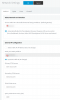
Run your firewall checker again for a quick test.
 
at first sight everything seems to be fine. firewall checker finished without errors (all ports done)
 

Attachments

  • firewall.png
    firewall.png
    21.5 KB · Views: 2
Ok, at this point you will need to ensure the tunnel of the client is disabled (check in the client advanced settings if you want to be sure) and stay in UDP transport, then run a capture and launch the client to try and register.

If the traffic arrives correctly, will see it in the capture and you will see what the PBX responds to the registration attempt.
 
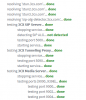
ok, could solve this problem by using other mobile hotspot. Now there is a bit more information in wireshark sip flow (initial problem from post #1 persists)
 

Attachments

  • wireshark.PNG
    wireshark.PNG
    18.2 KB · Views: 6
Everything seems normal up until the point where the other extension declines the call.

Connect the same client via your VPN now without any changes at all, run the capture again and make a test call.
 
attached it :)
 

Attachments

  • Wireshark_VPN.PNG
    Wireshark_VPN.PNG
    25.2 KB · Views: 5
Hi,
finally solved the problem by updating to V16. So if any of you guys has a similar problem -> update :)

Thank you all.
 
Glad to hear it was resolved
 
Status
Not open for further replies.

Forum statistics

Threads
111,935
Messages
589,823
Members
164,817
Latest member
Innovative Advisory