- Joined
- Jul 28, 2009
- Messages
- 8
- Reaction score
- 0
After 4 hours I am giving up.
I read a ton of posts in this form, learned some stuff that I feel is missing form the ConnectWise Integration Page (https://www.3cx.com/docs/pbx-crm-integration-connectwise/)
but still no go for pops
test button works
The Journaling Works but could use some love if you configure it for notes it enterers data into the notes field but that clogs up the notes.
If you configure it for activities it would be great if you could configure the status so received calls could be set to closed and missed calls could be left with a open Activity.
Back to the Pops:
We have a self hosted system up to date with V 16.0655 Pro
Latest version of Chrome and and 3cx extension running on Win 10 pro
Screen pops are allowed for the 3cx Server (ibn chrome)
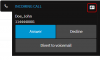
incoming calls show in the web client ( as well as the 3cx windows client)
calling from outside
but no screen pops
I tried and set it to " Auto launch a Custom Contact URL using variables " to launch a test site but that did not work either
I tried the same setup on a different machine with no 3cx win 10 client installed and same results
Help would be greatly appreciated
Aloha Matthias
I read a ton of posts in this form, learned some stuff that I feel is missing form the ConnectWise Integration Page (https://www.3cx.com/docs/pbx-crm-integration-connectwise/)
but still no go for pops
test button works
The Journaling Works but could use some love if you configure it for notes it enterers data into the notes field but that clogs up the notes.
If you configure it for activities it would be great if you could configure the status so received calls could be set to closed and missed calls could be left with a open Activity.
Back to the Pops:
We have a self hosted system up to date with V 16.0655 Pro
Latest version of Chrome and and 3cx extension running on Win 10 pro
Screen pops are allowed for the 3cx Server (ibn chrome)
incoming calls show in the web client ( as well as the 3cx windows client)
calling from outside
but no screen pops
I tried and set it to " Auto launch a Custom Contact URL using variables " to launch a test site but that did not work either
I tried the same setup on a different machine with no 3cx win 10 client installed and same results
Help would be greatly appreciated
Aloha Matthias