No Such Host is Known - CRM template stopped working suddenly

Status
Not open for further replies.

Jijo_Raj

Forum User
Joined
Jun 21, 2020
Messages
63
Reaction score
2
Hi,

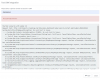
The CRM template was working fine. It stopped working on 17th September. When i tried to debug, the result is as below


1601536308512.png

Why does this happen and how to fix this?

Regards,
Jijo
 
Hi,

The CRM template was working fine. It stopped working on 17th September. When i tried to debug, the result is as below


View attachment 18374

Why does this happen and how to fix this?

Regards,
Jijo
Sounds like your CRM, wherever it is hosted, is no longer reachable. "Host not known" is usually due to DNS resolution not working, or the domain is offline for some reason.
 
  • Like
Reactions: edossantos
The auto dialer is connected to the same host, It works fine. Then how come the Domain is offline?

also its now 2 weeks since it stopped working. We do all our daily task in the same domain. No such known issues.
 
The auto dialer is connected to the same host, It works fine. Then how come the Domain is offline?

also its now 2 weeks since it stopped working. We do all our daily task in the same domain. No such known issues.
Check your dialer config, maybe it uses HTTPS. Your CRM seems configured to query via HTTP.
 
  • Like
Reactions: Jijo_Raj
Hi Frederick,

How do i check the configuration in Dialer?

Actually this issue occurred after updating the PBX to latest version.
 
This is definitely a DNS lookup issue. When 3CX tries to resolve whitespots-cleaning.com to an IP address, it can't do it. Check your server's network configuration, and ensure that you can resolve that FQDN to an IP Address from the 3CX server.
 
Yes, It was an DNS lookup issue. Its working now!

Thanks
 
Status
Not open for further replies.

Latest Posts

Forum statistics

Threads
112,324
Messages
591,897
Members
165,476
Latest member
awan05