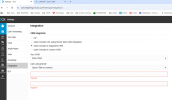
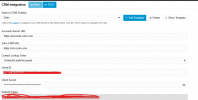
I've been troubleshooting why i'm not seeing popup in CRM. I think i found what needs to be corrected; but i'm not sure what to put in the two required fields. Can you help out?
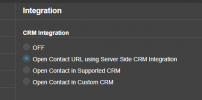
i tried "OpenURL using Server Side CRM Integration" yesterday and it did not give me a popup. That's why i was asking about the "Open Contact in Supported CRM" option. Is there anything else i could look at?
i tried "OpenURL using Server Side CRM Integration" yesterday and it did not give me a popup. That's why i was asking about the "Open Contact in Supported CRM" option. Is there anything else i could look at?
Is it showing a match in the dialer view (aka does it show a CRM link?) If so, that means your browser is blocking the popup (right-end side of the address bar there will probably be an icon for that.)
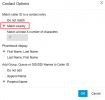
If the test works, but you don't see the "CRM" link in the Web Client when you make or receive the call, then most probably you have a wrong setting in Admin > System > Phonebook > Options. You should check "Match exactly" there:
edossantos_sipcaller, that was it! thanks so much! Also, thank you all for your suggestions. everything was helpful and pointed me in the right direction!