Notify my nodejs application as soon as an outbound call is made

Status
Not open for further replies.

berber

Forum User
Joined
Oct 26, 2020
Messages
30
Reaction score
0
I need to send a pre-recorded voice mail to the recipient before disconnecting the call. As soon as a call is made I need to redirect the user to my application popup from where he/she can choose a message from a list of pre-recorded messages and click on the send button which will send the voice mail to the recipient and end the call immediately.

Right now I only get notified once a call is disconnected. Kindly help me with this
 
You can try this:

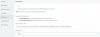
BE2B15EE-4B77-47ED-854C-FDD5F9FDA18D.jpeg
 
@Frederick Marcoux I tried this but it didn't redirect me to the new url. Can you tell why it might be happening?
 

Attachments

  • Capture.JPG
    Capture.JPG
    74.2 KB · Views: 7
Last edited:
Is there any other way where we can show a list of pre-recorded messages at the time of live call from which a user can select a message and send that as a voicemail?
 
Is there any other way where we can show a list of pre-recorded messages at the time of live call from which a user can select a message and send that as a voicemail?
Not really. There's no direct API or webhook. Only the thing I sent you.

However, if you're using the browser extension, this config needs to be done in it (it has its own separate settings).
 
@Frederick Marcoux yes I am using the browser extension 3CX - Click To Call
If you could kindly share the settings for that it would be very helpful?
 
@Frederick Marcoux yes I am using the browser extension 3CX - Click To Call
If you could kindly share the settings for that it would be very helpful?
It's not in the Click2Call extension, but the full 3CX Browser Extension. The one with the call popup. Look it up.
 
@Frederick Marcoux Does the above pop-up thing you shared work only for incoming calls or outbound calls as well?
 
The popup I am talking about is this: https://chrome.google.com/webstore/detail/3cx/baipgmmeifmofkcilhccccoipmjccehn?hl=en

It is not what you think. What I said is that, in that extension, it has the same integration settings as the Webclient.

It's the only supported way. Is your Node app already built and you just have a URL to open? If so, that's easy with the screenshot I showed you.

If you need more complex stuff, you might wanna hire a programmer to help you. We can also help.
 
@Frederick Marcoux well I do have my nodejs application up and running on my localhost. I have also done the settings you mentioned in the image above. Its just whenever I make an outbound call a new tab doesn't open in the browser with the url I gave in the settings.
I don't understand what am I missing here? Is there something else that needs to be done to integrate 3CX with our application?
 
@Frederick Marcoux well I do have my nodejs application up and running on my localhost. I have also done the settings you mentioned in the image above. Its just whenever I make an outbound call a new tab doesn't open in the browser with the url I gave in the settings.
I don't understand what am I missing here? Is there something else that needs to be done to integrate 3CX with our application?
Is it working for inbound calls? It might be limited to that. I never used that feature as we use the built-in CRM integration.
 
@Frederick Marcoux yes it is working for inbound calls only. Is there a way to do it for outbound calls?
 
@Frederick Marcoux you mentioned about built-in CRM integration. Won't that be helpful in my case?
 
@Frederick Marcoux you mentioned about built-in CRM integration. Won't that be helpful in my case?
Unfortunately no as it doesn't trigger at the beginning of a call. It could work for the call popup, but that would be something you need to program using the CRM Template Generator.

All of this is a quick Google search away.
 
There are several ways you can be notified when a outbound call is initiated:

1. Subscribe to 3CX events using the 3CX Call Control API
2. Write a 3CX Phone for Windows plugin
3. Leverage the existing feature of 3CX Phone for Windows that can call a 3rd party application
4. Subscribe to 3CX events using our VoIPTools Relay

We took a little different approach with our 3CX Auto Voicemail tool (sometimes called Voicemail Drop). With this tool, when the call is connected, to leave a pre-recorded voicemail you simply choose the desired voicemail from the list and press send. The agent is immediately dropped from the call and 3CX leaves the voicemail for you.

Our tool does not rely on a CRM integration. It already knows who you are and can see your active call so it already has all the information it needs to perform the necessary tasks. We could probably help you leverage our code to implement this in your application.
 
Last edited:
@voiptoys that would be great if you can help me out with this. From the options you have shared above I feel the first one in which we can subscribe to 3CX events using their call control API as the one I can move ahead with. But without the API documentation, I don't know how to proceed with this.

Also if you can share the initial steps to perform to start implementing an Auto Voice Mailer that would be of great help?
 
Status
Not open for further replies.

Forum statistics

Threads
111,992
Messages
590,171
Members
164,931
Latest member
admintest