Obtaining Call Report

Status
Not open for further replies.

Daniel Zulkifli

Gold Partner
Advanced Certified
Joined
Jul 6, 2022
Messages
8
Reaction score
0
Hello,

My 3CX has been hosted on-prem and running smoothly since 2021. I’m trying to generate reports for all outgoing calls made from November 2022 to June 2024. However, when I click on the scheduled report, the page gets stuck and nothing happens. I also tried running a report from November 1, 2021, to November 30, 2021, and faced the same issue. Interestingly, reports for more recent dates, like June 1, 2024, to June 30, 2024, work just fine.

Does 3CX not store data from the start date of activation? Is there a workaround to get the reports for the specified period?

Any help would be appreciated! Thanks!
 
Hello,

My 3CX has been hosted on-prem and running smoothly since 2021. I’m trying to generate reports for all outgoing calls made from November 2022 to June 2024. However, when I click on the scheduled report, the page gets stuck and nothing happens. I also tried running a report from November 1, 2021, to November 30, 2021, and faced the same issue. Interestingly, reports for more recent dates, like June 1, 2024, to June 30, 2024, work just fine.

Does 3CX not store data from the start date of activation? Is there a workaround to get the reports for the specified period?

Any help would be appreciated! Thanks!
That's a very long period of time. I would try to make smaller batches instead. Otherwise you may hang the system while it's generating the report.
 
That's a very long period of time. I would try to make smaller batches instead. Otherwise you may hang the system while it's generating the report.
I tried generating the reports in smaller batches, like from November 1, 2021, to November 30, 2021, but the issue persists. However, when I generate reports for more recent dates, like June 1, 2024, to June 30, 2024, it works without any problems. Not sure why this is happening.
 
3CX does not have a specified time that it holds onto the call history. Unless you purged the call history manually, then this should still be available.
 
3CX does not have a specified time that it holds onto the call history. Unless you purged the call history manually, then this should still be available.
Hi, I don't purge the data, so I'm wondering if there's a way to check until what date the data is available in my 3CX. Any tips on how I can verify this?
 
This information is within the database of 3CX, so no access is given. When you create a report with such a huge step back in time, and such a big time frame, I'd just give it time to create the report.
 
  • Like
Reactions: Evolute IT
1722257966578.png

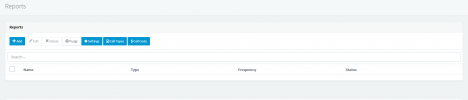
Usually, when a report is scheduled, it appears here for us to monitor the progress. However, the page gets stuck on the "creating the report" page, and nothing happens.
 
Look on your dashboard and see how many call records you have. This should be a rough indication of how long your data is in the system for. Is it in the hundreds of records? the millions?
 
  • Like
Reactions: Evolute IT
Look on your dashboard and see how many call records you have. This should be a rough indication of how long your data is in the system for. Is it in the hundreds of records? the millions?
1722258631769.png

I can see in the call history it states "Purge 1m+ calls." Is this what you are referring to?
 
Yes. When creating your reports its gonna take some time. I'd just give it some time to do its thing.
 
Yes. When creating your reports its gonna take some time. I'd just give it some time to do its thing.
It has been a day since I ran the report, and I still haven't received any email. Can I use the CDR feature to retrieve records for all outgoing calls?
 
Of course you can!
 
Status
Not open for further replies.

Forum statistics

Threads
111,953
Messages
589,914
Members
164,849
Latest member
BillyAkansel