Office365 Calendar Syncing not working

Status
Not open for further replies.

Matt_Perimeter9

Free User
Joined
Apr 4, 2019
Messages
19
Reaction score
2
I have Office365 enabled for Contact and Calendar Syncing (User Sync is turned off as it was duplicating my users). 3CX shows the status as working. However the presence info is not updating for all users automatically based on their calendars. 10648
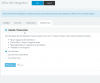
I don't see anyone status changing. I can confirm it should be by looking at their calendars. Are there any trouble shooting steps I can take to ensure 3CX is able to correctly sync my users with Office365 to pull this info?
 
I have Office365 enabled for Contact and Calendar Syncing (User Sync is turned off as it was duplicating my users). 3CX shows the status as working. However the presence info is not updating for all users automatically based on their calendars. View attachment 10648
I don't see anyone status changing. I can confirm it should be by looking at their calendars. Are there any trouble shooting steps I can take to ensure 3CX is able to correctly sync my users with Office365 to pull this info?

Are the users well mapped with their Office365 email? 3CX uses the Email to match AD users to extensions.
 
Yes, all users have the email address info entered in 3CX
 
We are seeing exactly the same as Matt_Perimeter9 - we have Calendar and Contract Sync enabled. Email address against the Contact in 3cx matchs UserPrincipalName in Active Directory. We are not getting Contacts from Office365 appearing in Webclient in 3CX or Status Changes based on Free/Busy from users calendar.

@Frederick Marcoux - when you say "well mapped" what did you mean? Do the email address in 3CX and UserPrincipalName in Office 3CX need to match exactly - include same case? So will [email protected] match with [email protected] or do I need them to be exactly the same?
 
  • Like
Reactions: Matt_Perimeter9
We just noticed today that Calendar Sync does update the extension's status on the 3CX server as expected, but does not send a notification to IP phones that the status has changed. Clients that query the server for status (e.g. the webclient and mobile apps) still show the correct status, but IP phones do not (at least not our Yealink T58 and CP960 models). BLF entries for other extensions on IP phones are also not updated when status is changed by Office365 sync.

I'm not sure if this is the same issue others in this thread are having but thought it was worth mentioning.
 
its not exactly the same. We only have softphones in my case and they are not updating the presence info. How did you check if the ext status on the server to see if the office365 data is coming across correctly?
 
How did you check if the ext status on the server to see if the office365 data is coming across correctly?
I'm assuming the O365 data is coming across correctly because the status shown in the webclient is changing with users' O365 status. I didn't do anything special to confirm it beyond that.
 
Do the email address in 3CX and UserPrincipalName in Office 3CX need to match exactly - include same case? So will [email protected] match with [email protected] or do I need them to be exactly the same?
In our experience, the O365 UPN does need to be a case sensitive match with the 3CX email for any of the sync operations to work properly.
 
  • Like
Reactions: rspb_chriswells
I have now tested this and I can confirm what @mowog74 said - the email address and the userPrincipalName need to be a case sensitive match for the contact (and I assume calendar) sync to work. So if the userPrincipalName is [email protected] then the Email Address on the Extension in 3cx also needs to be [email protected]
 
  • Like
Reactions: mowog74
interesting. I wonder if 3CX will comment. seems like a bug or over site if that is the case
 
  • Like
Reactions: mowog74
Status
Not open for further replies.

Forum statistics

Threads
111,926
Messages
589,764
Members
164,799
Latest member
RicoDinero