Office365 Contact Sync No Longer working V18 Alpha 4

Status
Not open for further replies.

imerecom

Bronze Partner
Joined
Dec 2, 2009
Messages
50
Reaction score
7
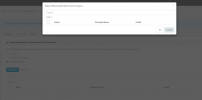
Not sure if anyone else experienced this but after upgrade to V18 alpha 8 Office365 contact sync stopped synching yet connection says its functioning correctly. We can not add any users to sync in contact synch and the user that was there before is also gone as are their contacts do not show up in web client address book. We are not using user synch, sign in synch(AD) or calendar synch at this point:

View attachment 22328
1622729286901.png
 
Start by redoing the Authorize sequence. If that doesn't work, redo the whole setup. We had to as well when upgraded.

By the way, V18 is Alpha and not production-ready. You should only install this on test systems. You won't get much support for it right now while it's still in development.
 
If that is true that you have to a reinstall O365 component that's unfortunate. Its odd that shared contacts work just not personal contact.
By the way I always love how folks always point out that Alpha and Betas are not for production like people can not read disclaimers Nick and team always put out, I assure you we can ;)
 
Could someone please clarify, in v18 Alpha4, are ALL Office365 integration options being enabled for all 3CX Editions?

Or is it only 'User Sync' and 'Sign In', with 'Contact Sync' and 'Calendar Sync' remaining Professional / Enterprise Edition only features?
 
Could someone please clarify, in v18 Alpha4, are ALL Office365 integration options being enabled for all 3CX Editions?

Or is it only 'User Sync' and 'Sign In', with 'Contact Sync' and 'Calendar Sync' remaining Professional / Enterprise Edition only features?
In Standard License Keys, only "User Sync" and "Sign In" is available.
For "Contact Sync" and "Calendar Sync" you will need Pro or Enterprise.
 
Status
Not open for further replies.

Forum statistics

Threads
111,993
Messages
590,178
Members
164,933
Latest member
bunthoeun.may