Out of Hours won't switch off

Status
Not open for further replies.

darenfriday

Customer
Basic Certified
Joined
Jul 10, 2016
Messages
52
Reaction score
3
Hi

I've got the office hours set 8:30 till 5:00 in global settings.

I've set the 'destination for calls outside office hours' on the main trunk to go to a 'voicemail box for extension' and recorded the greeting for that extension.

The out of office gets applied automatically at 17:00 but doesn't undo at 8:30 am.

What am I missing please?

Thanks

Daren
 
Hi Daren,

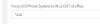
Ensure that you have not enabled and set "Force 3CX Phone System to IN or OUT of office" under Settings and Dialcodes.

If the system is "forced" out of office hours it will need to be set back IN office hours for the system to adhere to the standard schedule.
 
Found that *210
If I send it she tells me the 'phone system is now set to default office hours'
Is that where it should be?
upload_2018-5-9_18-6-14.png
 
yes, system should be in 'default office hours'

You can dial *210, *2101 and *2102 for different options

Would be good if the management console could tell you what mode you where in
 
Hey Saqqara

Could you tell/point me to the correct configuration to enable out of hours to be automated please?

Thanks

Daren
 
Hello @darenfriday

You system should be set to default office hours for automatic switching to occur.
To do so dial *210 and you should hear the default office hour prompt.

Then ensure that the time on the PBX machine is correct and that the correct timezone is selected in the PBX.

If all is correct the system should switch to out of office after 17:00 and switch to in office at 08:30.

Also what is your in office routing and what version is your PBX? You can get the exact build number from the dashboard, under the information column next to the licence.
 
Hey Yiannish

Professional Perpetual 15.5.10244.4

Where am I supposed to do the routing? In the SIP or in the Group or somewhere else
Currently our trunk has this...
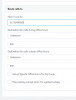
upload_2018-5-10_13-33-40.png
Although the actula porting hasn't happened but should happen tomorrow. Could this be the issue?

Thanks

Daren
 
The reason i was asking where the routing is for in office is to see where the issue is exactly. If it was an extension for example you could see if the status of the extension changed.

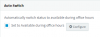
Take an extension and set it to Auto Switch based on office hours. You can do that by navigating to an extensions settings / Forwarding rules and enable Auto Switch2018-05-10_16h08_02.png

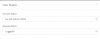
Save the changes by clicking OK. Wait for the Out of office hours to take effect and check the extensions Status. You can do that by highlighting the extension and clicking on the Status button in the extensions tab. It should switch to Do Not Disturb

The next morning after 08:30 the extension should switch to available again. Try it and let us know

2018-05-10_16h11_05.png
 
I wasn't aware of the auto-switch option. That might just be what I was looking for. I'll let you know
 
Try it and let us know
 
No it didn't work last night
Do you have a procedure to set up the auto out of office please?
Like where to set the routing and the changes to make
Thank you
Daren
 
For auto switching to work for extensions you need to set the office hours correctly and enable the auto switching under the extension settings. The extension switches to DND when out of office hours and to Away during break times. This is done by default and cannot change.
Just make sure that the extension is set to use the default office hours
https://www.3cx.com/3cxacademy/videos/intermediate/time-day-routing/
 
If I'm using ring groups does it matter?
 
If I'm using ring groups does it matter?
No it doesn't. the extensions should switch status regardless if they are members of ring groups or queues.
 
Status
Not open for further replies.

Latest Posts

Forum statistics

Threads
111,885
Messages
589,545
Members
164,744
Latest member
johnblackwood1