Out Of Office Call Forwarding to External Number

Status
Not open for further replies.

Atungal

Free User
Joined
Feb 6, 2024
Messages
10
Reaction score
0
Hi. I am new to 3CX PBX System. I am reaching out to experts here regarding on how to setup out of office call forwarding for my client.
They are very specific to their requirements, they want to forward all incoming calls every Saturday 8PM onwards.
Their setup is from Patton Gateway 4 lines to 3CX Pbx. All the incoming calls will land to a ring group which consist of 3 extension on that group. They have a total of 17 extensions.
Can you guide me how to do the call forwarding. Thank you for the support.
 
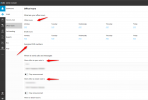
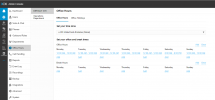
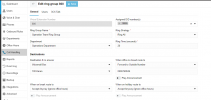
You can create your Office hours and assign the DID number. From there you can also specify the routing depending the configured office hours:
1707284759579.png
 
You can create your Office hours and assign the DID number. From there you can also specify the routing depending the configured office hours:
View attachment 39564
Hi Theodore,

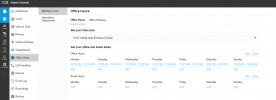
Thank you for your immediate response. Kindly find the below image for reference.

1707293202162.png
 
I provided a screenshot based on the information of the SMB.
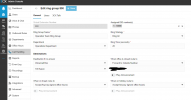
Now go to the call handling, assign the DID number and the department:
1707293367261.png
 
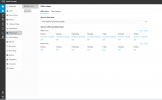
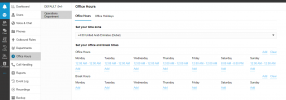
Hi Theodore, I set it up like this. Since their requirements is to get all the incoming calls during Saturday only after 8PM.
1707295396469.png
1707295442706.png
 
Ensure that you have assigned the DID number as well to route calls to the ring group
 
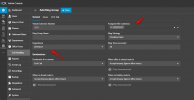
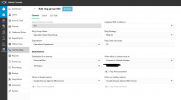
Hi Theodore. Please have a look at my current setup. I hope it will work as per the client requirements.

1707313184856.png
1707313216421.png
1707313231969.png
1707313317121.png
 

Attachments

  • 1707313140842.png
    1707313140842.png
    54.2 KB · Views: 7
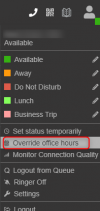
You need to test the configuration to ensure that all is working. You can simply go to the web client on the top right and select to Force the PBX to Out Of Office hours for example and make some test calls:
1707364553395.png
 
You need to test the configuration to ensure that all is working. You can simply go to the web client on the top right and select to Force the PBX to Out Of Office hours for example and make some test calls:
View attachment 39607
Hi Theodore, so I have to click this every Friday for the call forwarding to work? Sorry I asked lot of questions I'm new in 3CX setup.
 
No, this is a way to test it. If you have configured the office hours and after the testing it is working as expected you will not have to do anything else.
 
No, this is a way to test it. If you have configured the office hours and after the testing it is working as expected you will not have to do anything else.
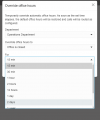
1707399394627.png
Hi Theodore, thank you for always responding to my thread. So what do I need to select from here?
 
Hi Theodore, thank you for always responding to my thread. So what do I need to select from here?
Choose a time period for your testing, and change it back when done. (Or wait for the time to expire)
 
  • Like
Reactions: TheodorosG_3CX
This just for testing purpose, you may refer to @SteveITS comment as well.
 
Hi Support team,

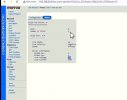
Good day. Im guessing I'm having problem with the patton gateway. Whenever there is call forwarding assigned, the voltage drops in all the fx ports. And they wont be able to make incoming or outgoing calls so I have to restart the device to put it on its normal state. Please find the image below for reference. The normal state is around 48v 1707713879559.jpeg
 
This has to be clarified with Patton.
 
Status
Not open for further replies.

Members Online Now

No members online now.

Forum statistics

Threads
111,831
Messages
589,277
Members
164,660
Latest member
RJenkinsROCK