Outbound call delay 8 rings some time 10 rings

Status
Not open for further replies.

Amila

Joined
Sep 29, 2012
Messages
12
Reaction score
0
Hi ,

Can some one help me on this ,
I'm using 3cx and grandstream gxp-4104 .

Iin my system inbound calls and outbound calls are working .
incoming calls are working very well.

But if someone make a outbound call from(101) 3cx extention to example :to my mobile .
I can hear it's rigining up to 10 rings , But nothing on my mobile . after 10 rings it satrt to ring on my mobile.
Then i can pick tha call and answer . Voice quality fine .

But how can i reduce this delay ,I found starnge server activities from 3cx - log ,

[CM503007]: Call(C:1): Line:10000>>08175121349 has joined, contact <sip:[email protected]:5060>
26-02-2012 21:49:35.591 [CM503007]: Call(C:1): Extn:113 has joined, contact <sip:[email protected]:58256>
26-02-2012 21:49:35.588 L:1.2[Line:10000>>08175121349] has joined to L:1.1[Extn]
26-02-2012 21:49:23.040 [CM505002]: Gateway:[MTN] Device info: Device Not Identified: User Agent not matched; Capabilities:[reinvite, replaces, able-no-sdp, recvonly] UserAgent: [] PBX contact: [sip:[email protected]:5060]
26-02-2012 21:49:19.878 [CM503025]: Call(C:1): Calling T:Line:10000>>08175121349@[Dev:sip:[email protected]:5060,Dev:sip:[email protected]:5060,Dev:sip:[email protected]:5060,Dev:sip:[email protected]:5060] for L:1.1[Extn]
26-02-2012 21:49:19.837 [CM503027]: Call(C:1): From: Extn:113 ("Amila" <sip:[email protected]:5060>) to T:Line:10000>>08175121349@[Dev:sip:[email protected]:5060,Dev:sip:[email protected]:5060,Dev:sip:[email protected]:5060,Dev:sip:[email protected]:5060]
26-02-2012 21:49:19.837 [CM503004]: Call(C:1): Route 1: from L:1.1[Extn] to T:Line:10000>>08175121349@[Dev:sip:[email protected]:5060,Dev:sip:[email protected]:5060,Dev:sip:[email protected]:5060,Dev:sip:[email protected]:5060]
26-02-2012 21:49:19.836 Line limit check: Current # of calls for line Lc:10003(@MTN[<sip:[email protected]:5060>]) is 0; limit is 1
26-02-2012 21:49:19.836 Line limit check: Current # of calls for line Lc:10002(@MTN[<sip:[email protected]:5060>]) is 0; limit is 1
26-02-2012 21:49:19.836 Line limit check: Current # of calls for line Lc:10001(@MTN[<sip:[email protected]:5060>]) is 0; limit is 1
26-02-2012 21:49:19.836 Line limit check: Current # of calls for line Lc:10000(@MTN[<sip:[email protected]:5060>]) is 0; limit is 1
26-02-2012 21:49:19.836 Call(C:1): Call from Extn:113 to 908175121349 matches outbound rule 'RULE mtn'
26-02-2012 21:49:19.833 [CM503001]: Call(C:1): Incoming call from Extn:113 to <sip:[email protected]:5060>


Please help me
 
What are you considering "Strange" from those logs?
ip .108 is your gateway and .5 is the server?

What version and Service pack?

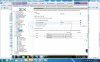
Why 4 outgoing rule with same name and ip? It seems it should be 1 outgoing rule with a limit of 4 lines? Unless you have something special going on here with calling rates that we do not know about.

26-02-2012 21:49:19.836 Line limit check: Current # of calls for line Lc:10003(@MTN[<sip:[email protected]:5060>]) is 0; limit is 1
26-02-2012 21:49:19.836 Line limit check: Current # of calls for line Lc:10002(@MTN[<sip:[email protected]:5060>]) is 0; limit is 1
26-02-2012 21:49:19.836 Line limit check: Current # of calls for line Lc:10001(@MTN[<sip:[email protected]:5060>]) is 0; limit is 1
26-02-2012 21:49:19.836 Line limit check: Current # of calls for line Lc:10000(@MTN[<sip:[email protected]:5060>]) is 0; limit is 1


Turning on Verbose Logs from settings/advanced and posting that info from an outbound call might give us a little more info as to what is going on.

Also, test putting an analog phone on one of the 4 lines that are plugged into the grandstream and test dialing the same mobile phone. This can help rule out an issue with the grandstream configuration.
 
Hi craig ,

192.168.1.5 - is the 3cx server
192.168.1.8 - grandstream 4104.

I connected a anlogue phone and it's working fine without a no delay .

we are using 3cx 11 version. 11.0.27011.711
Accordinly to the 3cx we are using grandstream 4104 - Latest firmaware.

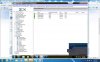
We have only one Physical Anlogue Line connected with grandstream . line 1000 .

Please help me on this .
 

Attachments

  • lines.jpg
    lines.jpg
    234 KB · Views: 1,605
  • Granstream.jpg
    Granstream.jpg
    233.4 KB · Views: 1,605
  • outgong rule.jpg
    outgong rule.jpg
    125.6 KB · Views: 1,605
If you only have one PSTN line plugged into the four line gateway then remove trunks 10001 to 10003 from 3CX and the Gateway. They will not be necessary until you add additional phone lines.
 
So if i remove the other not using trunks it will solve this issue.

It's taking Up to 10 rings before actually it rings on my mobile for outgoing call.

Please help me . i change so many setting in the grandstream , But no luck.

I think from 3cx the call not reaching the grandstream fast enough.


This is are the logs i Found out making a call.

[CM503007]: Call(C:1): Line:10000>>08175121349 has joined, contact <sip:[email protected]:5060>
26-02-2012 21:49:35.591 [CM503007]: Call(C:1): Extn:113 has joined, contact <sip:[email protected]:58256>
26-02-2012 21:49:35.588 L:1.2[Line:10000>>08175121349] has joined to L:1.1[Extn]
26-02-2012 21:49:23.040 [CM505002]: Gateway:[MTN] Device info: Device Not Identified: User Agent not matched; Capabilities:[reinvite, replaces, able-no-sdp, recvonly] UserAgent: [] PBX contact: [sip:[email protected]:5060]
26-02-2012 21:49:19.878 [CM503025]: Call(C:1): Calling T:Line:10000>>08175121349@[Dev:sip:[email protected]:5060,Dev:sip:[email protected]:5060,Dev:sip:[email protected]:5060,Dev:sip:[email protected]:5060] for L:1.1[Extn]
26-02-2012 21:49:19.837 [CM503027]: Call(C:1): From: Extn:113 ("Amila" <sip:[email protected]:5060>) to T:Line:10000>>08175121349@[Dev:sip:[email protected]:5060,Dev:sip:[email protected]:5060,Dev:sip:[email protected]:5060,Dev:sip:[email protected]:5060]
26-02-2012 21:49:19.837 [CM503004]: Call(C:1): Route 1: from L:1.1[Extn] to T:Line:10000>>08175121349@[Dev:sip:[email protected]:5060,Dev:sip:[email protected]:5060,Dev:sip:[email protected]:5060,Dev:sip:[email protected]:5060]
26-02-2012 21:49:19.836 Line limit check: Current # of calls for line Lc:10003(@MTN[<sip:[email protected]:5060>]) is 0; limit is 1
26-02-2012 21:49:19.836 Line limit check: Current # of calls for line Lc:10002(@MTN[<sip:[email protected]:5060>]) is 0; limit is 1
26-02-2012 21:49:19.836 Line limit check: Current # of calls for line Lc:10001(@MTN[<sip:[email protected]:5060>]) is 0; limit is 1
26-02-2012 21:49:19.836 Line limit check: Current # of calls for line Lc:10000(@MTN[<sip:[email protected]:5060>]) is 0; limit is 1
26-02-2012 21:49:19.836 Call(C:1): Call from Extn:113 to 908175121349 matches outbound rule 'RULE mtn'
26-02-2012 21:49:19.833 [CM503001]: Call(C:1): Incoming call from Extn:113 to <sip:[email protected]:5060>
 
Amila said:
I think from 3cx the call not reaching the grandstream fast enough.
First step is to try to connect analogue phone directly to the MTN line and check how much time is required to reach your mobile phone without participation of 3CX and grandstream device. I mean - measure time between "you have entered number on your analogue phone" and "your mobile phone has started to ring"
 
A few things -

I don't think removing the other lines will solve the issue. The gxw recognizes the lines are not there and because you have it set to handle only one call by default, will not make a difference. I have a couple of locations where the client indicated a need to expand lines, so I went ahead and enabled and have noticed no ill results. Of course, if there is no need, then go ahead and remove as it won't hurt and it will eliminate any doubt.

You did not mention the country. Your issue might be associated to line detection or tone detection issues that are associated to the set-up. The log you posted indicates that from from the time the call is made there is a <4 second delay, then approx 12 sec later the connection is made.i look at time rather than rings as rings are not all the same.

If you have not done so already, run the fxo line test from the gxw. This test detects and sets various parameters of the gxw so as to optimize to the connected PSTN line. Then, verify that the call progress tones are set correctly for your country. See if this helps.

Failing the above, then you might locate a butt-in phone or similar device that you can insert on the PSTN line and monitor the call as it occurs. A wireshark capture may also prove beneficial.
 
Hi lneblett ,

Thanks for the reply , I'm from Nigiriea ,
I don't know the correct call progress tone for My country .
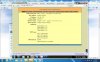
I think i'm using all the default call progress tones That already comes with grandstream.

Any one have a idea about this .
 
Try here http://www.itu.int/ITU-T/inr/forms/files/tones-0203.pdf
But more importantly run the fxo test.
 
Hi ,

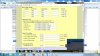
Currently My call Progree details are ,
 

Attachments

  • Call Progree.jpg
    Call Progree.jpg
    193 KB · Views: 1,584
They do not appear to correct. Run the fxo line test.
 
Hi ,


When i run FXO Line test in Grandstream , I cant see any change .
It's promt a message saying test will take up to 10 mins.
That's it after 10 mins i cant see test log even .
 
Hi ,

Can a Round robin is the one having a impact on this issue ,

Please verify ,
This is are the logs i Found out making a call.

[CM503007]: Call(C:1): Line:10000>>08175121349 has joined, contact <sip:[email protected]:5060>
26-02-2012 21:49:35.591 [CM503007]: Call(C:1): Extn:113 has joined, contact <sip:[email protected]:58256>
26-02-2012 21:49:35.588 L:1.2[Line:10000>>08175121349] has joined to L:1.1[Extn]
26-02-2012 21:49:23.040 [CM505002]: Gateway:[MTN] Device info: Device Not Identified: User Agent not matched; Capabilities:[reinvite, replaces, able-no-sdp, recvonly] UserAgent: [] PBX contact: [sip:[email protected]:5060]
26-02-2012 21:49:19.878 [CM503025]: Call(C:1): Calling T:Line:10000>>08175121349@[Dev:sip:[email protected]:5060,Dev:sip:[email protected]:5060,Dev:sip:[email protected]:5060,Dev:sip:[email protected]:5060] for L:1.1[Extn]
26-02-2012 21:49:19.837 [CM503027]: Call(C:1): From: Extn:113 ("Amila" <sip:[email protected]:5060>) to T:Line:10000>>08175121349@[Dev:sip:[email protected]:5060,Dev:sip:[email protected]:5060,Dev:sip:[email protected]:5060,Dev:sip:[email protected]:5060]
26-02-2012 21:49:19.837 [CM503004]: Call(C:1): Route 1: from L:1.1[Extn] to T:Line:10000>>08175121349@[Dev:sip:[email protected]:5060,Dev:sip:[email protected]:5060,Dev:sip:[email protected]:5060,Dev:sip:[email protected]:5060]
26-02-2012 21:49:19.836 Line limit check: Current # of calls for line Lc:10003(@MTN[<sip:[email protected]:5060>]) is 0; limit is 1
26-02-2012 21:49:19.836 Line limit check: Current # of calls for line Lc:10002(@MTN[<sip:[email protected]:5060>]) is 0; limit is 1
26-02-2012 21:49:19.836 Line limit check: Current # of calls for line Lc:10001(@MTN[<sip:[email protected]:5060>]) is 0; limit is 1
26-02-2012 21:49:19.836 Line limit check: Current # of calls for line Lc:10000(@MTN[<sip:[email protected]:5060>]) is 0; limit is 1
26-02-2012 21:49:19.836 Call(C:1): Call from Extn:113 to 908175121349 matches outbound rule 'RULE mtn'
26-02-2012 21:49:19.833 [CM503001]: Call(C:1): Incoming call from Extn:113 to <sip:[email protected]:5060>


I'm still having the same issue , Try to change The threshold seeting and Dial Out time in grandstream 500 , 750 .

But still no Luck .
 
No, the RR had no discernable impact. It only took the system 45 hundreths of a second to determine which line/port to use.

The call is then taking < 4 seconds to connect to the PSTN and dial out........ and then 12 seconds more for the call to be connected.

Your dial tones still appear to be for North America.

Did you run the FXO test as the manual indicates and did you have the setting set to apply changes automatically? You can only run the test on one line at a time. Of course, you only have one line, so this should not be a problem.

What do you have No Key Entry Timeout(X1s): set to? You might lower this to 1, 2, or 3 and see if any affect as this should lessen the 4 second timing I stated earlier.

The 12 second interval is more so in the hands of the carrier and how they route calls to the cell. I do not know if this is normal or not. Forget about how many rings you hear for the moment. How long (in seconds) does it take for a call to be connected if you use an analog phone from the time you complete the dialing to when the cell rings and you answer? Compare to a call from 3CX and report the differential.
 
You are focusing on how long it takes to ring your mobile. Is there a similar delay when calling other lines (landlines)? If calls to other numbers go through a lot faster then it is either your PSTN provider or your mobile provider causing the delay. It could be an issue between your PSTN provider and that particular mobile provider.

It might come down to a capacity issue that your mobile provider is having ,at the cell site, where your phone is currently registered. It may be having to wait until a channel becomes available.
 
Hi ,

Yes as i Found out . I can call to outside PSTN Number(Land Line) with 4 second delay . But inside this 4 second delay i can not hear any rings . so iguee it works out well.
But there no delay any more .

But when i'm calling to mobile i'm facing this isuue.
 
So I'd go to the other recommendations of setting the gateway up properly for your country.
 
What type of phone (device) are you using to place the calls/ Do you make use of an internal set dialplan, or the # key (or Dial key) to send the digit string immediately to 3CX?

I'm wondering if some of the delay could be attributable to the set awaiting additional digits?
 
It's not waiting though - something is ringing 8 times ... So likely 3cx to the gateway.
 
In most of the installations I have done using the GXW, if you listen carefully, you can actually hear what I assume is the Gateway transitioning the call onto the PSTN. What I normally get is a one or two second delay, but within that delay I hear the ringing, but it is louder and more defined. Once the switch is made to the PSTN, it is a more subdued ringing and you can then hear some of the low level white noise.

If you are able to use 3CX and the GXW to make a landline call and as you stated "I can call to outside PSTN Number(Land Line) with 4 second delay . But inside this 4 second delay i can not hear any rings . so iguee it works out well."

Then it seems, on the surface, that the other delay is more attributable to the carrier and their ability of being able to locate and pass the call onto the cell phone of interest. Did you ever try using an analog phone to dial the same cell and compare results? They should be similar althouh not exact.
 
Status
Not open for further replies.

Forum statistics

Threads
112,298
Messages
591,768
Members
165,438
Latest member
cur_cb