- Joined
- Aug 5, 2021
- Messages
- 5
- Reaction score
- 1
Hi,
I have setup self - managed 3cx on MS Azure- UK WEST
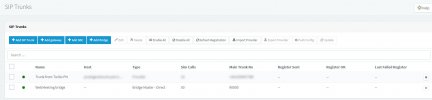
SIP trunk with Twilio setup.
Installation is done by the book, Inbound calls work fine, outbound is not working.
I have tried to the following:
1. Process E164 Numbers - unticked the box
2. In outbound parameters - In the field From Host Part , from defaul changed to Custome IP Range and addedd the IP address from Networking.
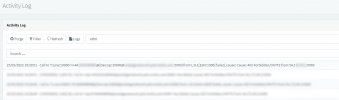
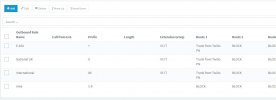
3. In Outbound rules i have played arround and used different rules and nothing has been working. Just Failed Calls.
4. Firewall check Status is Green
2 mobiles are set for testing extension: 1000 and 1001.
Anyone can help with the settings, maybe i am missing something? Can this be the issue that i am testing at work, even if i switch the network to hotpost and used 4G data on both mobiles as extensions? Thank you in advance.
Regards, VC
I have setup self - managed 3cx on MS Azure- UK WEST
SIP trunk with Twilio setup.
Installation is done by the book, Inbound calls work fine, outbound is not working.
I have tried to the following:
1. Process E164 Numbers - unticked the box
2. In outbound parameters - In the field From Host Part , from defaul changed to Custome IP Range and addedd the IP address from Networking.
3. In Outbound rules i have played arround and used different rules and nothing has been working. Just Failed Calls.
4. Firewall check Status is Green
2 mobiles are set for testing extension: 1000 and 1001.
Anyone can help with the settings, maybe i am missing something? Can this be the issue that i am testing at work, even if i switch the network to hotpost and used 4G data on both mobiles as extensions? Thank you in advance.
Regards, VC