


- Joined
- Feb 13, 2019
- Messages
- 3
- Reaction score
- 0
Hi
i have many problem while i am setup my pbx
not my only problem is outbound calls
i got call from internal call out and inbound without problem
before there is firewall problem and i keep it , i think that normal not i know the cause the problem for outbound call
i can recive call from outside but i cant call the outside
it show me in the phone
"internal server error"
while in the event log
Call or Registration to XXXXXXXX@(Ln.10000@Patton Analog FXO) has failed. 10.90.90.198 replied: 504 Server Time-out; from IP:10.90.90.198:5060
than i think the 5060 port is closed in bahrain i change it to 5062
i check the firewall by wireshak both of the test have been fail
so i need some help
so i have server with 3cx 15.5
with pattan 4114
and allnet all-vpn10 router
pattan 10.90.90.198
router and firewall 10.90.90.254
so i tries to open every port but my firewall i think i dont get how to open it
i have is the fire access rule so i put my rule
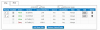
aslo i change one to one nat
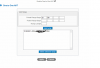
while i dont know how to desibe SIP ALG this deice pattan 4114
and all of the port is wrong mapping
thanks
i have many problem while i am setup my pbx
not my only problem is outbound calls
i got call from internal call out and inbound without problem
before there is firewall problem and i keep it , i think that normal not i know the cause the problem for outbound call
i can recive call from outside but i cant call the outside
it show me in the phone
"internal server error"
while in the event log
Call or Registration to XXXXXXXX@(Ln.10000@Patton Analog FXO) has failed. 10.90.90.198 replied: 504 Server Time-out; from IP:10.90.90.198:5060
than i think the 5060 port is closed in bahrain i change it to 5062
i check the firewall by wireshak both of the test have been fail
so i need some help
so i have server with 3cx 15.5
with pattan 4114
and allnet all-vpn10 router
pattan 10.90.90.198
router and firewall 10.90.90.254
so i tries to open every port but my firewall i think i dont get how to open it
i have is the fire access rule so i put my rule
aslo i change one to one nat
Code:
resolving 'stun-eu.3cx.com'... done

resolving 'stun2.3cx.com'... done

resolving 'stun3.3cx.com'... done

resolving 'sip-alg-detector.3cx.com'... done

testing 3CX SIP Server... failed (How to resolve?)
stopping service... done

detecting SIP ALG... detected (sent e42ace90 ≠ c5ac85c6) (How to resolve?)

testing port 5062... Mapping does not match 5062. Mapping is 43797. (How to resolve?)

starting service... done

testing 3CX Tunneling Proxy... failed (How to resolve?)
stopping service... done

testing port 5090... Mapping does not match 5090. Mapping is 40520. (How to resolve?)

starting service... done

testing 3CX Media Server... failed (How to resolve?)
stopping service... done

testing ports [9000..9398]... failed (How to resolve?)
testing port 9000... Mapping does not match 9000. Mapping is 60777. (How to resolve?)

testing port 9002... Mapping does not match 9002. Mapping is 59970. (How to resolve?)

testing port 9004... Mapping does not match 9004. Mapping is 46938. (How to resolve?)

testing port 9006... Mapping does not match 9006. Mapping is 35450. (How to resolve?)

testing port 9008... Mapping does not match 9008. Mapping is 46638. (How to resolve?)

testing port 9010... Mapping does not match 9010. Mapping is 57205. (How to resolve?)

testing port 9012... Mapping does not match 9012. Mapping is 37839. (How to resolve?)

testing port 9014... Mapping does not match 9014. Mapping is 59348. (How to resolve?)

testing port 9016... Mapping does not match 9016. Mapping is 58575. (How to resolve?)

testing port 9018... Mapping does not match 9018. Mapping is 60248. (How to resolve?)

testing port 9020... Mapping does not match 9020. Mapping is 43368. (How to resolve?)

testing port 9022... Mapping does not match 9022. Mapping is 52284. (How to resolve?)

testing port 9024... Mapping does not match 9024. Mapping is 34440. (How to resolve?)

testing port 9026... Mapping does not match 9026. Mapping is 51310. (How to resolve?)and all of the port is wrong mapping
thanks


