Outbound Calls on 3cx Startup Pro

Status
Not open for further replies.

ethan.mcdonnell20

New User
Joined
Oct 4, 2022
Messages
4
Reaction score
0
Hi,

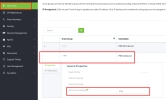
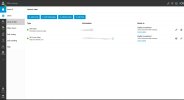
I have added a SIP trunk to my 3cx StartUP instance and it is configured properly, Inbound calls on the SIP trunk are working but when trying to make a Outbound call from any device it comes back with the error Forbidden. Any help is appreciated.

Thanks
 

Attachments

  • Untitled.jpg
    Untitled.jpg
    287.1 KB · Views: 47
Ditto. using flowroute. Cannot figure out the outbound rules in the StartUP version.
 
Outbound rules are not a thing in the hosted startup version as far I've read but from what I've read on the forum once you get the SIP trunk active outbound calls should just work and they are not.
 
I have sent you a pm. Can you check and follow the instructions, please?
 
Last edited:
Hi,

I have added a SIP trunk to my 3cx StartUP instance and it is configured properly, Inbound calls on the SIP trunk are working but when trying to make a Outbound call from any device it comes back with the error Forbidden. Any help is appreciated.

Thanks

I have sent you a pm can you check and follow the instructions please.
Done, thanks for the quick reply.
 
Done, thanks for the quick reply.
I have got back to you on the ticket that you are with us now requesting some information, kindly answer us back on the ticket with the answers to the questions, in order for us to check further.
 
Hello, I'm trying too the Startup free for a client and i cannot make outbound calls.
I added a supported trunk but no luck
 
Hello, I'm trying too the Startup free for a client and i cannot make outbound calls.
I added a supported trunk but no luck
I have sent you a pm. Can you check and follow the instructions, please?
 
Ditto. using flowroute. Cannot figure out the outbound rules in the StartUP version.
I have sent you a pm. Can you check and follow the instructions, please?
 
No outbound rules are required in Startup. Calls are routed via the configured sip trunk automatically.

The dialled number must be formatted according to the requirements of the provider you chose. For example, this may be with or without area code, in e164 format or not. You need to follow the voip provider config guide or contact the voip provider if in doubt.
 
  • Like
Reactions: Charles_3CX
Hi @ethan.mcdonnell20 since this is startup there are no rules to update, we are going to test internally as E164 is the default routing setup for 3CX customers. If you would like to open a ticket with our team to follow up you can do so on the portal or we will post here after our testing.
 
  • Like
Reactions: Nathan@Voxtelesys
Hi @ethan.mcdonnell20,
Can you adjust your outbound trunk to "National" number format? From the portal go to SIP Trunks > Click on your Egress Trunk Group (9xxxx) > update the Number formatting from E164 to National.

We are still doing some tests internally but the national formatting will support +1, 1, and 10 digit dialing. Please keep your Inbound trunk (8xxxx) on E164 formatting as you will need that for incoming calls and SMS.

Example:
e164.png
 
No outbound rules are required in Startup. Calls are routed via the configured sip trunk automatically.

The dialled number must be formatted according to the requirements of the provider you chose. For example, this may be with or without area code, in e164 format or not. You need to follow the voip provider config guide or contact the voip provider if in doubt.
Flowroute only accepts 11-digit numbers in order to be E.164 compliant. Are there any plans to address number formatting in StartUP to support this limitation? As it is outbound callers are required to dial 11 digits even for local calls.
 
No outbound rules are required in Startup. Calls are routed via the configured sip trunk automatically.

The dialled number must be formatted according to the requirements of the provider you chose. For example, this may be with or without area code, in e164 format or not. You need to follow the voip provider config guide or contact the voip provider if in doubt.
@Nick Galea - Flowroute only accepts only 11-digit numbers in order to be E.164 compliant. Are there any plans to address number formatting in StartUP to support this limitation? As it is outbound callers, at least with Flowroute, are required to dial 11 digits even for local calls.
 
I have sent you a pm. Can you check and follow the instructions, please?
Hi, I also have the startup version of the 3cx PBX, but I can't make outgoing calls in any way. I tried them all, I also entered the plus sign with the international prefix, but nothing. I am in Italy. A thousand thanks
 
Hi, I also have the startup version of the 3cx PBX, but I can't make outgoing calls in any way. I tried them all, I also entered the plus sign with the international prefix, but nothing. I am in Italy. A thousand thanks
I have sent you a pm. Can you check and follow the instructions, please?

Hi, I'm also in Italy, and I have the same problem with the startup, help me thanks
 
If you are in Italy, i would recommend you use an Italian trunk for example Voipvoice or Clouditalia. Then you need to contact your provider how to dial out numbers in Italy.
 
Last edited:
Status
Not open for further replies.

Members Online Now

Forum statistics

Threads
111,831
Messages
589,277
Members
164,660
Latest member
RJenkinsROCK