- Joined
- Aug 23, 2017
- Messages
- 10
- Reaction score
- 1
We just installed a new PA 220 at a customer site. We are running into issues with the 3CX firewall checker on the 3CX Media Ports. SIP ALG has been disabled, when we look at the logs on the PA it shows that Port 9000 is 9000 and so forth..... Any Suggestions? I had a PA expert setup the firewall but we cant seem to figure out the issue.
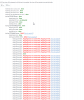
- resolving 'stun-us.3cx.com'... done
- resolving 'stun2.3cx.com'... done
- resolving 'stun3.3cx.com'... done
- resolving 'sip-alg-detector.3cx.com'... done
- testing 3CX SIP Server... done
- stopping service... done
- detecting SIP ALG... not detected
- testing port 5060... done
- starting service... done
- testing 3CX Tunneling Proxy... done
- stopping service... done
- testing port 5090... done
- starting service... done
- testing 3CX Media Server... failed (How to resolve?)
- stopping service... done
- testing ports [9000..9398]... failed (How to resolve?)
- testing port 9000... Mapping does not match 9000. Mapping is 9008. (How to resolve?)
- testing port 9002... Mapping does not match 9002. Mapping is 9008. (How to resolve?)
- testing port 9004... Mapping does not match 9004. Mapping is 9008. (How to resolve?)
- testing port 9006... Mapping does not match 9006. Mapping is 9008. (How to resolve?)
- testing port 9008... done
- testing port 9010... Mapping does not match 9010. Mapping is 9008. (How to resolve?)
- testing port 9012... Mapping does not match 9012. Mapping is 9008. (How to resolve?)
- testing port 9014... Mapping does not match 9014. Mapping is 9018. (How to resolve?)
- testing port 9016... Mapping does not match 9016. Mapping is 9018. (How to resolve?)
- testing port 9018... done
- testing port 9020... Mapping does not match 9020. Mapping is 9018. (How to resolve?)
- testing port 9022... Mapping does not match 9022. Mapping is 9018. (How to resolve?)
- testing port 9024... Mapping does not match 9024. Mapping is 9018. (How to resolve?)
- testing port 9026... Mapping does not match 9026. Mapping is 9018. (How to resolve?)
- testing port 9028... Mapping does not match 9028. Mapping is 9018. (How to resolve?)
- testing port 9030... Mapping does not match 9030. Mapping is 9018. (How to resolve?)
- testing port 9032... Mapping does not match 9032. Mapping is 9018. (How to resolve?)
- testing port 9034... Mapping does not match 9034. Mapping is 9018. (How to resolve?)
- testing port 9036... Mapping does not match 9036. Mapping is 9018. (How to resolve?)
- testing port 9038... Mapping does not match 9038. Mapping is 9018. (How to resolve?)
- testing port 9040... Mapping does not match 9040. Mapping is 9018. (How to resolve?)
- testing port 9042... Mapping does not match 9042. Mapping is 9018. (How to resolve?)
- testing port 9044... Mapping does not match 9044. Mapping is 9018. (How to resolve?)
- testing port 9046... Mapping does not match 9046. Mapping is 9018. (How to resolve?)
- testing port 9048... Mapping does not match 9048. Mapping is 9018. (How to resolve?)
- testing port 9050... Mapping does not match 9050. Mapping is 9018. (How to resolve?)
- testing port 9052... Mapping does not match 9052. Mapping is 9018. (How to resolve?)
- testing port 9054... Mapping does not match 9054. Mapping is 9018. (How to resolve?)
- testing port 9056... Mapping does not match 9056. Mapping is 9018. (How to resolve?)
- testing port 9058... Mapping does not match 9058. Mapping is 9018. (How to resolve?)
- testing port 9060... Mapping does not match 9060. Mapping is 9018. (How to resolve?)
- testing port 9062... Mapping does not match 9062. Mapping is 9018. (How to resolve?)
- testing port 9064... Mapping does not match 9064. Mapping is 9018. (How to resolve?)
- testing port 9066... Mapping does not match 9066. Mapping is 9018. (How to resolve?)
- testing port 9068... Mapping does not match 9068. Mapping is 9018. (How to resolve?)
- testing port 9070... Mapping does not match 9070. Mapping is 9018. (How to resolve?)
- testing port 9072... Mapping does not match 9072. Mapping is 9018. (How to resolve?)
- testing port 9074... Mapping does not match 9074. Mapping is 9018. (How to resolve?)
- testing port 9076... Mapping does not match 9076. Mapping is 9018. (How to resolve?)
- testing port 9078... Mapping does not match 9078. Mapping is 9018. (How to resolve?)
- testing port 9080... Mapping does not match 9080. Mapping is 9018. (How to resolve?)
- testing port 9082... Mapping does not match 9082. Mapping is 9018. (How to resolve?)
- testing port 9084... Mapping does not match 9084. Mapping is 9018. (How to resolve?)