- Joined
- May 17, 2011
- Messages
- 16
- Reaction score
- 0
I have been chasing this issue for several days now and i need some help.
I got a patton 4112 FXO(2) port device and it worked fine out of the box. Had to move the server and got a new IP for 3cx server and for the 4112, figured that it would be as easy as a new ip for the 2 devices, and al tho i can see the connection made in the 3cx server when ever i make a call i cant get a connection.
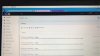
Here is the 3cx log for this call, i need to punch 9 to dial out
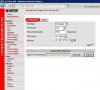
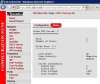
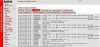
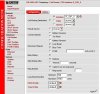
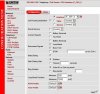
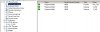
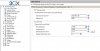
And here are the patton screen shots
I cant seem to find out what im doing wrong, please any help will be appreciated.
-Cesar
I got a patton 4112 FXO(2) port device and it worked fine out of the box. Had to move the server and got a new IP for 3cx server and for the 4112, figured that it would be as easy as a new ip for the 2 devices, and al tho i can see the connection made in the 3cx server when ever i make a call i cant get a connection.
Here is the 3cx log for this call, i need to punch 9 to dial out
09:12:53.272 [CM503020]: Normal call termination. Reason: Server Failure
09:12:53.271 [CM503016]: Call(52): Attempt to reach <sip:[email protected]> failed. Reason: Server Failure
09:12:53.270 [CM503003]: Call(52): Call to sip:[email protected]:5062 has failed; Cause: 502 Bad Gateway; from IP:192.168.0.100:5062
09:12:53.038 [CM503025]: Call(52): Calling PSTNline:6868285@(Ln.10004@TJ_HQ)@[Dev:sip:[email protected]:5062]
09:12:53.020 [CM503003]: Call(52): Call to sip:[email protected]:5060 has failed; Cause: 504 Server Time-out; from IP:192.168.0.100:5060
09:12:41.992 [CM503025]: Call(52): Calling PSTNline:6868285@(Ln.10004@TJ_HQ)@[Dev:sip:[email protected]:5060]
09:12:41.930 [CM503004]: Call(52): Route 1: PSTNline:6868285@(Ln.10004@TJ_HQ)@[Dev:sip:[email protected]:5060,Dev:sip:[email protected]:5062]
09:12:41.925 [CM503010]: Making route(s) to <sip:[email protected]>
09:12:41.917 [CM505001]: Ext.100: Device info: Device Identified: [Man: Yealink;Mod: T22;Rev: General] Capabilities:[reinvite, no-replaces, unable-no-sdp, no-recvonly] UserAgent: [Yealink SIP-T22P 7.60.0.120] PBX contact: [sip:[email protected]:5060]
09:12:41.913 [CM503001]: Call(52): Incoming call from Ext.100 to <sip:[email protected]>
And here are the patton screen shots
I cant seem to find out what im doing wrong, please any help will be appreciated.
-Cesar