PBX Express crash?

Status
Not open for further replies.

Nur Sadar

Joined
Apr 25, 2018
Messages
6
Reaction score
0
Hi

We are unable to access the management console. It looks like a crash on the server. does anyone know what to do with the following information?
Code:
3CX Phone System tried to backup but failed due to the following reason(s):

System.Exception: Error creating backup ---> System.IO.IOException: Entries cannot be created while previously created entries are still open.

   at System.IO.Compression.ZipArchive.AcquireArchiveStream(ZipArchiveEntry entry)

   at System.IO.Compression.ZipArchiveEntry..ctor(ZipArchive archive, String entryName)

   at System.IO.Compression.ZipArchive.DoCreateEntry(String entryName, Nullable`1 compressionLevel)

   at _3cxNetBackupAndRestore._3cxBackup.CreateEntry(String name)

   at _3cxNetBackupAndRestore._3cxBackup.ZipFile(String dst, IFile src)

   at _3cxNetBackupAndRestore.BackupTasks.BaseFilesTask.BackupFiles()

   --- End of inner exception stack trace ---

   at _3cxNetBackupAndRestore._3cxBackup.WaitForFinish()

   at _3cxBackupRestoreImpl.BackupRestoreUtils.Backup(IFilesystem filesystem, String instanceId, String cfgPath, String dbConnectionString, BackupConfig options, String fullpathFilename, Boolean sendEmail)

   at BackupRestoreSchedule.BackupJob.Execute(IJobExecutionContext context)

 
That only looks like a problem with the BACKUP - not the Webserver.
If you can't get into the Console - where did you get this information?
 
This was the content within the e-mail sent from the server. It seems the backup was attempted to the pre-defined FTP, an empty file was located there. The system is still not accessible.
 
have you tired from another location? (home vs office)
or clear your browser cache?
 
We have tried from multiple PC's, laptops, networks, locations. Clearing the browser cache was attempted, also unsuccessful. We have been advised to restart the server, but cannot get to the project on Google Cloud. The install was done on the 14 March 2018, with no issues experienced until 2:08am today.
 
So that would be key - getting into the Cloud Dashbaord to restart the instance.
Who set it up? Are they not able to login?
 
I have the same problem. Everything was working normally till about 2 hours ago and out of the blue everything crashed. Our system is hosted on Google Platform and it is now showing many errors on the Engine API. Phones cannot register, I have no access to the admin console, none of the team members have access to the webclients and none of the calls are coming in. We have tried login into the admin platform from two locations thousands of miles apart to no avail. None of the reps can log in from 3 different countries.

There is no aparent way to restart the google platform Instance either because it was built by the express service of 3cx.
 
I set it up, can get into GCP console, but cannot find the related project in GCP. We also cannot find any contactable resource at Google
 
My concern is that there are 8000+ calls in the last two weeks that we need to recover, for compliance reasons, now the instance seems to have disappeared, with the recordings.
 
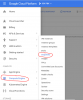
This RESET button... Are you not able to locate it? I reset fine and 3cx installer created the instance.


Screen Shot 2018-04-25 at 2.01.06 PM.png

EDIT: I just saw that you can not even find the instance... not sure where to go, sorry.
 
Last edited:
We are now switching our SIP accounts configured from the 'missing' instance, to our in-house PBX server, should I be concerned that the SIP accounts are still registered to the instance. Would this crash our SIP server, or cause any FIREWALL issues?
 
It shouldn't be an issue... Firewall issues? Not sure how this comes into play except having the right ports open for a local server.

As a side note, I would contact 3cx and see about locating this instance.
 
  • Like
Reactions: Rick WST
update - I have been able to access the VM details after creating a snapshot and selecting the "drive" it was in. Also make sure the owner user is selected in the top right hand corner in case you use many different google accounts

upload_2018-4-25_16-11-19.png
 
I do have a question regarding the wording of the RESET warning. It literally says it will wipe out everything. Does this mean that all the information and records will be erased after reseting the VM? or will all the information pertaining extensions, trunks, inbound rules, etc still remain?
 
On a similar note, I had a backup failed message from my locally installed 3CX installation on Monday morning. Rebooting et al did not help and it turned out to be a few (half dozen) or so corrupted inodes. The server was hanging at the intramfs prompt waiting for an fsck to be completed.

I don't believe that this is related, but it happened within the same(ish) timeframe and included a failed backup.

Hope it helps.
 
I do have a question regarding the wording of the RESET warning. It literally says it will wipe out everything. Does this mean that all the information and records will be erased after reseting the VM? or will all the information pertaining extensions, trunks, inbound rules, etc still remain?

It doesn't say it will wipe the drive - just anything pending in memory.
 
Marari,
The server was hanging at the intramfs prompt waiting for an fsck to be completed.

is that a linux installation that you're referring to? I'm just wondering where you get the technical details.

how did you wind up fixing it?

shawn
 
Marari,


is that a linux installation that you're referring to? I'm just wondering where you get the technical details.

how did you wind up fixing it?

shawn

Yes, it's a local linux install. I had to go to the intramfs prompt and run a fsck to fix the corrupted inodes. There were about 8 or 9. After that, the system rebooted and the pbx came back up.
 
Status
Not open for further replies.

Latest Posts

Forum statistics

Threads
111,885
Messages
589,545
Members
164,744
Latest member
johnblackwood1