PbxConfigTool not working

Status
Not open for further replies.

mahe23

Joined
Apr 28, 2009
Messages
23
Reaction score
0
I want to make an update from 3CX 14 to 15
During Installation process the PbxConfigTool (Command Line) ask about FQDN.
I enter my 3CX14 Backup file
I select "I need a 3CX FQDN
I enter Hostname and domain
I enter option 2 "Local ip will be used"
After that it shows "Starting certificate generation..."
And then PbxConfigTool closes with the Error Message: "PbxConfigTool no longer works"

When I use the WEB Interface it show "Server Error"

The Problem is stuck in the update process.

Matthiaserror.JPG
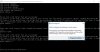
 
Do a reinstall of the VC + + 2010 and 2015, choosing the repair option. Try that first. I frequently have issues with the 2015 installer. It likes to hang up for no reason. If it hangs up from more than 5 minutes I close it, reboot and repair continually until it finally finishes cleanly.
 
Also make sure your windows machine is up to date and your .net is up to date
 
I did not have success. I tried the webconfig. but it ends with Server error:
Unbenannt.JPG
 
Open windows event viewer and check in windows logs/ Application and system if any related issues appear around the time of the installation.
Also i see that the install hangs on the network settings. Do you have multiple NICs or IPV6 configured?
 
I switched off IPV6
After restarting PbxConfigTool (Command Line) with error.
Windows log tell the following:
Name der fehlerhaften Anwendung: PbxConfigTool.exe, Version: 15.0.60903.0, Zeitstempel: 0x58403225
Name des fehlerhaften Moduls: libeay32.DLL, Version: 1.0.2.1, Zeitstempel: 0x550b595a
Ausnahmecode: 0xc0000005
Fehleroffset: 0x000000000000ca23
ID des fehlerhaften Prozesses: 0x1dec
Startzeit der fehlerhaften Anwendung: 0x01d28947040b5236
Pfad der fehlerhaften Anwendung: C:\Program Files\3CX Phone System\Bin\PBXWizard\PbxConfigTool.exe
Pfad des fehlerhaften Moduls: c:\program files\3cx phone system\bin\pbxwizard\x64\libeay32.DLL
Berichtskennung: ddc63ccc-a77f-455b-b5e2-097576c691fa
Vollständiger Name des fehlerhaften Pakets:
Anwendungs-ID, die relativ zum fehlerhaften Paket ist:

At this point I can not install 3CX at all. As well I tried different configurations (Update with exisitng Licence, New installation).

Whats next?

Matthias
 
Best open a support ticket on this one - we might need to check it.
Are you running this install on some virtualization software? What is it?
It looks like whatever you are running has a network stack that 3CX cannot detect.. (And if this is the case, trust me - you must be using something really weird).

About the initial error where the pbx tool crashed - something is wrong on the host. .NET related.
Get a new machine, install clean and try again.
 
I did a complete WIN reset. And then I did not get a Program Failure. But there is an error message:
When starting creating the FQDN an certification:

Starting certificate generation...
{
"type": "urn:acme:error:malformed",
"detail": "Provided agreement URL [https://letsencrypt.org/documents/LE-SA-v1.0.1-July-27-2015.pdf] does not match current agreement URL [https://letsencrypt.org/documents/LE-SA-v1.1.1-August-1-2016.pdf]",
"status": 400
}
Error creating FQDN: {
"type": "urn:acme:error:malformed",
"detail": "Provided agreement URL [https://letsencrypt.org/documents/LE-SA-v1.0.1-July-27-2015.pdf] does not match current agreement URL [https://letsencrypt.org/documents/LE-SA-v1.1.1-August-1-2016.pdf]",
"status": 400
}


Regards Matthias
 
This looks like a very old issue.. What is the version you are using? Very important..
 
Sorry, you are right. This was an old version. I started again:
  1. Fresh WIN 10 Home Install
  2. Hardware Intel Apollo Lake N4200 incl. 4GB
  3. First install 3CX V15
--> when creating FQDN certificate I get the above Error. Applikation hang.
I tried first to make an update with a backup (V14) file. And I tried to fresh install the free 3CX V15.

In both cases i get the above Error (Web or console).

I don't know what to do next. Who can help me.

Some additional info: In the same network there is successfully running a 3CX V14 production version (which I want to replace).

Regards Matthias.
 
Thanks Sopock!
 
I also know how they can prevent such errors.
  • The web installer is a small package (around 1 MB) that automatically determines and downloads only the components applicable for a particular platform. The web installer also installs the language pack matching the language of the user’s operating system.
    That could interesting especially for easier restore of backup. We should run such small installer from extracted zip backup silently without these steps:
  1. Read the system requirements. Click “Next.”
  2. Read our configuration recommendations. Click “Next.”
  3. You will be asked to review and accept the license agreement.
  4. Select the installation folder path, 3CX Phone System will need a minimum of 10GB free hard disk space. You will need to reserve additional space to store voicemail files, recordings & voice prompts. Choose the location to install and then click “Next.”
  5. Click “Install” to start the installation of 3CX Phone System. Setup will now copy all files and install the necessary Windows services.
 
Does WIN 10 Home (64) does not fit the requirement?

  • I tried again an installation with the above "new" installer. But it failed as well.
  • I extracted the backup zip-file (V14). But I could not find an installer.
What is next?

Matthias
 
I extracted the backup zip-file (V14). But I could not find an installer.
Sorry for confusion. That was suggestion for new improved web based installer* for next versions.

Installer should always download latest release of V15. It should also notify that next major version is available.
Display some features from brochure during download like this OS?

After logging in, it performed the color cycling silliness we all know and love from Windows 8—”You can get new apps from the Store!”—before finally displaying the Windows 10 desktop.

What is next?
How to test Debian for 3CX on Virtualbox:cool:

* www.advancedinstaller.com/user-guide/qa-web-installation.html
 
Last edited:
Please note that the system requirements for installing 3CX do not contain windows 10 home.
https://www.3cx.com/docs/manual/
On mini pc's that run windows 10 home you can install 3CX but there are steps to be taken before doing so. go through the article and try again
https://www.3cx.com/blog/docs/pbx-appliance/

Let us know how it goes.

Yes it is a mini PC but with more performance (Intel Apollo Lake N4200 incl. 4GB)
I went through all the steps in the article without success. I think most of steps are for enhancement of performance.
I made the SSD blank and installed a new W10 Home without success. I always stuck in the above error messages.
Who can help me?
 
Right now i stuck here. You adviced me to create a support ticket. Is it really true that I need to puchase support packet first?
 
Even that will not help?:confused:
•Help on configuring 3CX and questions in relation to its operation based on the Admin Guide while using supported Hardware or Virtualization platforms
Crash of libeay32.DLL related to
I was able to create a simple "crash application" and was able to get the dump of the crash along with PDB files for both the libeay32.dll and the sample application.

Anyway, I tried two binaries: The one downloaded from this website<https://slproweb.com/products/Win32OpenSSL.html>. And the one I compiled myself (both of them crashed).
Just a suggestion. I suspect a secure SIP trunk, which is definitely a good idea, would probably cost more anyway. But what happens to security after the call leaves the VOIP provider? Security is only as good as the weakest link.
We also need to make sure that 3CX is not that link?
amd-zen-security-coprocessor-840x447.jpg

This essentially means is that all of our data, and potentially sensitive client details are stored in an unencrypted format inside the RAM of the servers. It also means that you have to trust your cloud hosting provider to not have malicious intent since any physical attack on the memory can be used to essentially get a copy of the virtualized server – and all the cleartext data in it.
 
Last edited:
I'm afraid that situation is not good. Short investigation revealed that 3CX is using couple years old and vulnerable OpenSSL libraries!
You can start from your favorite mobile application and review if any sensitive or unexpected data is being sent to/from a server; you can pentest smart devices using communication as an attack surface; you can look for hidden APIs; or confirm that companies use best security practices in their software development.
Hardly this can be called best practice?
https://www.openssl.org/news/vulnerabilities.html#y2014

Issue in this topic was probably fixed by Andy in July! (ticket 4530)

OP may be familiar with hardware acceleration of video. Well, similar approach can be used in cryptography.
Availability of the Intel® SHA Extensions on a particular processor can be determined by checking the SHA CPUID bit in CPUID.(EAX=07H, ECX=0):EBX.SHA [bit 29]. The following C function, using inline assembly, performs the CPUID check:
int CheckForIntelShaExtensions() {
int a, b, c, d;


// Look for CPUID.7.0.EBX[29]
// EAX = 7, ECX = 0
a = 7;
c = 0;


asm volatile ("cpuid"
:"=a"(a), "=b"(b), "=c"(c), "=d"(d)
:"a"(a), "c"(c)
);


// Intel® SHA Extensions feature bit is EBX[29]
return ((b >> 29) & 1);
}
This check can be used in web installer which will not proceed to msi download when unsupported extensions are present. Installer will always ask 3CX to see current status and say something like: We are sorry. Your microarchitecture(Goldmont) is not supported. Run this installer again soon again. In that case user will not waste over a month by first using old full installer!
We may also see interesting alternative fact sheet of Apollo Lake:
  • Windows 10 Modern Standby* and Cortana* ready
  • Strong security1 support with Intel® Platform Trust Technology (Intel® PTT), plus Advanced Encryption Standard (AES) and Secure Hash Algorithm (SHA) new instructions for fast encryption/decryption performance
  • Delivers great user experiences in clamshells, 2 in 1s, All-in-Ones, mini PCs, desktop PCs and desktop motherboards

At least contact Sr. Software Developer in Brazil by calling +55 15 4009-0607?
Users should install BOTH the 1.0.2 series (LTS) and the 1.1.0 series for maximum application compatibility. Developers need to recompile their software to support 1.1.0.

1 No computer system can be absolutely secure.
 
Status
Not open for further replies.

Forum statistics

Threads
112,320
Messages
591,873
Members
165,466
Latest member
EMMEPICASA