phone voice breaking issue on FTTH connection

Status
Not open for further replies.

SimoneNesi

SOHO User
Joined
May 17, 2019
Messages
35
Reaction score
4
Hi,
I changed my WAN connection technology from FTTC to FTTH increasing the down and up speed from 70/20 Mb to 300/100 Mb, the connection is stable but after I switched on the FTTH connection after few minutes of conversation the voice on Snom D712 start braking.
I made some test and i noticed that I don't have voice breaking issue on softphone application on my laptop.
If I rollback on previous connection again the quality of the voice on snom D712 become good.

Thanks in advance for the help.
Simone
 
Hi JohnS,
Totally agree and apologize if I missed a lot important information.
  • 3CX Version, Standard Annual 18.0 (Build 461)
  • Server OS, Debian GNU/Linux 10 (buster)
  • Is the 3CX Server Hosted and where? Hosted in [OVH]
  • IP Phone Make/Model/Firmware version, Snom D712 fwv. 10.1.84.15
  • Provisioning Method: Direct SIP (STUN - remote)
  • Trunk Provider or VoIP Gateway Make/Model, SIP-Trunk Eutelia (voip.eutelia.it)
  • Has the Firewall Checker passed: FAIL: Port forwarding is not correctly configured, or something in between this tool and 3CX Phone System is blocking traffic.
    Possible causes:
    1) Port forwarding not configured. Port forward the Web Port (default 5000 for HTTP and 5001 for HTTPS for standard installations. 3CX Cloud server installations work on port 80 HTTP and port 443 HTTPS.
    2) Antivirus installed on 3CX Phone System Server blocking 3CX Presence packets
    3) Windows firewall can also be blocking packets.

    Debug information: The request was aborted: Could not create SSL/TLS secure channel.
  • Are custom Phone Templates being used: NO
It's the first time I use Firewall checker.

thanks
Simone
 
Hi Simone,

The firewall checker not passing the test is a big problem for STUN phones and for SIP Trunks. This must be fixed immediately.

If you do not fix this then even if the phones work for a little while, they will not be reliable and will probably have one way audio, or no audio, or bad audio. You might also start missing incoming calls or the phones might lose registration.

The ports marked as "Required" should be forwarded on your firewall https://www.3cx.com/docs/ports/

Since you are in OVH: you should follow this to deploy the system again and have the port forwards done for you automatically, https://www.3cx.com/docs/cloud-pbx-ovh/ OR you can keep your existing machine, but you have to figure out a way to edit the OVH firewall yourself.
 
Hi John,
Actually I run the firewall checker on the FTTC wan connection :-) and even if the test showed issue the phones are working it sound very strange for me.
Apologize but I will run the test on FTTH wan connection out of the working hours to avoid any production impact and send you the result.

thx
Simone
 
Hi John,
Actually I run the firewall checker on the FTTC wan connection :) and even if the test showed issue the phones are working it sound very strange for me.

Apologize but I will run the test on FTTH wan connection out of the working hours to avoid any production impact and send you the result.

thx
Simone
Hi Simone,

We need to clarify something first: the PBX is hosted in OVH, and the phones are in another location behind a FTTH connection correct?
 
Hi John,
the PBX is hosted in OVH: Yes
and the phones are in another location behind a FTTH connection : I have 2 available wan connections: 1st current connection is FTTC up and running since 2018 where the phones are working well, 2nd new connection FTTH up since 1 week (where I'd like migrate) and where I got the voice issue. The connections has been delivered by the same provider (Cloud Italia / now Irideos). My be that new FTTH connection doesn't correctly configured.
Thanks a lot and apologize if I'm not clear enough
 
Hi Simone,

I think it is very clear now, thank you.

Can you run the firewall check and show us exactly what fails? We need to fix this first.
 
Hi John,
I did both te test with the line FTTC and FTTH and attached the result.
The remote firewall/NAT software works fine but I not able to work with the 3CX web firewall test.
thanks
Simone
 
Hi Simone,

I meant to run the one in the 3CX management console. It's in the "PBX Status" box right in the middle.
 
Hi Simone,

I meant to run the one in the 3CX management console. It's in the "PBX Status" box right in the middle.
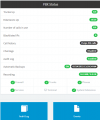
I screenshot what I see from management console, sorry but I need your help about what I have to do.
thx
S.

1653404037010.png
 
Sure, please go in the management console and:

1. Click on the Firewall Button
2. Click on Run
3. Wait until the entire test is completed and show us the results
 
Sure, please go in the management console and:

1. Click on the Firewall Button
2. Click on Run
3. Wait until the entire test is completed and show us the results
I attached the result from both the test(fttc and ftth), I took a look and they seem the same.
I noticed that the voice issue come up the 1st time after ~30 sec and on the next call after ~5-15 sec.
thx a lot
Simone
 

Attachments

Hi Simone,

Ok the PBX appears to be working just fine, we do not need to perform any more checks.

You can now solve the problem by installing a 3CX SBC at the FTTH location.

The SBC will act like a bridge, connecting the phones directly to the 3CX cloud system.

Please read this, and let me know if you have any questions: https://www.3cx.com/docs/3cx-tunnel-session-border-controller/
Hi John,
I did some test with SBC in the past to solve the issue that come up using the the wan connection on 4G/LTE technology.
I'll do some test asap and I'll keep you up to date, what do you think about the root cause of this strange issue? ;-)
thanks you very much for your support.
S
 
I think the root cause is that you are using STUN. STUN has very specific requirements in order to be reliable.

Sometimes you can control things and make it work fine (NAT, SIP ALG, QoS, CG-NAT).

Other times you will not be able to control everything (ISP restrictions, different NAT/ALG/QoS implementations of each modem/router manufacturer don't always behave well).

The 3CX SBC was created to bypass all these challenges, and create a tunnel between your phones and 3CX. Our apps also have this technology built in, but the IP phones do not have it so the SBC acts like the helper which can bypass all these problems for you and ensure the best possible quality and reliability + some extra security via TLS encryption.
 
Hi John,
Your solution sound great!!

I installed and switched all the phone on 3CX SBC, I did a few tests and the phones are working fine, I 'll monitoring the system in the next days.

Last 2 questions:
  • I have 1 snom C520 conference device, what firmare and configuration do you suggest for this device using SBC?
  • what codec do you suggest?
Thanks a lot
Simone
 
Hi Simone,

I installed and switched all the phone on 3CX SBC, I did a few tests and the phones are working fine, I 'll monitoring the system in the next days.
Perfect! I think you will be very happy with it.


Last 2 questions:
  • I have 1 snom C520 conference device, what firmare and configuration do you suggest for this device using SBC?
  • what codec do you suggest?


The C520 WiMi is a supported device, so simply follow our guide here and you can install the correct firmware and provision it. You do not need to change the codecs, leave the the defaults and they should work just fine.
https://www.3cx.com/sip-phones/snom-c-series/
 
Hi Simone,


Perfect! I think you will be very happy with it.


The C520 WiMi is a supported device, so simply follow our guide here and you can install the correct firmware and provision it. You do not need to change the codecs, leave the the defaults and they should work just fine.
https://www.3cx.com/sip-phones/snom-c-series/
I'm crossing the finger and waiting few days before to sing victory. :) Thanks a lot John.
 
  • Like
Reactions: JohnS_3CX
I'm crossing the finger and waiting few days before to sing victory. :) Thanks a lot John.
Hi John,
meanwhile I'm waiting for users feedback I'd your confirm that using the 3CX SBC, does the LAN VoIP traffic stress only internal LAN devices?
thanks
S.
 
Status
Not open for further replies.

Forum statistics

Threads
112,148
Messages
590,963
Members
165,168
Latest member
Stephan Eusebe