- Joined
- Feb 16, 2026
- Messages
- 6
- Reaction score
- 0
Hi all,
In the past I used to add contacts with [business number] = [extension number]
We used it for shared workplaces where two users were available over the same phone number (e.g. Mrs. Meier in the morning and Mr. Mueller in the evening)
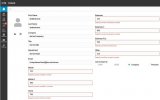
Since the update to V20 the phonebook requires all numbers in the company address book to be in the "mobile phone" format.
It makes it quite complicated and not "system friendly", becuase now when using the phonebook the 3CX system has to dial the complete phone number instead just the 3digit extension.
Luckily the system does not "complain" about the existing records in the address book, but I'm not able to update them or to create new ones with just the extension.
Is there any way to have only the short extension in the phonebook / company address book?
In the past I used to add contacts with [business number] = [extension number]
We used it for shared workplaces where two users were available over the same phone number (e.g. Mrs. Meier in the morning and Mr. Mueller in the evening)
Since the update to V20 the phonebook requires all numbers in the company address book to be in the "mobile phone" format.
It makes it quite complicated and not "system friendly", becuase now when using the phonebook the 3CX system has to dial the complete phone number instead just the 3digit extension.
Luckily the system does not "complain" about the existing records in the address book, but I'm not able to update them or to create new ones with just the extension.
Is there any way to have only the short extension in the phonebook / company address book?