Solved Phones not showing in 3cx software..

Status
Not open for further replies.

netfish

Free User
Joined
May 13, 2019
Messages
20
Reaction score
0
Hello i was sure this software was plug and play? all devices are visible on the LAN, the DHCP server has even given it a IP i can reverse lookup the FQDN for each phone? still not able to auto provision it or see it as a new phone when plugged in? Please please help? run out of ideas? even did a port forward?

Please can you help?
 
Hi,
3CX and phone on same LAN?
What phone brand and model?
Normally new phones appears in bold in phone section in MC , you have strictly nothing?

Are your phones supported ones by 3CX with latest FW and default templates?

you can try help with this guide
https://www.3cx.com/docs/plug-and-play-ip-phone/
 
Hello Thanks for your reply :) i am using Yealink T21P_E2. i think most of all the basic things would of been checked? is there anything i can check to see why it is being blocked or not showing. the firewall is switched off and it is installed on another computer not handing out DHCP? i will try and install the software again, can you give me a link you know works. if the phone says update skipped, could this be why as it is not getting the config file? i thought this would be covered by the auto provisioning?
Thanks again :)
 
Hi,
3CX and phone on same LAN?
What phone brand and model?
Normally new phones appears in bold in phone section in MC , you have strictly nothing?


Yes nothing is showing on the software, i am running windows server 2016, do i need a different installation? i used the demo after filling out the form.
 
Windows Srv is running for 3CX only? if not try it on a W10 Pro 64 computer dedicated to 3CX or Debian is good too with iso provided by 3CX

Can you give space to your text to be easier to read

Links to 3CX
https://www.3cx.com/phone-system/download-links/

For yealink phones
https://www.3cx.com/sip-phones/firmware-update-yealink/

You need 3CX supported firmwares and templates , perhaps on yealink side there's a newer FW but not usable with 3Cx

direct link to Fw 3cx supported
https://www.3cx.com/support/phone-firmwares/
 
try to factory reset phones and check in phone GUI what is the running FW , if needed manualy update with link to the latest supported with 3cx
 
Windows Srv is running for 3CX only? if not try it on a W10 Pro 64 computer dedicated to 3CX or Debian is good too with iso provided by 3CX


Thanks for support everyone:) I don't have it on windows server 2016 i have it on a windows 7 pro machine which is connect to a domain.
 
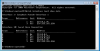
in your screen copy it should give name and local IP adress for your nic, but it displays nothing so you need to check network settings following guidance

Windows 7 is not supported OS anymore, try on Debian9 or W10
 
Sorry i used the right firmware, now saying when i try to install the software, how can i tell? it says version

Version
Firmware Version52.84.0.35
Hardware Version52.0.0.0.0.0.0
10641
 
in your screen copy it should give name and local IP adress for your nic, but it displays nothing so you need to check network settings following guidance

Windows 7 is not supported OS anymore, try on Debian9 or W10

Do you have the link to this guide? Also does this apply to it connecting locally? Thanks
 
try to factory reset phones and check in phone GUI what is the running FW , if needed manualy update with link to the latest supported with 3cx


Hello, I have reset the phones and installed the firmware, the router is a

Product Vendor
Technicolor
Product Name
MediaAccess TG588v v2
Software Version
16.2
Firmware Version
16.2.7064-2201001-20160818135750

i followed the instruction of how to install the software and manged to get it up and running without any problems before.. based on what i have said is it possible to have a list of trouble shooting checks to ensure it is the right one to fix this problem.. based on what i have given can we rule out it is not the phone :):) if it is the Network can i have a step showing how to fix the problem. if it is not the network because it should show everything on the LAN what steps can i take to resolve it.

Thanks again, i wish to be come a distributor so this is good practice.

Thanks
 
You said your PBX was finally on W7, this is not OS supported for V16 you need W10 Pro 64 or Debian 9
 
You said your PBX was finally on W7, this is not OS supported for V16 you need W10 Pro 64 or Debian 9


The windows server is installed and is also the dhcp and dns server. the 3cx software is installed on a computer joined to a domain, which is also the \\SRVR shared. Please advise :) are you saying i need to remove it and install the V16 on windows 10 or something?

Thanks again :)
 
The windows server is installed and is also the dhcp and dns server. the 3cx software is installed on a computer joined to a domain, which is also the \\SRVR shared. Please advise :) are you saying i need to remove it and install the V16 on windows 10 or something?

Thanks again :)
The machine with the 3cx software is running windows professional
 
I first tried it on the windows server 2016 machine and i was getting the same problem. that's why i installed it on the windows 7 machine, because i read that you should not install on a server handing out DHCP. Should i now remove it install a windows 10 OS then install V16 to see what happens?

Thank you so much.
 
use debian no need to have a windows 10 key , works fine , same 3CX GUI
 
Status
Not open for further replies.

Forum statistics

Threads
112,313
Messages
591,840
Members
165,457
Latest member
devo.it